

If you want to know how to get a Community Certificate in TamilNadu online, you are not alone. Every year, many students and job seekers apply for this certificate to get reservation benefits, scholarships, and other government schemes. The good part is that the Tamil Nadu government has made the process easy by providing an official online portal.
In this blog, we will explain how to apply for a Community Certificate in TamilNadu online, who is eligible, what documents are required, application fees, processing time, and common mistakes you should avoid.
What is a Community Certificate?
A Community Certificate is a government document given by the Tamil Nadu Government that shows a person’s caste or community. It is used to get reservation benefits in schools, colleges, government jobs, and different government schemes. This certificate is issued to individuals belonging to the Scheduled Castes (SC), the Scheduled Tribes (ST), and other recognised communities as per state government rules.
Earlier, people had to visit the Taluk office several times to apply for a Community Certificate. The process was slow and sometimes confusing earlier. Now, you can complete most of the applications online from home through the official portal. Knowing how to get a Community Certificate in TamilNadu online helps you:
- Save time
- Avoid middlemen
- Track application status easily
- Download the certificate digitally
- Apply from home
Importance of Having a Community Certificate in TamilNadu
Community Certificate is very important for many reasons. It helps people get admission in educational institutions and apply for government jobs under reservation categories. It is also required while applying for scholarships and financial assistance. Many government schemes are available only to specific caste categories, and this certificate is needed to claim those benefits. In addition, it is often required when applying for other important government documents.
Eligibility Criteria for Community Certificate in TamilNadu
Eligibility for a Community Certificate depends on the state or country. But in most cases, there are some common conditions that applicants must follow.
- Residency: You must be a permanent resident of Tamil Nadu.
- Indian Citizenship: Only Indian citizens can apply.
- Valid Community Proof: You must belong to a recognised community listed under the Tamil Nadu Government categories.
- Supporting Documents: You must provide valid proof, such as a parents’ community certificate or family records.
Documents Required for a Community Certificate in TamilNadu
Get all your documents ready before applying online. This makes the process faster and helps you avoid mistakes. Make sure the documents are clear, and your details are correct. To apply for a Community Certificate online, you usually need the following documents:
- Identity Proof: You need to upload one valid identity proof. The Aadhaar Card is mostly used. You can also use a Voter ID or a PAN Card if needed. The name on your ID proof should be the same as the name you enter in the application form.
- Address Proof: You must show that you live in Tamil Nadu. For this, you can use your Aadhaar Card, Ration Card, or Electricity Bill. The address should be correct and clearly visible in the document.
- Community Proof: This is the most important document. Usually, you need to upload your father’s or mother’s Community Certificate. If you do not have it, you can submit your school Transfer Certificate (TC), where your community is mentioned. Without proper community proof, your application may be rejected.
- Age Proof: You must provide proof of your date of birth. You can upload your Birth Certificate or School Certificate. The date of birth should match your Aadhaar details.
- Passport Size Photo: Upload a recent passport-size photo. The photo should be clear and not blurred.
Step-by-Step Process to Get a Community Certificate Online
The complete step-by-step process to get a Community Certificate in Tamil Nadu through the online portal-
Step 1: Visit the Official Website
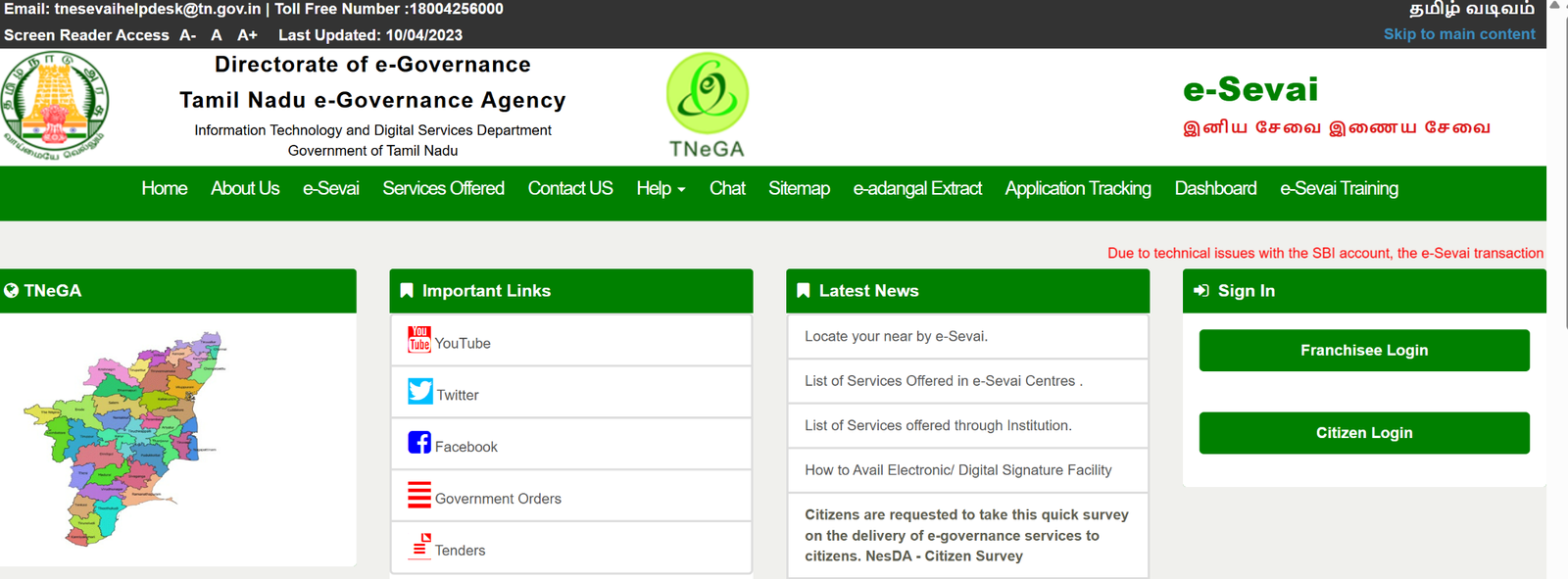
First, open the official TN e-Sevai website – https://www.tnesevai.tn.gov.in/. This is the government website where you can apply for certificates online. Always use the official website only.
Step 2: Create an Account
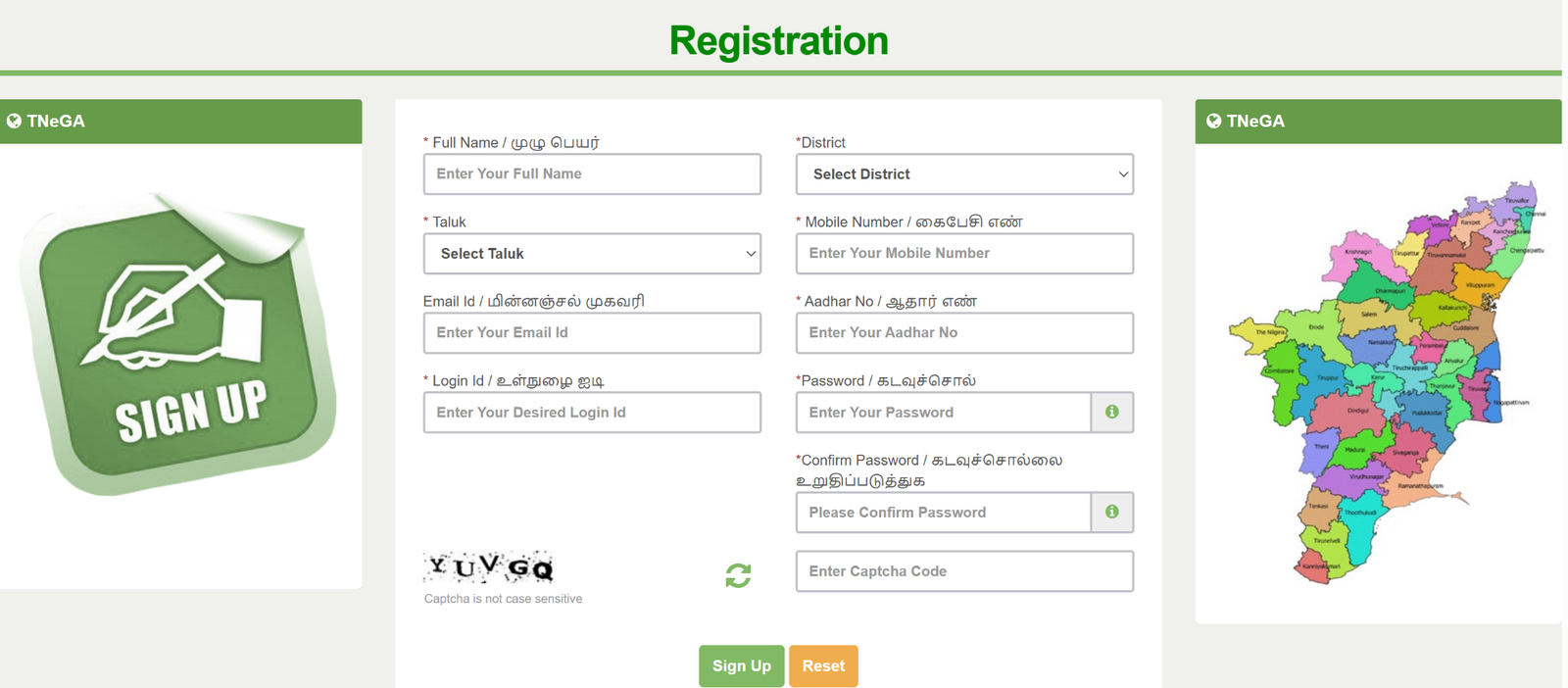
If you are a new user, click on “New User Registration.” Then enter your email ID, mobile number, and Aadhaar number to register. You will get an OTP on your mobile. After entering the OTP, create your login ID and password. If you already have an account, simply log in to your account.
Step 3: Create Your CAN Number
Before applying, you must create a CAN (Citizen Access Number). This number is required to apply for any certificate. Fill in your basic details like name, address, and family information. After submitting, your CAN number will be generated.
Step 4: Choose Community Certificate Option
After login, go to the Revenue Department section. Select the option for Community Certificate to start your application.
Step 5: Fill the Application Form
Now enter your details like name, father’s or mother’s name, date of birth, address, Aadhaar number, and community type. Make sure all details are correct and match your documents.
Step 6: Upload Your Documents
Upload clear copies of your ID proof, address proof, age proof, and community proof. Check that the documents are not blurred.
Step 7: Pay the Fee
You need to pay a small fee of about ₹60. You can pay online using a debit card, credit card, or net banking. After payment, save the receipt for future use.
Step 8: Submit the Form
Check all details once again. Then click on submit. You will receive an application number. Save this number carefully.
Step 9: Check Application Status
You can log in anytime and check your application status using your reference number.
Step 10: Download Your Certificate
Once approved, you can download your Community Certificate from the website. Save it and take a printout if needed.
How to do CAN Registration?
Follow these steps to complete CAN registration:
- First, click on the “Register CAN” button.
- Enter all the required details in the given format.
- Generate and verify the OTP.
- Then click on “Register” to submit the form.
- After successful registration, your CAN number will be generated.
How Much Time It Takes to Get a Community Certificate in TamilNadu?
After you apply online, it usually takes about 7 to 15 working days to get your Community Certificate. The government officers will check your details and documents. If everything is correct, your certificate will be approved within this time.
If there is any mistake or a missing document, it may take more time. You can track your application status anytime on the official website by using your reference number.
Offline Process to Apply for a Community Certificate in TamilNadu
If you do not want to apply online, you can apply for a Community Certificate offline by visiting your nearest Taluk Office or Revenue Office. Ask for the Community Certificate form and fill in your basic details like your name, address, date of birth, and community. Attach copies of your ID proof, address proof, age proof, and your parents’ community certificate. Then submit the form to the office staff.
The officers will check your documents and verify your details. Sometimes, the Village Administrative Officer may also verify your information. After verification, you can collect your Community Certificate from the office. The offline process normally takes around 2 to 3 weeks to complete.
Common Mistakes to Avoid
While applying for a Community Certificate in TamilNadu online, make sure to avoid these common mistakes:
- Uploading unclear documents
- Incorrect spelling of name
- Wrong community selection
- Mismatch in Aadhaar details
- Not saving application number
Small mistakes can delay approval.
What If Your Community Certificate Application Is Rejected?
If your form has wrong or missing information, it can be rejected. If your documents do not match your details or are fake, your application will be rejected. If your community details cannot be checked or you give wrong information, your request will not be approved. To avoid this, check all details carefully and make sure your documents are clear and correct before submitting the form.
How to Appeal after Community Certificate Application Rejected?
If your application is rejected, you can make an appeal with the Revenue Divisional Officer (RDO). You need to visit the RDO office and fill out the appeal form along with the rejection notice. Ask them to review your application and submit any extra documents or corrections if needed. If your appeal is approved, the process will continue and the certificate can be issued.
Validity and Renewal of Community Certificate
In Tamil Nadu, a Community Certificate is generally valid for life. You only need to update it if your name or community details change. If your certificate is lost, you can get another copy from the e-Sevai Portal or the Taluk Office.
How to Check Community Certificate Status in Tamil Nadu?
To check your Community Certificate status in Tamil Nadu follow these steps:
- First, log in to the TN eSevai portal.
- Next, click on the “Check Status” option.
- Then, enter your Transaction Number or Application Number.
- Finally, click on “Search” to view your application status.
How to Download a Community Certificate in TamilNadu?
Follow these steps to download your Community Certificate in TamilNadu:
- First, log in to the TN eSevai portal.
- Click on the “Check Status” option.
- Enter your application number.
- Click on the “Search” button.
- Then select “Download Certificate” to download your certificate.
Conclusion
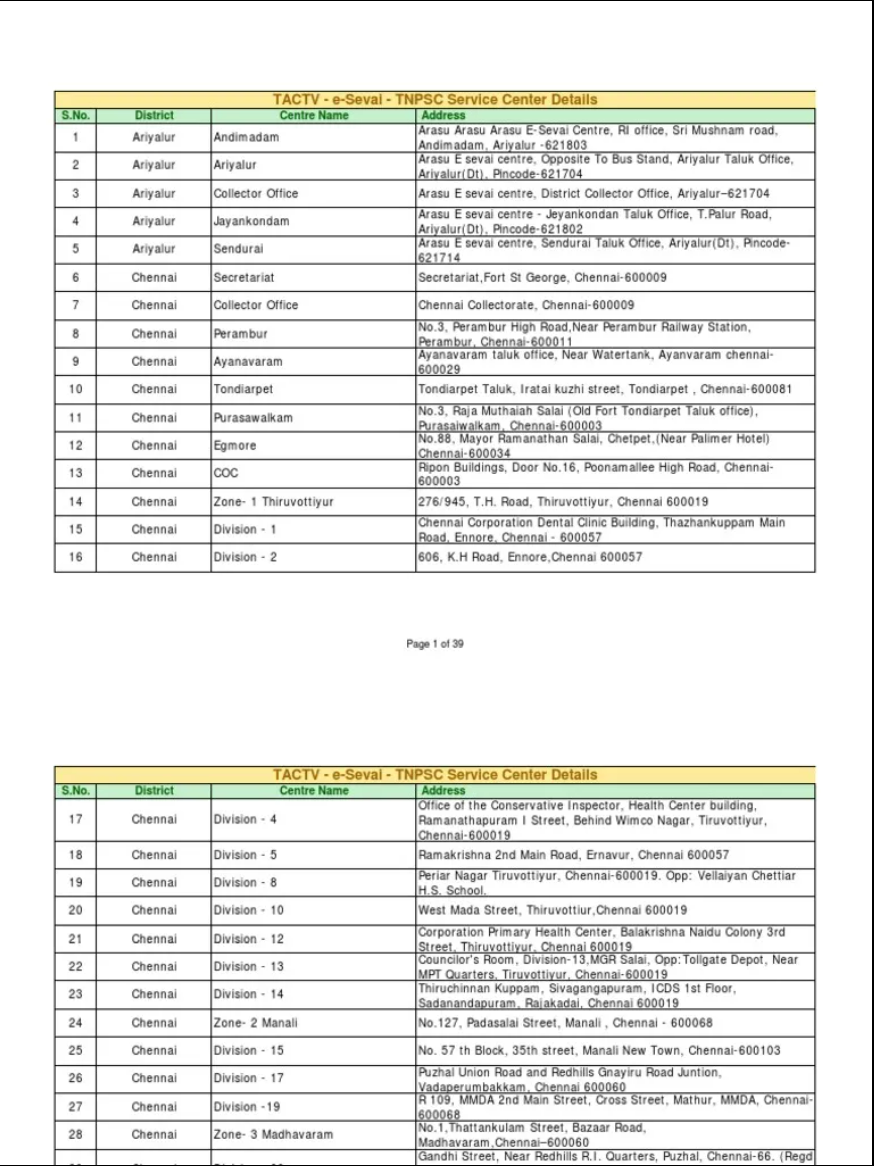
Now, getting a Community Certificate in Tamil Nadu is easy because of the online e-Sevai portal. You can apply, check the status, and download the certificate from home. Make sure you upload correct documents to avoid delays. If you need help, visit your nearest e-Sevai Centre or contact the Revenue Department. The online system has made the process quick and simple.
Frequently Asked Questions (FAQs)
- Which is the official portal to apply for a Community Certificate in TamilNadu?
You can apply through the official TN e-Sevai portal. Always use the government website to avoid fraud or middlemen.
- What is the fee for a Community Certificate in TamilNadu?
The application fee is usually around ₹60. The amount may change as per government rules.
- How many days does it take to get a Community Certificate in TamilNadu?
It normally takes 7 to 15 working days if all documents are correct. In the offline process, it may take around 2 to 3 weeks.
- Can I apply for a Community Certificate without my parents’ certificate?
Yes, but you must provide valid alternative proof, such as a School Transfer Certificate (TC) where your community is mentioned. However, having a parent’s Community Certificate makes the process easier.
- Is an Aadhaar Card mandatory for applying online?
In most cases, an Aadhaar Card is required for online registration and verification. Make sure your Aadhaar details match your application form.
- Can I edit my application after submitting it?
No, once the application is submitted, you cannot edit it online. If there is a mistake, you may need to contact the concerned office.
- What should I do if I lose my Community Certificate?
You can apply for a duplicate copy online through the TN e-Sevai portal or visit your nearest Taluk Office to request one.
- Is the Community Certificate valid for lifetime?
Yes, in Tamil Nadu, the Community Certificate is generally valid for lifetime unless there is a change in your name or community details.
- Can students apply for a Community Certificate?
Yes, students can apply. Many students need it for school admissions, college admissions, and scholarships.
- What happens if my application is rejected?
If your application is not approved, visit the RDO office and submit the rejection notice along with the required documents to appeal.









