
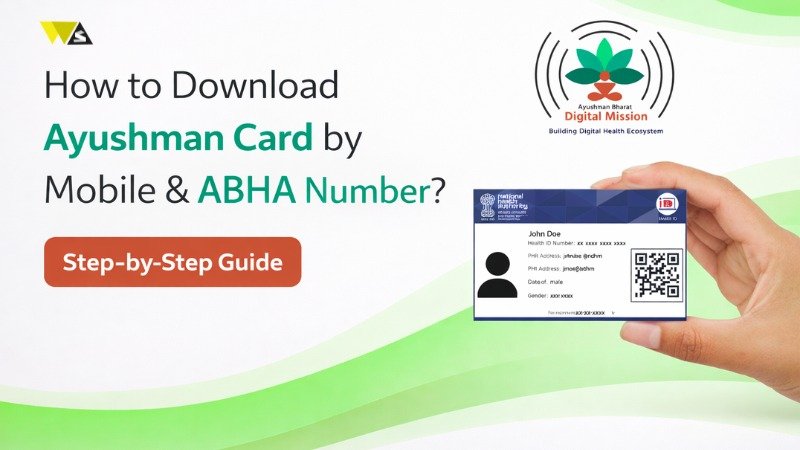
The ABHA card is your free digital health ID (a 14-digit number) that stores your medical records online, download it from abha.abdm.gov.in or the ABHA app using your Aadhaar or mobile number. The Ayushman (PMJAY) card is a separate health insurance card that gives ₹5 lakh of free cashless treatment per family per year , download it from beneficiary.nha.gov.in, the Ayushman App, or UMANG, after a quick Aadhaar e-KYC.
Both cards are completely free, and ABHA is optional, not compulsory. Senior citizens aged 70+ get extra cover up to ₹10 lakh, and registration now supports face authentication.
Important — These are two different cards: The ABHA card stores your health records (digital health ID). The Ayushman/PMJAY card is for free hospital treatment (insurance). You do not need an ABHA card to get Ayushman treatment. This guide covers how to download both.
Table of Contents
ToggleABHA Card vs Ayushman Card: Know the Difference
Many people think these two cards are the same, but they have different purposes. Both are part of the Ayushman Bharat programme, but each card is used for a different reason. .
| Point | ABHA Card | Ayushman (PMJAY) Card |
| What it is | A digital health ID (14-digit number) | A health insurance card |
| Main use | Stores and shares your medical records | Free cashless hospital treatment |
| Benefit | Easy access to reports, prescriptions, history | Up to ₹5 lakh per family per year |
| Who can get it | Any Indian citizen | Only eligible families (SECC/ration list) |
| Download from | abha.abdm.gov.in or ABHA app | beneficiary.nha.gov.in or Ayushman App |
| Is it mandatory? | No, optional | Needed to claim PMJAY benefits |
ABHA = your health records ID, and Ayushman = your free-treatment card. Both are useful, and both are free, but they are not the same thing.
How to Download the Ayushman (PMJAY) Card Online
If you want free healthcare benefits under Ayushman Bharat, you need an Ayushman Card. Here is how you can download it online.
- Visit the official beneficiary portal beneficiary.nha.gov.in .
- Select the “Beneficiary” login option and enter your mobile number.
- Enter the captcha and verify with the OTP sent to your phone.
- Select your State, Scheme (PMJAY), District, and choose “Search By” — Aadhaar number or Family ID.
- Enter the details and search for your name.
- If your name appears but e-KYC is pending, click “e-KYC” (the Action button) next to your name.
- Complete e-KYC using Aadhaar OTP, fingerprint, or face authentication.
- Once your status shows “Verified” / “Approved,” click the download icon.
- Your Ayushman card PDF downloads. You can save it on your phone or print it.
This digital PDF is accepted at all empanelled hospitals. You can show it on your phone or keep a printed copy for convenience.
How to Download the Ayushman Card by Mobile Number
You can also get your card using only your mobile number. Here’s how.
- Go to beneficiary.nha.gov.in and choose “Beneficiary” login.
- Enter your mobile number and captcha, then verify with OTP.
- Select your state, district, and scheme, then search your record.
- If e-KYC is pending, complete it with Aadhaar OTP.
- Once approved, click “Download Card” and verify again with Aadhaar OTP.
- Your Ayushman card is downloaded.
Your mobile number is mainly used for login and OTP, while your Aadhaar is used for the actual e-KYC verification. So keep your Aadhaar-linked mobile number active and with you.
How to Download the Ayushman Card by Aadhaar or Family ID
Both Aadhaar and Family ID are valid options, so choose whichever is convenient for you.
- Open beneficiary.nha.gov.in and log in with your mobile number and OTP.
- Select your state, district, and set “Search By” to Aadhaar Number or Family ID.
- Enter the number and search.
- If e-KYC is pending, click “e-KYC” and complete it with Aadhaar OTP.
- After approval, click “Download Card”, verify with Aadhaar OTP, and download.
The Family ID option is useful because the Ayushman card is family-linked so you can find and download cards for all eligible members of your household from one place.
How to Download the Ayushman Card from the Ayushman App
The official Ayushman App lets you do everything from your phone:
- Install the Ayushman App from the Google Play Store.
- Open it, tap “Login,” choose “Beneficiary,” and enter your mobile number and captcha.
- Enter the OTP to log in.
- Select your state, district, and search by Family ID or Aadhaar.
- Complete e-KYC if pending.
- Tap “Download Card” next to your name, verify with Aadhaar OTP, and download.
The app is handy because you can also check eligibility, add family members, and view your card in one place. You can also download the card through the UMANG app if you prefer.
How to Download the Ayushman Card Offline (CSC)
If you are not comfortable online, you can use a Common Service Centre (CSC):
- Visit your nearest CSC and ask for Ayushman card services.
- Provide your mobile number and complete the verification (Aadhaar-based).
- Submit the required documents for registration.
- The CSC operator (Ayushman Mitra) processes your card.
- Collect your card from the CSC after it is ready.
CSCs and empanelled hospitals are good options for people who need help with the process, especially first-time users and senior citizens.
How to Download the ABHA Card (Digital Health ID)
The ABHA Card is your digital health identity under Ayushman Bharat. It is free and easy to create through the official ABHA portal.
- Go to the official ABHA website abha.abdm.gov.in .
- Click “Create ABHA Number” if you don’t have one yet (use Aadhaar OTP or Driving Licence).
- If you already have an ABHA, click “ABHA Login.”
- Log in using your mobile number, Aadhaar, or ABHA number with the captcha and OTP.
- After login, click “Download ABHA Card” or “View Health Card.”
- Your ABHA card PDF downloads. Save it on your phone or computer.
You can also create and download your ABHA card using the official ABHA app by the National Health Authority. The whole process is 100% free — no fee is charged.
Documents Needed to Download These Cards
You don’t need to submit many documents because Aadhaar-based online verification handles most of the process.
- Aadhaar card — for e-KYC and identity verification.
- Aadhaar-linked mobile number — to receive the OTP.
- Family ID or ration card — helpful for the Ayushman card search.
- A photo — sometimes needed while creating the card.
For the ABHA card, you mainly need your Aadhaar (or Driving Licence) and an OTP. For the Ayushman card, you need to be on the eligible beneficiary list (based on SECC 2011 data or a valid ration card) and complete Aadhaar e-KYC.
How to Check if You Are Eligible for the Ayushman Card
Before downloading the Ayushman card, it helps to confirm you are eligible:
- Go to beneficiary.nha.gov.in .
- Log in with your mobile number and OTP.
- Select your state and scheme, then search by Aadhaar or Family ID.
- If your name appears in the list, you are eligible and can proceed to e-KYC and download.
- If your name does not appear, you may not be on the current beneficiary list.
Eligibility is mainly based on the SECC 2011 socio-economic data and valid ration card (NFSA) details. If you believe you should be eligible but your name is missing, you can visit a CSC, empanelled hospital, or the District Implementation Unit for help.
What Is the ABHA Card?
ABHA stands for Ayushman Bharat Health Account. It is a digital health ID with a unique 14-digit number that lets you store all your medical records in one place, online.
Think of it like a digital file for your health. Instead of carrying paper reports, prescriptions, and X-rays everywhere, your records are saved in your ABHA account. When you visit a doctor at a connected hospital, they can — with your permission — view your history instantly. This is part of the Ayushman Bharat Digital Mission (ABDM), the government’s plan to make Indian healthcare fully digital. Over 67 crore ABHA numbers have already been created across India.
Benefits of the ABHA Card
The ABHA card brings several benefits for managing your health:
- Paperless records: Store your reports, prescriptions, and history online — no need to carry files.
- Anytime access: View your medical history from your phone, anywhere in India.
- Better treatment: Doctors can see your full history (with consent) for faster, more accurate care.
- Quick hospital visits: Faster OPD registration using your ABHA number or a QR code scan.
- Easy sharing: Share records with a new doctor or hospital in seconds.
- Emergency-ready: Critical health info is available quickly when it matters most.
- Privacy and control: Your data is shared only with your permission (consent-based).
- Supports AYUSH too: Works with Ayurveda, Yoga, and other AYUSH treatments.
In short, the ABHA card makes managing your health simpler, faster, and safer.
Can You Use the Ayushman Card Without an ABHA Card?
Yes you absolutely can. This is one of the most common questions, and the answer is clear: you do NOT need an ABHA card to get treatment under the Ayushman Bharat (PMJAY) scheme.
- For eligibility: If your family is eligible under PMJAY (based on government data), your Ayushman card alone proves it. ABHA is not required.
- At the hospital: Just show your Ayushman card or give your details. The hospital verifies your identity and provides cashless treatment.
- ABHA’s role: ABHA only helps by storing your health records digitally and making verification smoother — but it is optional.
So treat the ABHA card as a helpful add-on, not a requirement. The one notable exception in 2026 is that for some senior-citizen benefits (like the Vaya Vandana cover for those 70+), linking ABHA may be encouraged or needed — so seniors should check the current rule.
Cashless Treatment with the Ayushman Card: How It Works
The main benefit of the Ayushman Card is that it provides free cashless treatment at empanelled hospitals. Here’s how it works:
- Visit a listed (empanelled) hospital — government or approved private.
- Show your Ayushman card at the Ayushman Mitra desk.
- The hospital verifies your eligibility in the system.
- You receive treatment without paying cash — the cost is covered under the scheme.
What is covered: hospital admission, surgery, treatment, medicines, tests, and pre- and post-hospitalisation care.
| Feature | Details |
| Treatment type | Cashless |
| Cost to you | Free |
| Coverage | Up to ₹5 lakh per family per year |
| Hospitals | Government and empanelled private |
| Covered | Treatment, surgery, medicines, tests |
Remember: cashless treatment is available only at approved (empanelled) hospitals, and you must be eligible under the scheme.
Which Hospitals Accept the Ayushman Card?
You can use your Ayushman card for free treatment at many hospitals across India:
- Government hospitals: Most accept the card and provide free treatment for many diseases and surgeries. They are available in almost every district.
- Empanelled private hospitals: Many private hospitals are approved under the scheme and offer cashless treatment, often with better facilities and shorter waiting times.
- Multi-specialty hospitals: Some larger hospitals offer advanced treatment under the scheme.
To find your nearest approved hospital, use the hospital finder on the official PMJAY website (pmjay.gov.in ) or ask at a nearby hospital. Only hospitals that meet the government’s quality standards are added to the scheme, so you get proper care.
Who Should Create an ABHA Card?
The ABHA card is useful for almost everyone, but it is especially helpful for:
- People who want paperless records and are tired of carrying medical files everywhere.
- Patients with ongoing treatment (like diabetes, heart, or kidney care) who visit doctors often and need their history handy.
- Senior citizens, who benefit from having their full health history available quickly, especially in emergencies.
- Families, since each member can have their own ABHA to keep records organised.
- People visiting big hospitals like AIIMS or PGIMER, where ABHA can speed up OPD registration.
- Anyone wanting future-ready healthcare, as more hospitals and labs join the digital system every month.
Because it is free, quick to create, and optional, there is little downside to making an ABHA card. Even if you don’t use it daily, having your records in one safe digital place can be very helpful when you least expect it.
ABHA Card Latest Updates 2026
The ABHA system and Ayushman scheme have seen several useful upgrades in 2026. Here are the key ones:
- Face authentication: You can now create your card by scanning your face (matched with your Aadhaar photo), so the digital card arrives in minutes — no CSC visit needed.
- Scan & Share (QR code): A QR-based system allows instant, paperless OPD registration at many hospitals.
- Digital prescriptions: Medicines and prescriptions are increasingly recorded online instead of on handwritten slips.
- Senior citizen boost: Seniors aged 70+ now get additional cover (family total up to ₹10 lakh) under the Ayushman Vaya Vandana expansion.
- ABHA still optional: ABHA is not mandatory for card generation — it remains optional but recommended.
- Wider adoption: Over 67 crore+ ABHA IDs created, with strong rollout in states like Uttar Pradesh and Rajasthan.
- Reports via SMS/WhatsApp: Some hospitals now send reports and updates digitally.
- Consent-based data: Your health data is shared only with your permission, keeping you in control.
These changes make digital healthcare faster and more convenient, though some features are still rolling out and may vary by hospital and state.
Health Insurance vs Ayushman Card: What’s the Difference?
People often ask whether the Ayushman card replaces private health insurance. Here is a simple comparison:
| Feature | Health Insurance | Ayushman (PMJAY) Card |
| Cost | Paid premium every year | Free (no premium) |
| Coverage | Depends on your plan | Up to ₹5 lakh per family per year |
| Who can get it | Anyone can buy | Only eligible families |
| Hospitals | Wide network | Empanelled hospitals only |
| Flexibility | High | Limited to scheme rules |
The Ayushman card is free but only for eligible families and at approved hospitals. Health insurance costs money but offers more choice and higher cover. Many families use the Ayushman card as a strong base and add private insurance for extra protection if they can afford it.
How to Print Your Ayushman or ABHA Card
Once downloaded, printing is simple:
- Download your card PDF from the official website or app.
- Open the PDF on your phone or computer.
- Click the “Print” option to take a printout.
A printed card is handy as a backup at the hospital, but remember the digital PDF is equally valid you can simply show it from your phone. Since the card is family-linked, losing a physical copy does not cancel your benefit; you can always re-download it from the portal.
Conclusion
The ABHA card and the Ayushman (PMJAY) card are two of the most useful tools in India’s growing digital healthcare system and both are free. The ABHA card keeps your medical records safe and digital, while the Ayushman card gives eligible families ₹5 lakh of free, cashless treatment every year.
They are two different cards, you do not need ABHA to get Ayushman treatment, and you should always download from the official portals — abha.abdm.gov.in and beneficiary.nha.gov.in . With 2026 upgrades like face authentication, QR-based registration, and extra cover for senior citizens, getting and using these cards is easier than ever.
Frequently Asked Questions (FAQs)
1. What is the difference between the ABHA card and the Ayushman card?
The ABHA card is a digital health ID that stores your medical records. The Ayushman (PMJAY) card is a health insurance card giving up to ₹5 lakh of free treatment. They are part of the same programme but do different jobs.
2. How can I download my Ayushman card online?
Visit beneficiary.nha.gov.in, log in with your mobile number and OTP, search by Aadhaar or Family ID, complete Aadhaar e-KYC, and click “Download Card.”
3. How do I download my ABHA card?
Go to abha.abdm.gov.in or the ABHA app, log in with your mobile number, Aadhaar, or ABHA number and OTP, then click “Download ABHA Card” to save the PDF.
4. Is the ABHA card mandatory to get Ayushman treatment?
No. The ABHA card is optional. You can get free treatment under PMJAY using only your Ayushman card, without an ABHA.
5. Are these cards free to download?
Yes, both the ABHA card and the Ayushman card are completely free. Never pay any agent to download them.
6. Can I download the Ayushman card using only my mobile number?
Your mobile number is used for login and OTP, but the card download also needs Aadhaar e-KYC. So keep your Aadhaar-linked mobile number ready.
7. What documents do I need to download these cards?
Mainly your Aadhaar card, Aadhaar-linked mobile number, and (for Ayushman) your Family ID or ration card. A photo may be needed while creating the card.
8. How much treatment cover does the Ayushman card give?
The Ayushman card gives up to ₹5 lakh per family per year for cashless treatment at empanelled hospitals. In 2026, seniors aged 70+ get extra cover (up to ₹10 lakh).
9. How can I check if I am eligible for the Ayushman card?
Log in at beneficiary.nha.gov.in , search by Aadhaar or Family ID, and if your name appears in the list, you are eligible. Eligibility is based on SECC 2011 data and ration card details.
10. Is my health data safe with the ABHA card?
Yes. ABHA uses a consent-based system, so your health records are shared only when you allow it, giving you full control over your data.
11. Can I use the Ayushman card at private hospitals?
Yes, but only at empanelled (approved) private hospitals. Treatment there is cashless up to ₹5 lakh. Not all private hospitals accept the card.
12. What are the latest 2026 updates for these cards?
Key updates include face-authentication registration, QR-based Scan & Share, digital prescriptions, extra cover for 70+ seniors, and over 67 crore ABHA IDs created. ABHA remains optional.
13. I lost my Ayushman card. What should I do?
Don’t worry the card is family-linked, so you don’t lose your benefit. Just log in to beneficiary.nha.gov.in and re-download the PDF anytime.
14. Where can I report fraud or someone asking for money?
These services are free. If anyone demands money or your OTP, call the official fraud helpline at 14555.