
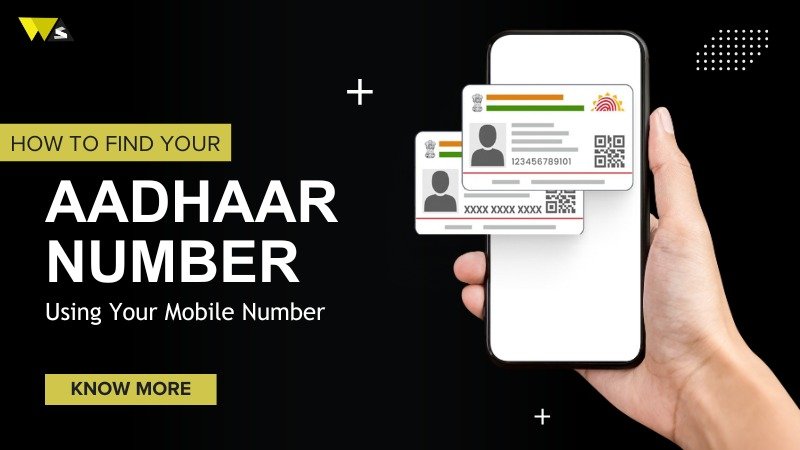
Aadhaar is now the most common identity document in India. It is used everywhere — banks, SIM cards, government offices, and online verification. But many people do not remember their 12-digit Aadhaar number. The card is often kept at home and not carried every day.
Because of this, people face small issues when they need the number urgently for any form, service, or verification. With basic information and a linked mobile number, a person can easily retrieve their Aadhaar details. This process saves time and stops extra visits to Aadhaar centres.
It also makes daily digital work smoother, especially as more services are moving online and asking for quick identity verification. This is why people have a common question
Can I find my Aadhaar number using my mobile number?
Yes, you can find your Aadhaar number using your mobile number if the number is already linked to your Aadhaar. This process is free and safe because UIDAI verifies it through an OTP. Once the OTP is confirmed, you can see or get your Aadhaar number online. If your mobile number is not linked, then you must visit an Aadhaar centre to update it first. After that, you will be able to use this service easily in the future.
Why Aadhaar Needs a Mobile Number
When Aadhaar started many years ago, people received physical letters with their details. Later, UIDAI added OTP verification for updates and downloads. For this reason, linking a mobile number became important.
Today the registered mobile number is used for:
- OTP login
- e-Aadhaar download
- Aadhaar updates
- Address change
- Biometric lock/unlock
- KYC verification
So, without the mobile number, many online Aadhaar services do not work.
How to Retrieve Your Aadhaar Number With Your Mobile Number
UIDAI provides a feature called Retrieve UID/EID. This allows you to recover your Aadhaar number if you forget it.
Steps:
-
Visit the official UIDAI website
To check or recover your Aadhaar details, visit the UIDAI official website. There you can use different Aadhaar services online in a safe and easy way.
-
Go to Retrieve Lost UID/EID
After you open the site, select the option “Retrieve Lost UID/EID.” With this option, you can get back your Aadhaar number or enrolment ID if you don’t remember them.
-
Enter your name and mobile number
On the next page, enter your name and the mobile number linked to your Aadhaar. These details are needed so UIDAI can verify your identity before showing your Aadhaar information.
-
Fill the captcha
After that, type the characters shown in the captcha box to confirm you are not a bot.
-
Get OTP on your mobile
After that, an OTP will be sent to your linked mobile number. for verification.
-
Enter the OTP
Enter the OTP sent to your mobile to confirm your identity.
-
Receive your Aadhaar number (UID)
After verification, UIDAI will send your Aadhaar number (UID) to your mobile through SMS. This allows you to recover your Aadhaar number quickly without visiting any centre.
Sometimes UIDAI sends it by SMS. In other cases, it shows the number on screen. This entire process is free.
Conditions for Recovery
This method works only in the following cases:
- Your mobile number must already be linked
- Your name should match records
- You must have access to the OTP
- You can recover only your own Aadhaar
There is no feature to search other people’s Aadhaar numbers.
If Mobile Number Is Not Linked
If your number is not linked, you must update it first.
To update the mobile number:
- Visit any Aadhaar enrolment centre
- Provide your Aadhaar details
- Confirm identity with biometrics
- Submit update request
Once the update is done, you can use online Aadhaar services again. The process can take a few days or longer, depending on the centre.
Download e-Aadhaar After Recovery
Once your Aadhaar number is recovered, you can download a digital copy.
Steps:
- Visit UIDAI page
- Enter Aadhaar number
- Authenticate with OTP
- Download PDF
The e-Aadhaar PDF is password protected. The password usually uses your name initials and birth year. Digital Aadhaar is valid everywhere. Banks, telecom companies and government offices accept it.
Is It Possible to Find Someone Else’s Aadhaar With Their Phone Number?
No, it is not possible. Aadhaar data is private. UIDAI does not allow public searches, phone lookups, or database access. Banks, telecom operators and other services cannot give you someone else’s Aadhaar number.
Avoid Third-Party Services
Sometimes websites or agents claim they can “find Aadhaar by mobile number”. These are unsafe and illegal. Only the official UIDAI system should be used. India has rules that stop others from accessing your Aadhaar details without permission.
If You Need a Physical Aadhaar Card
After recovery, you can ask UIDAI to print a PVC Aadhaar card again. It will be sent to you by post, and you can also check its delivery status online.
Conclusion
If your Aadhaar is already linked to your mobile number, you can easily find your Aadhaar number using that number. It’s free and safe because UIDAI sends an OTP to confirm it’s really you. But if your mobile number is not linked, then you first need to update it at an Aadhaar center. Once it’s linked, using Aadhaar services becomes easier in the future.
If your number is not linked yet, updating it at an Aadhaar center is a one-time task. After the update, you don’t have to worry in the future. After that, you will be able to download your Aadhaar card., recover a lost Aadhaar number, order a PVC Aadhaar card, check Aadhaar status, and even make address updates online without any problem.
FAQ
Q1: Can I get my Aadhaar without an OTP?
No. For security reasons, an OTP is required.
Q2: Can I find someone else’s Aadhaar?
No. Only your own.
Q3: Is the service free?
Yes. Retrieval is free.
Q4: What if my old number is lost?
You need to update your mobile number at an Aadhaar centre.