
Goods and Services Tax GST has reformed the indirect tax structure in India by bringing multiple taxes under one system. Before GST, businesses had to deal with many separate taxes, such as VAT, Excise Duty, Service Tax, Entry Tax, Purchase Tax, etc. Now, GST has combined all these into a single tax nationwide.
With GST, the government also launched a dedicated online portal — www.gst.gov.in, known as GSTN (Goods and Services Tax Network). This portal is the main digital platform for businesses to manage GST registration, returns, payments, refunds, statements, and many other services.
One of the most important actions on this website is the GST Login. Without logging into the GST Portal, taxpayers cannot file returns, pay taxes, download challans, check refunds, or open important GST records.
What is the GST Portal?
The GST Portal (www.gst.gov.in) is the official website of the Government of India for all GST work. It works like an online GST office, where taxpayers can apply for GST, file monthly or yearly returns, pay GST, create challans, claim refunds, and respond to notices.
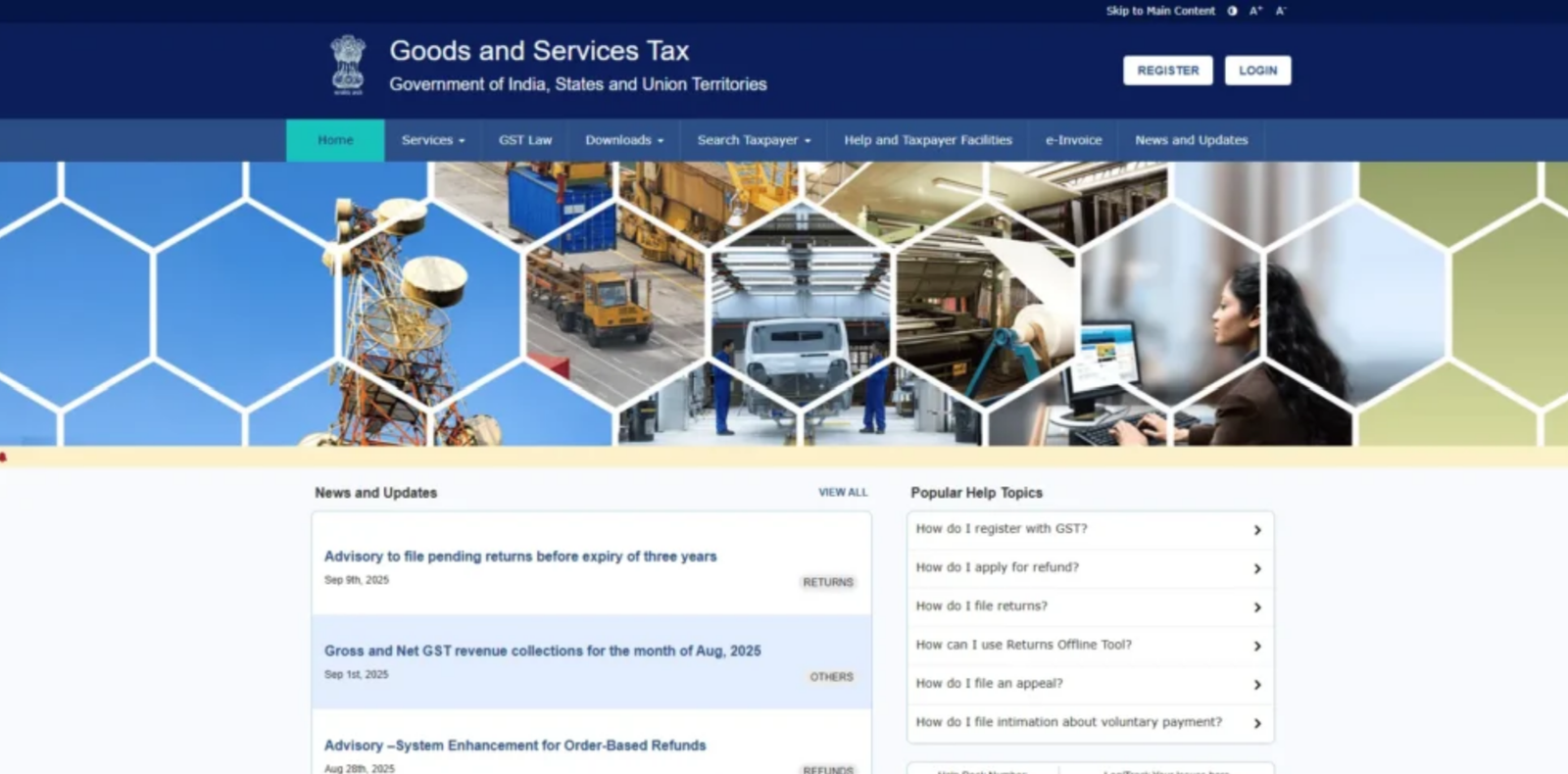
Both small and large businesses use this portal to complete all GST work from home or office without visiting any government department. Because everything is online, it helps save time, reduces paperwork, and makes the tax system more transparent and organised for taxpayers, professionals, and the government. The portal is used by taxpayers, accountants, consultants, and government departments to enable fast, easy GST compliance across India.
Using the GST Portal, taxpayers can perform tasks like:
- Register for GST
- File GST returns
- Make GST payments
- Generate challans
- Claim refunds
- Download certificates
- Check notices and messages.
- Verify GSTIN details
- Update business profile and information.
Who Needs to Log in to the GST Portal?
The following types of users are required to log in to the GST portal:
- Businesses
All businesses registered under GST — such as proprietorships, partnerships, LLPs, and companies must log in to file GST returns, make tax payments, and handle GST compliance activities.
- Freelancers & Self-Employed Individuals
Professionals or service providers who cross the GST turnover limit must register for GST and log in to manage their GST filings.
- Tax Professionals
CAs, tax consultants, and GST Practitioners (GSTPs) need to log in to the GST portal to handle filings and compliance on behalf of their clients.
How to register for GST?
To get GST login details, you must first apply for GST registration on the official GST portal (gst.gov.in). Once you submit the required details and documents, the portal will generate an acknowledgement number. This number can be used to track the application status.
After the GST officer verifies your information, the registration will be approved, and a GST Identification Number (GSTIN) will be issued. During this process, you will also receive a username and be allowed to set your own password for GST login.
Requirements needed before logging into the GST Portal
Before logging into the GST portal, make sure you have:
- GSTIN / Provisional ID / UIN — a valid 15-digit GST number, provisional ID received during registration, or UIN for special agencies.
- Username & Password — the login details created during or after registration.
- Registered Email & Mobile Number — needed for receiving OTPs, alerts, and updates from the portal.
- Internet & Compatible Browser — a stable internet connection and a supported browser like Chrome, Firefox, or Edge for smooth access.
Pre-Login Guide for gst.gov.in
The GST portal has several important tabs required for GST filing and compliance. These include:
1. Services tab on GST Portal:
The ‘Services’ tab on the GST portal provides options for registration, payments, refunds, user services, e-way bill system, and application tracking.
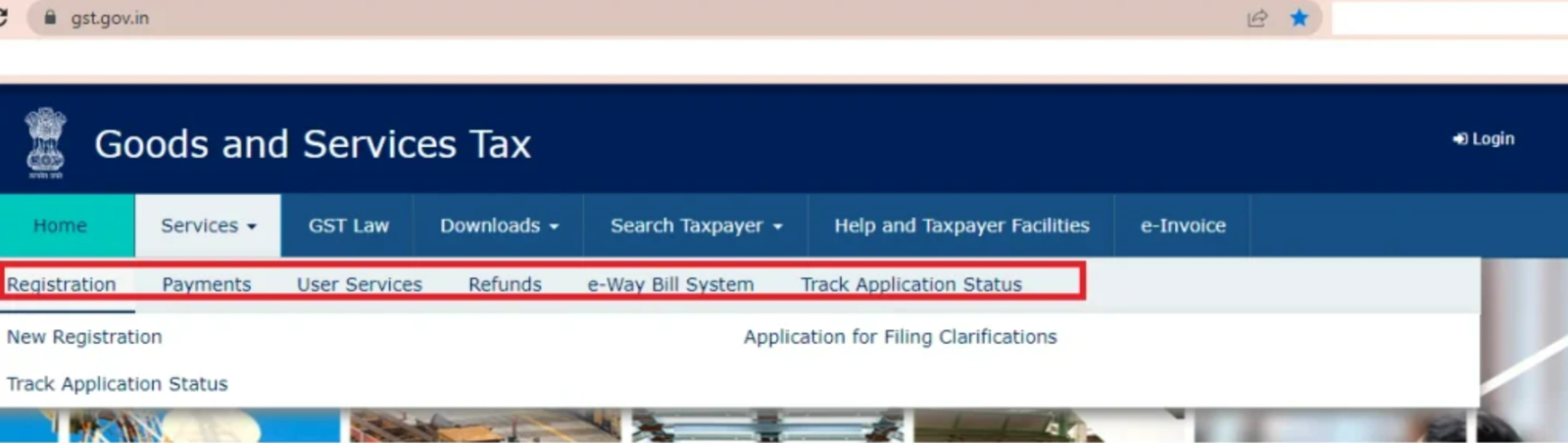
a)Registration: The ‘Services’ tab allows you to apply for new GST registration online through the GST Portal. Follow the steps to complete the registration process. GST registration can also be completed smoothly and quickly. If you’ve already applied, you can check your GST application status here.
b) Payments: In the ‘Payments’ tab, taxpayers can make GST payments by generating a challan. They can also check if the payment was successful using the ‘Track Payment Status’ If there is any issue with the payment, a GST PMT-07 grievance can be filed from the same tab.
c) User Services: The User Services section gives quick links that are useful for GST users. From here, you can search HSN codes, generate a User ID if you are not registered, check the holiday list and cause list, find a GST practitioner (GSTP), and verify RFN This section basically helps users get important GST information in one place without any hassle.
d)Refunds: This is a helpful section for taxpayers as it allows the user to track the status of their GST refund applications.
e)e-Way Bill System: This tab redirects users to the e-way bill portal. The portal also provides FAQs and a user manual for better guidance.
f)Track Application Status: This is the last tab under ‘Services’, and it lets users check the status of their GST registration and refund applications.
2.GST Law Tab:
This section includes links to important GST websites, such as the CBEC portal and state GST websites. From here, users can read GST laws, rules, notifications, amendments, and other official updates.

3. Downloads:
The GST portal also gives offline tools for filing GST returns. Using these tools, you can fill out return forms offline and then upload them to the portal. The available tools include:
3(a) Offline Tools
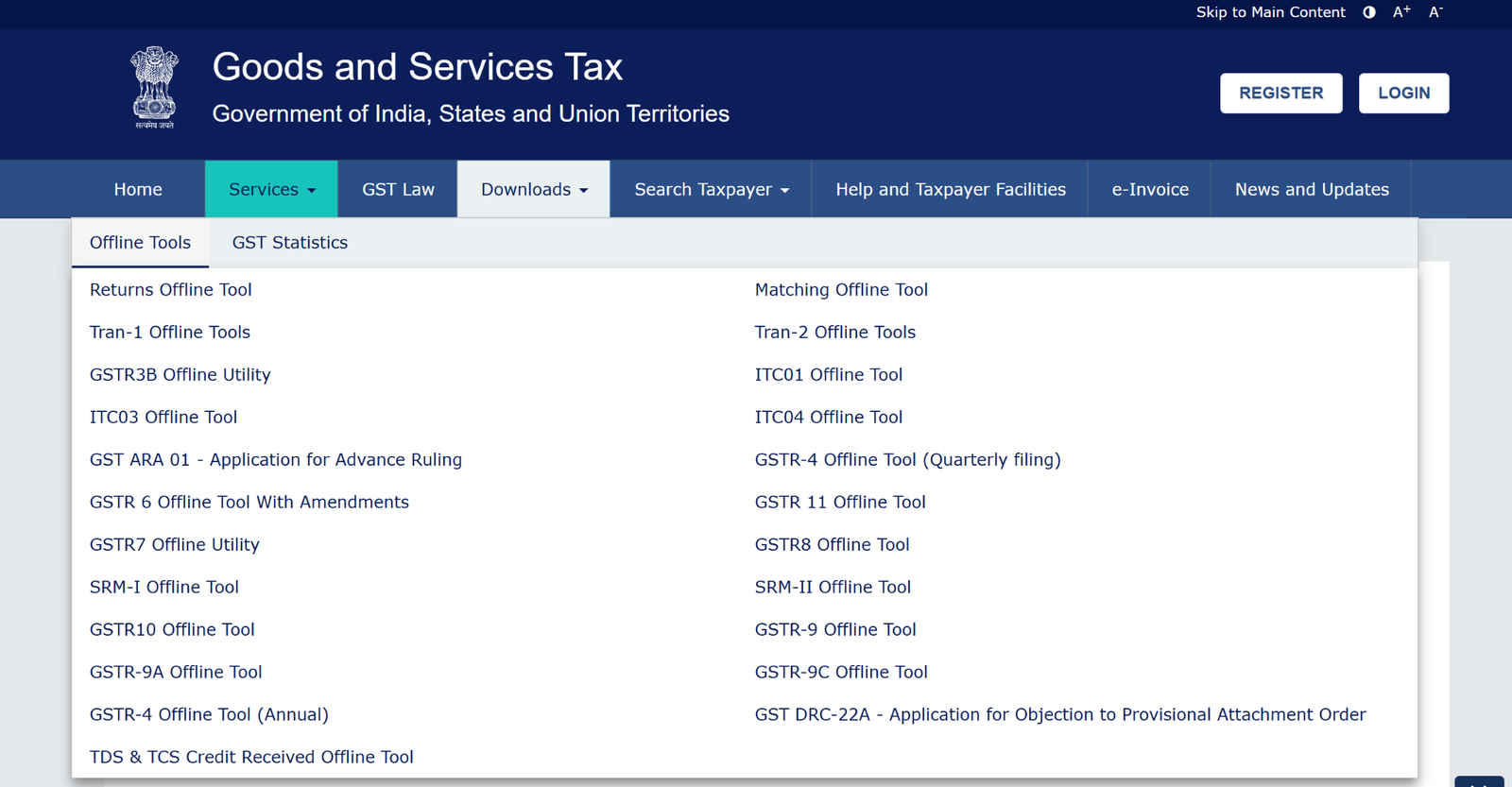
- Returns Offline Tool
- TRANS-1 Offline Tool
- TRANS-2 Offline Tool
- GSTR-3B Offline Utility
- ITC-01 Offline Tool
- ITC-03 Offline Tool
- ITC-04 Offline Tool
- GST ARA-01 – Application for Advance Ruling
- GSTR-4 Offline Utility (Quarterly Filing)
- GSTR-11 Offline Tool
- GSTR-6, GSTR-7, GSTR-8 Offline Utilities
- GSTR-9, GSTR-9A, GSTR-9C Offline Utilities
- GSTR-10 Offline Utility
- GSTR-4 Offline Utility (Annual Filing)
- Matching Offline Tool
- GST DRC-22A – Application for objection to a provisional attachment
- TDS & TCS Credit Received Offline Tool
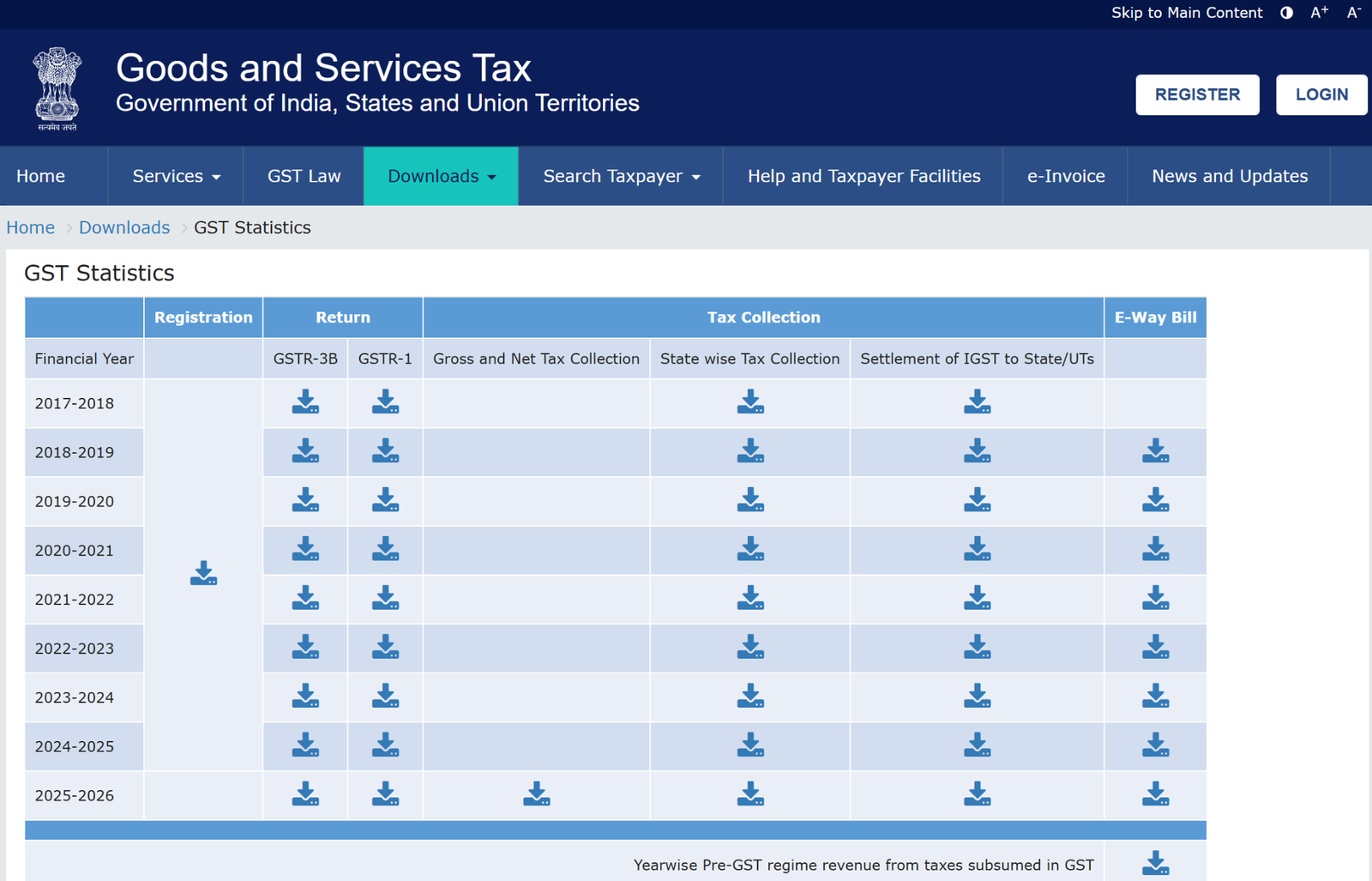
3(b) GST Statistics:
This page gives an overview of tax collection and e-way bills for GSTR-1 and GSTR-3B for previous financial years. You can also download the data in Excel format. This section helps maintain transparency.
4. Search Taxpayer tab:
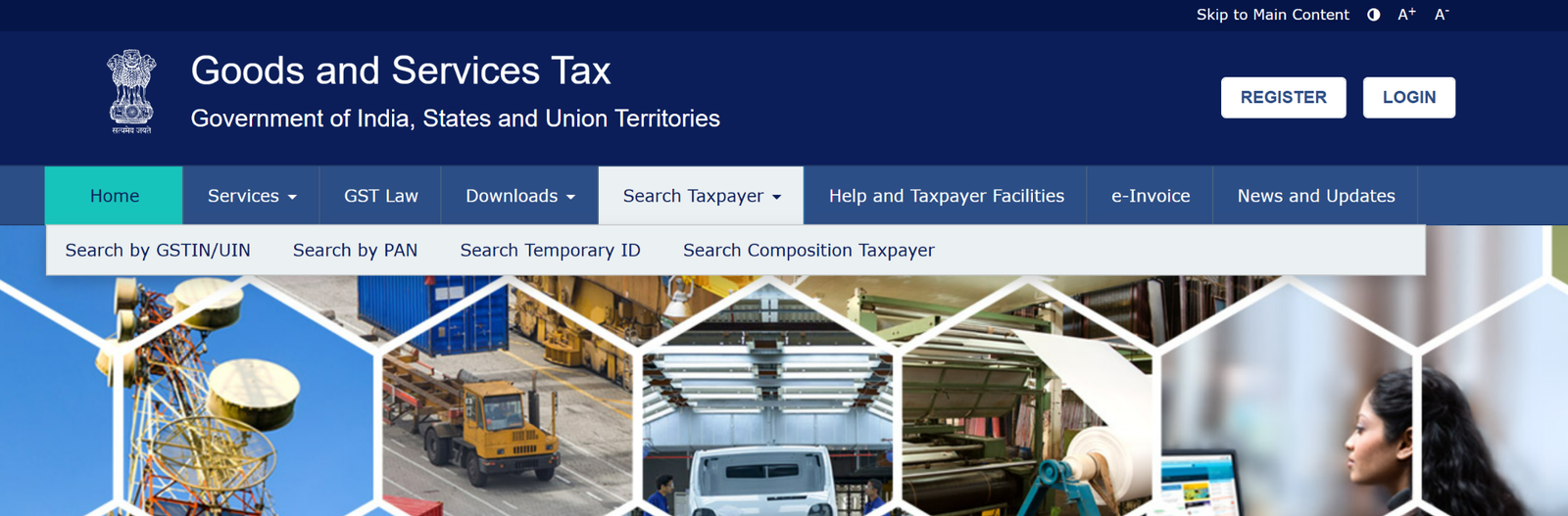
The main benefit of GST is the Input Tax Credit (ITC). For ITC to work correctly, it is essential to check whether your supplier/vendor is genuine and registered under GST. The GST portal makes this checking easy. You can search and verify a taxpayer in different ways, such as:
- Search by GSTIN/UIN
- Search by PAN
- Search by Temporary ID
- Search for Composition taxpayers
5. Help and Taxpayer Facilities:
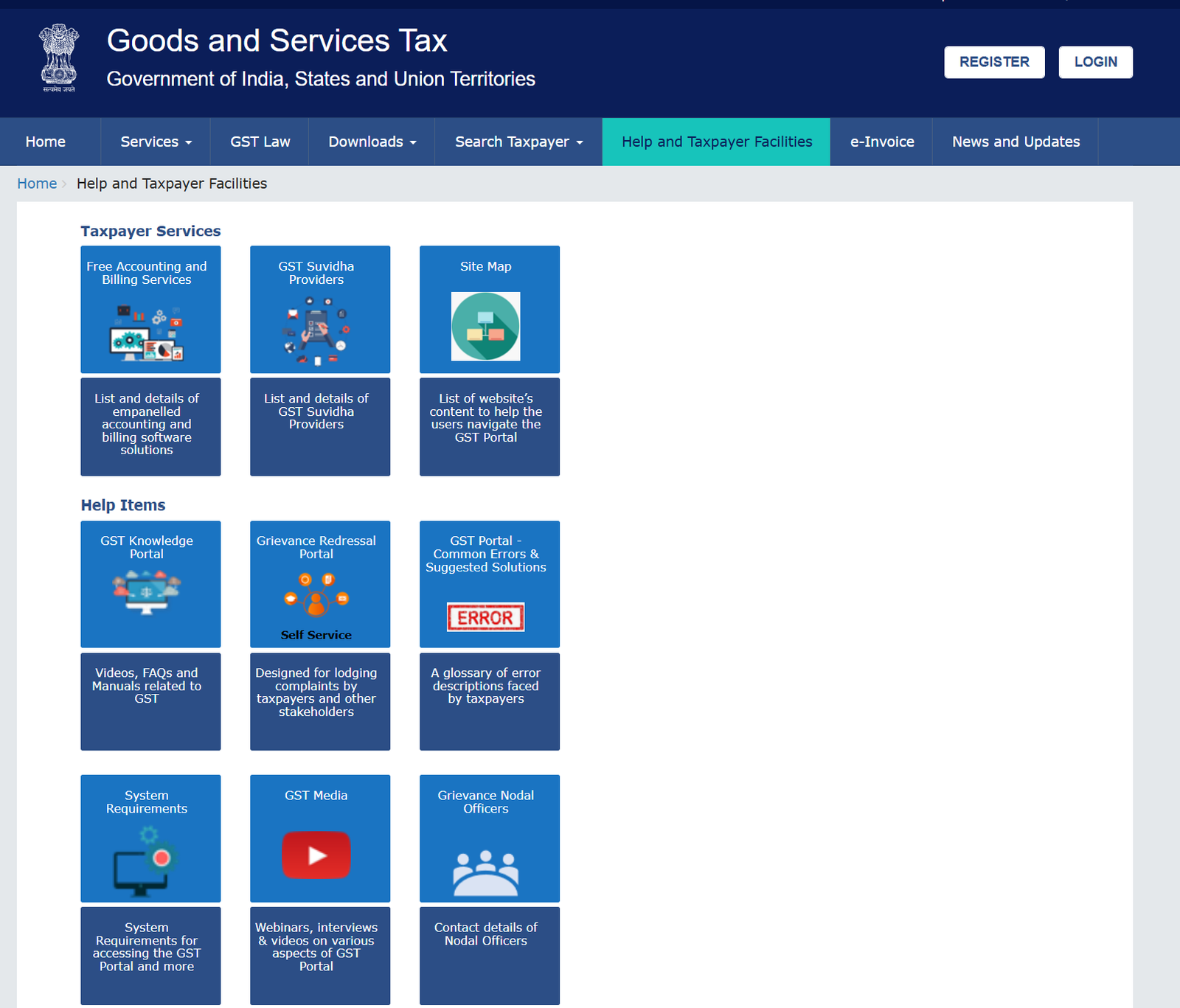
The help section explains how to use the GST portal. It offers guides, videos, FAQs, and the system requirements needed for filing. It also shows common errors and how to fix them, along with a link to file complaints. Recently, the portal added a list of GST service providers and free billing software to help users with GST work.
6. e-Invoice:
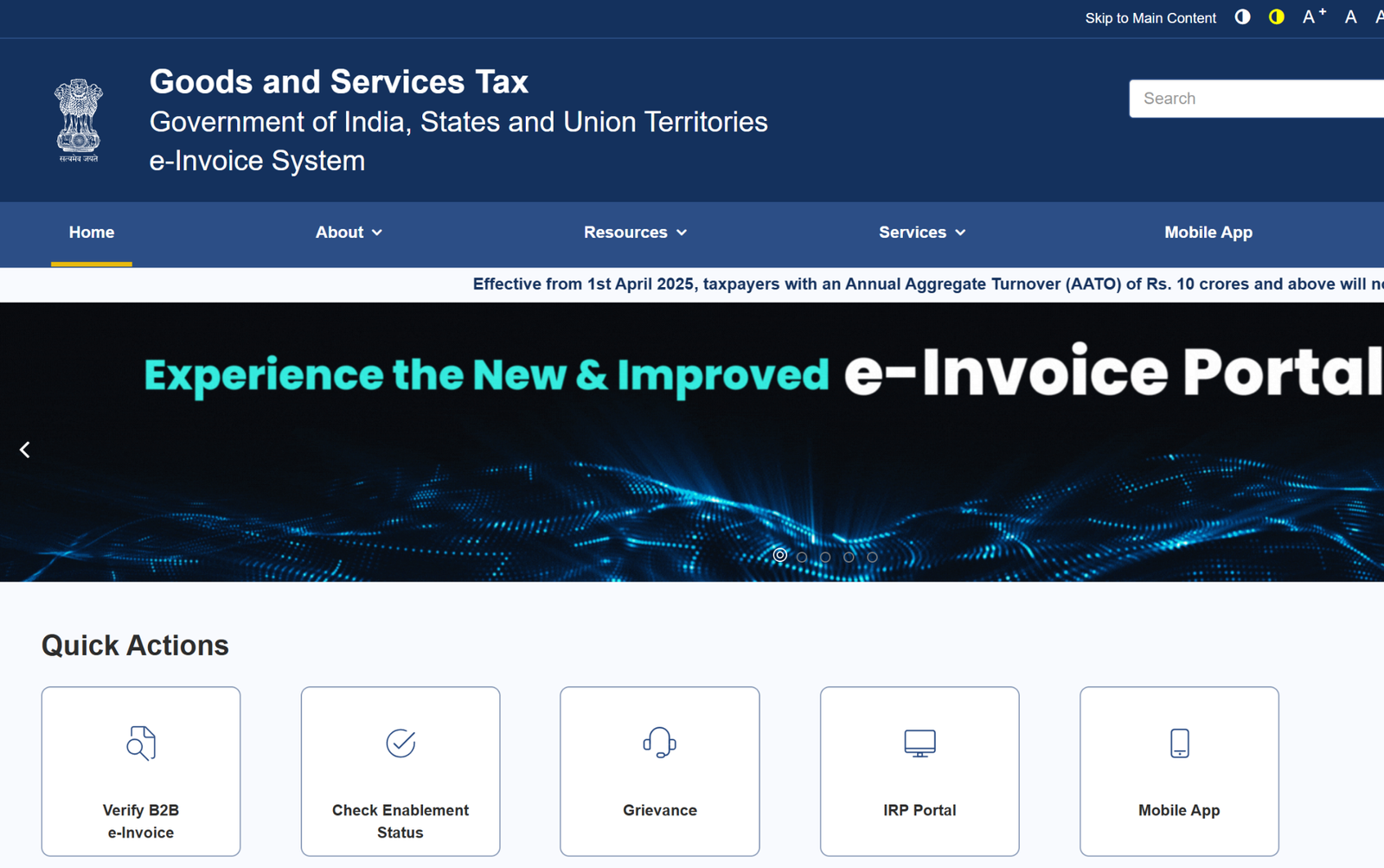
When you click this tab, the e-invoice portal opens. On that portal, taxpayers can create and handle their e-invoices.
7. News and Updates:
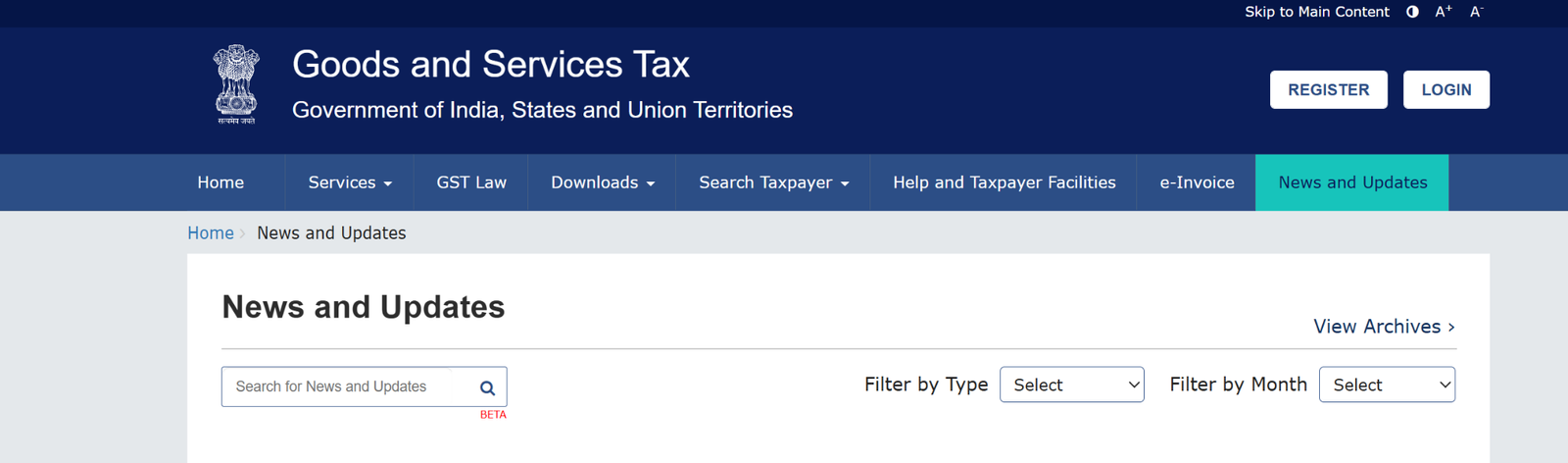
This section keeps you updated with the latest GST news, changes, notices, and other important information.
8. Register/Find a Taxpayer/GST Practitioner:
In this section, users can apply for GST registration as a taxpayer or GST practitioner. They can also search and find registered taxpayers or GST practitioners.
9. Popular Help Topics:
This section shows common questions people ask, like how to apply for a refund or how to join the composition scheme.
10. Upcoming Due Dates:
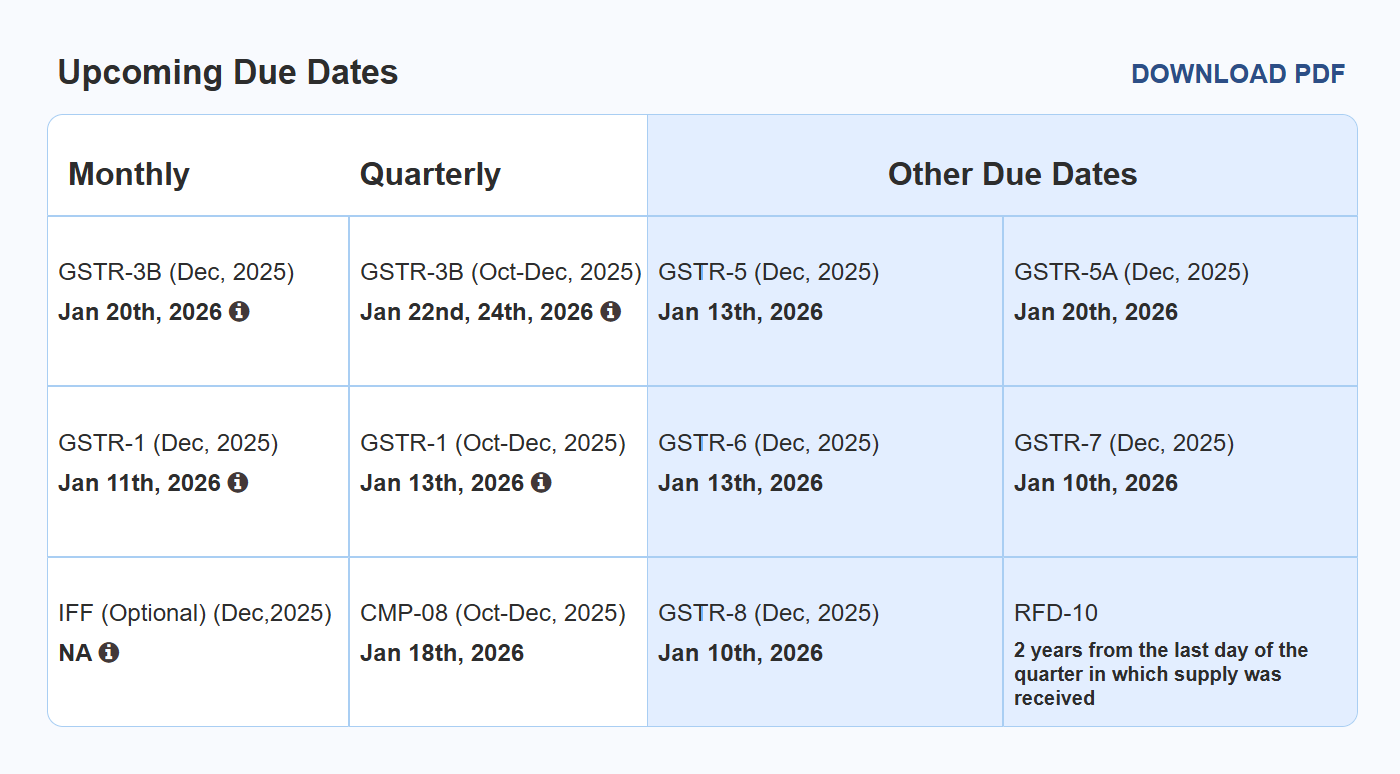
The ‘Upcoming Due Dates’ section shows the following GST return filing deadlines. If the due date changes, it will be updated here.
How to log in to the GST portal For First-Time Users?
If you are logging into the GST portal for the first time after getting your GST registration details, follow these steps:
- Go to the official GST website: gst.gov.in
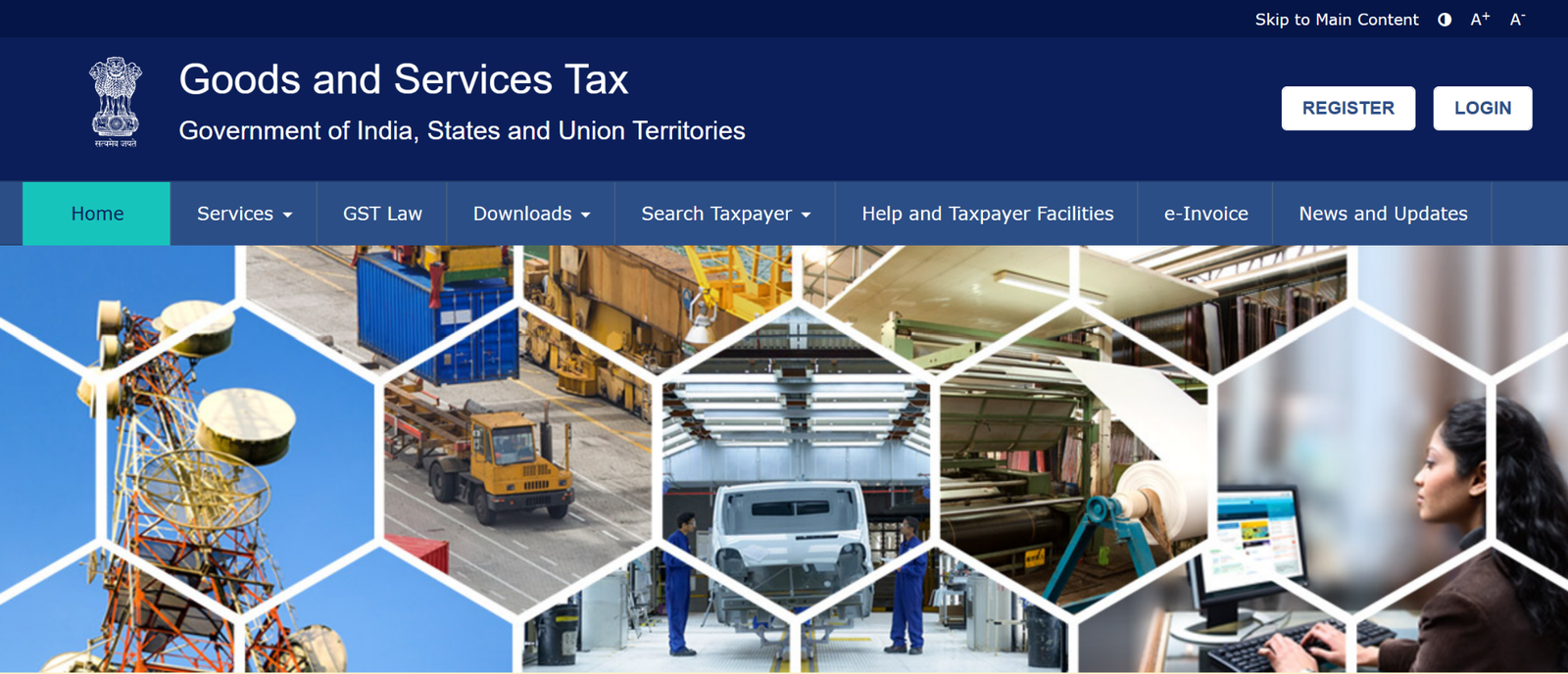
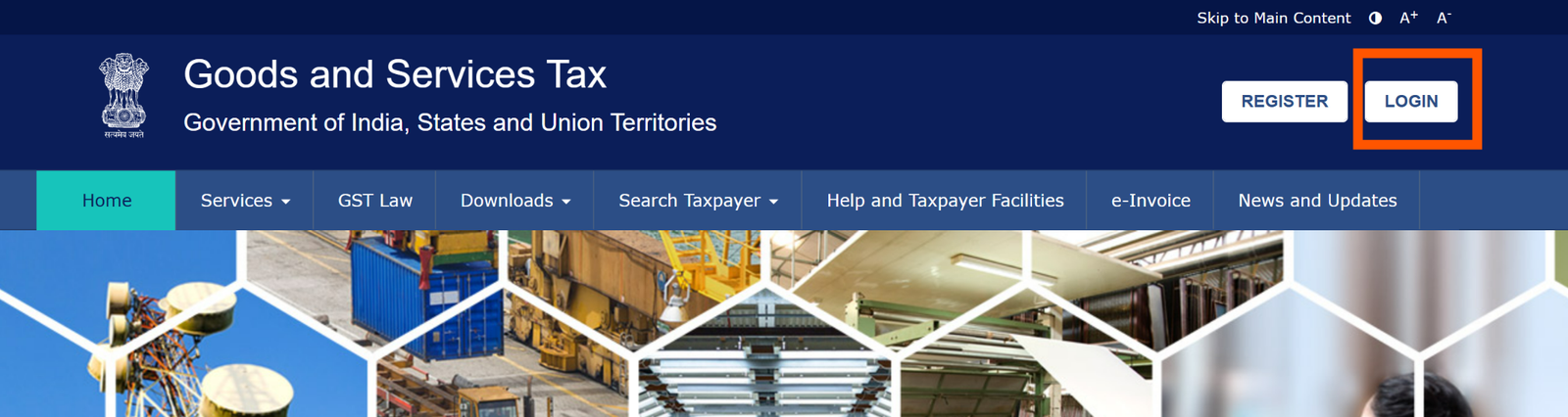
- Click on the “Login” button in the top-right corner of the GST homepage.

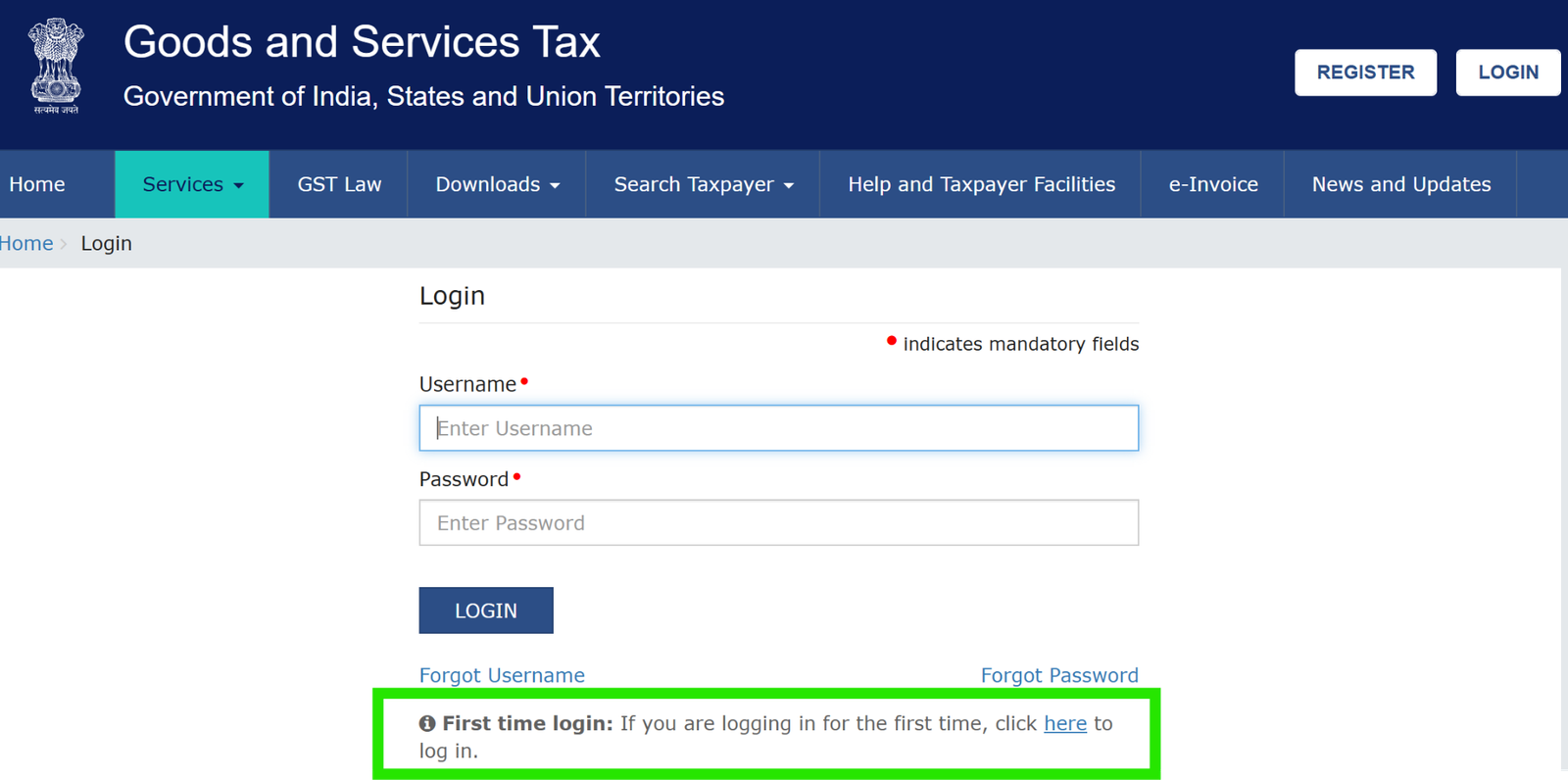
- On the login page, click the “First Time Login” option.
- Enter your Provisional ID or GSTIN and the password sent to your registered email.
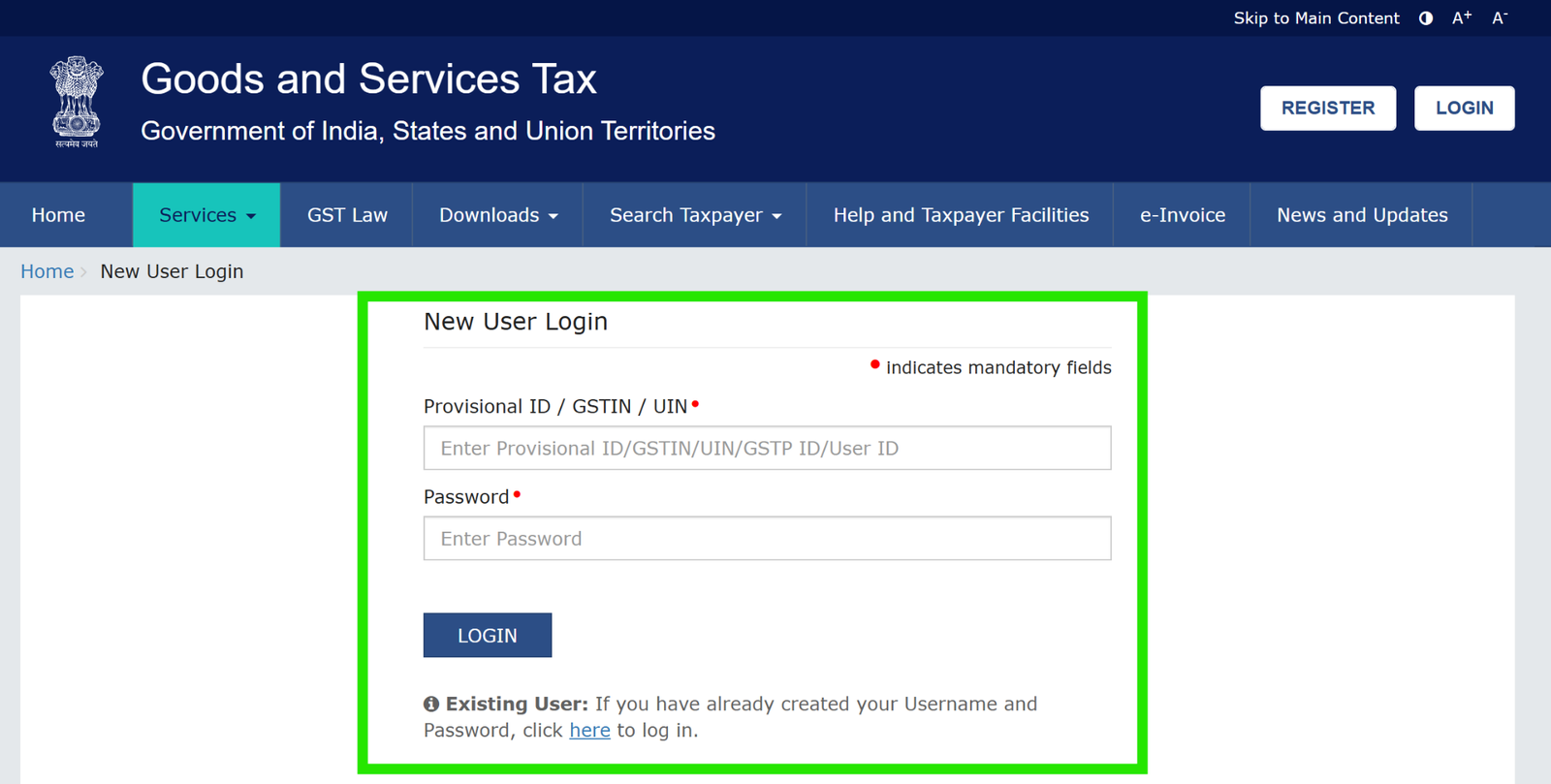
- Enter the captcha shown on the screen and click the “Login” button.
- On the next page, you will be asked to create a new username and password. Make sure you create a unique username and a strong password by following the rules shown on the screen.
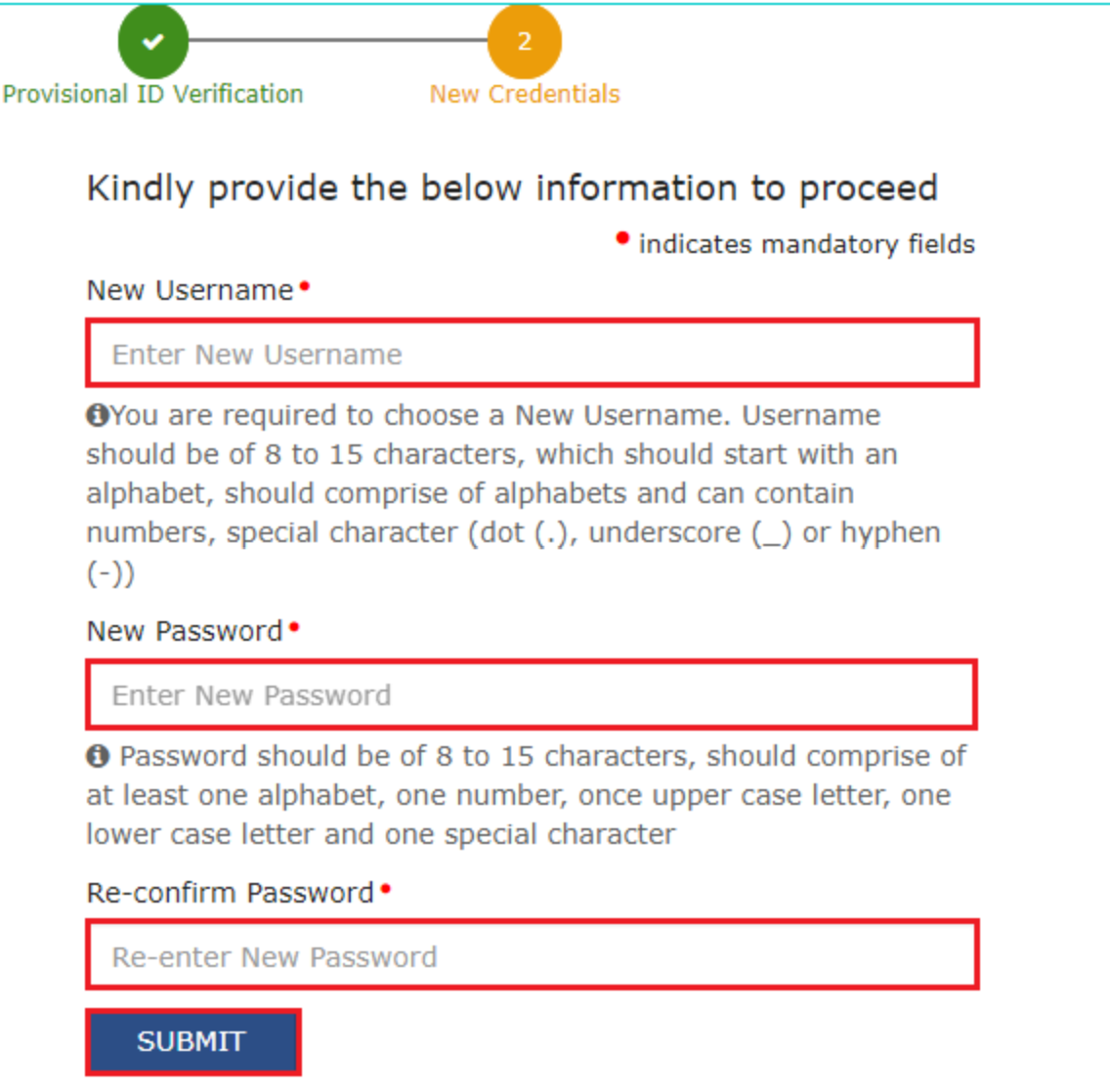
- Type the new password again to confirm it, and then click the “Submit” button.
How to log in to the GST portal for Registered Users?
If you already have your GST username and password, follow these steps to log in:
- Opengst.gov.in in your browser.
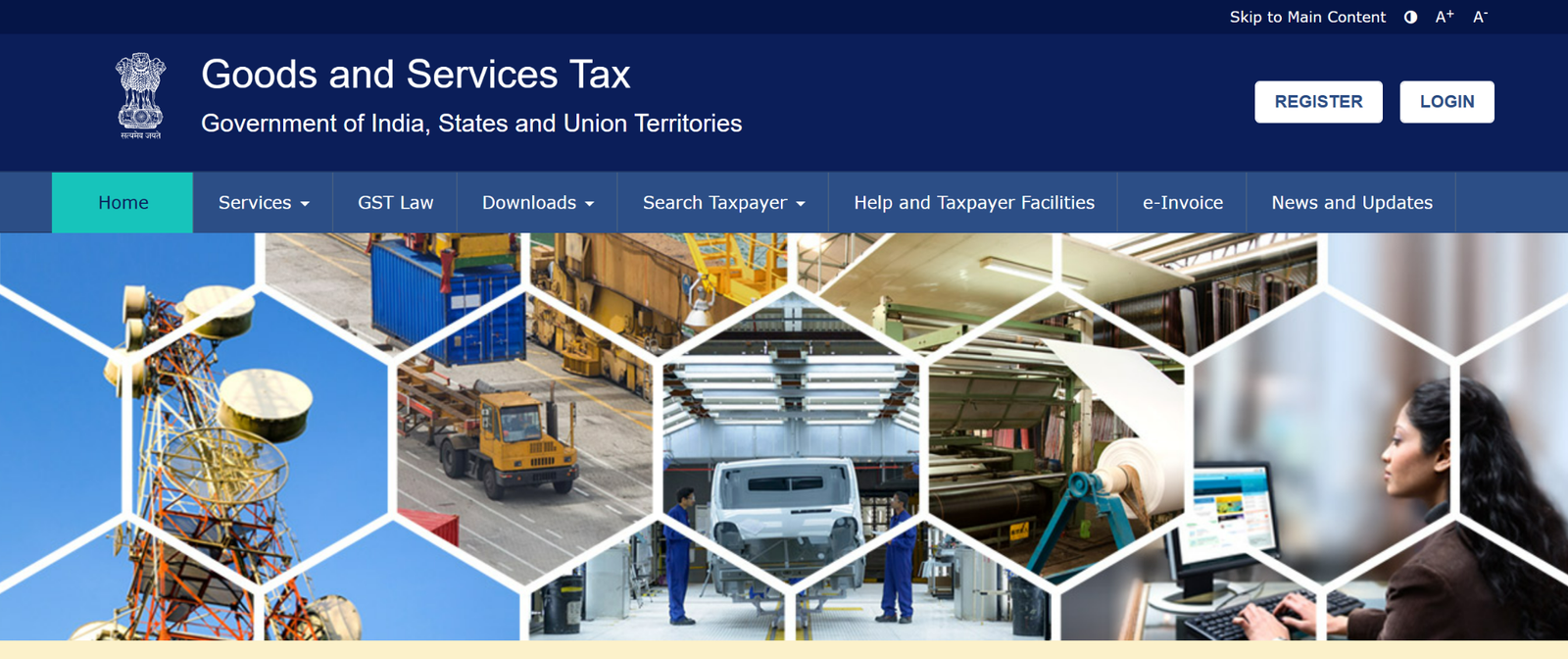
- Click the “Login” button on the top-right side of the GST homepage.
- On the login page, type your username and password that you registered with.
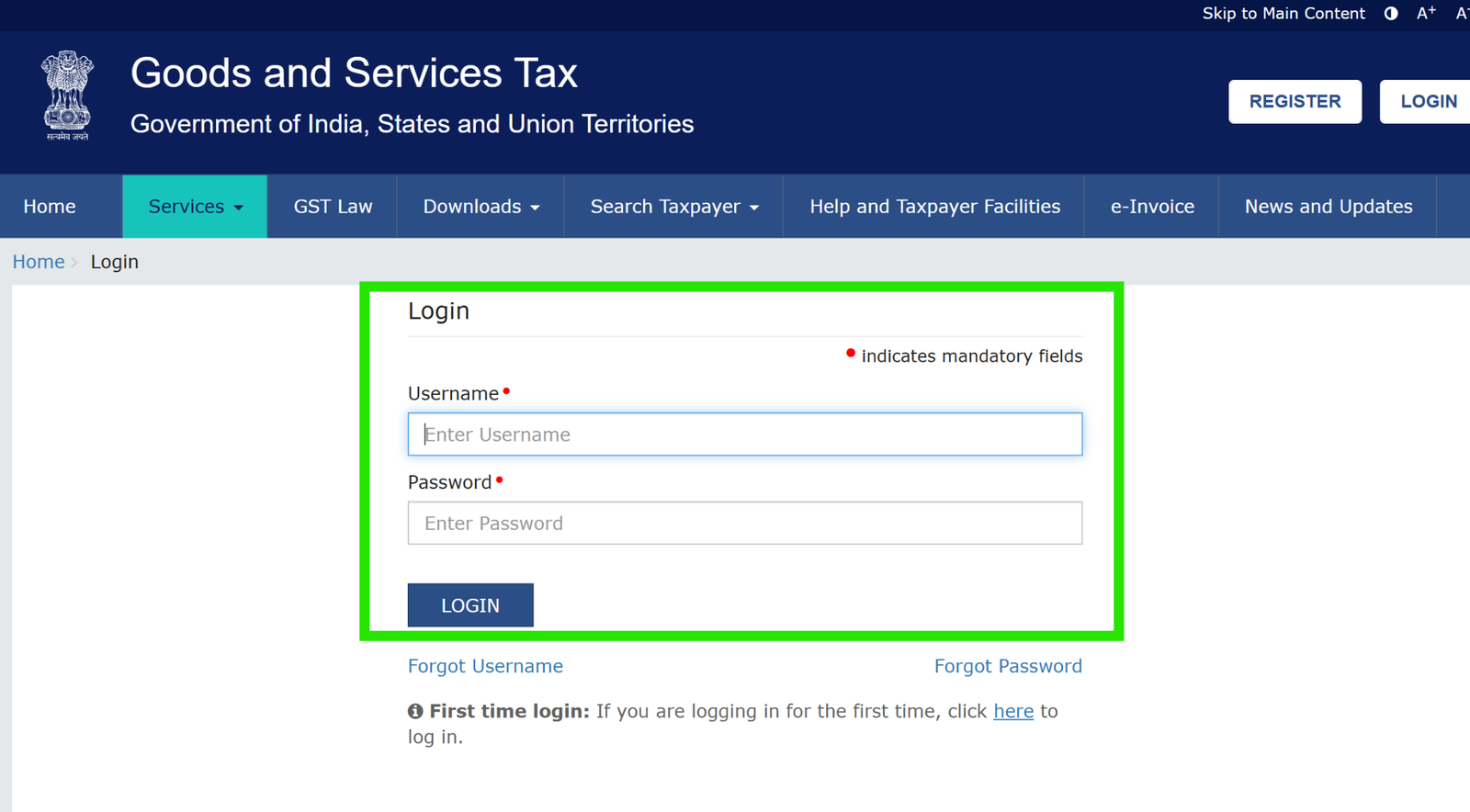
- Enter the captcha shown on the screen.
- Click the “Login” button to open your GST account.
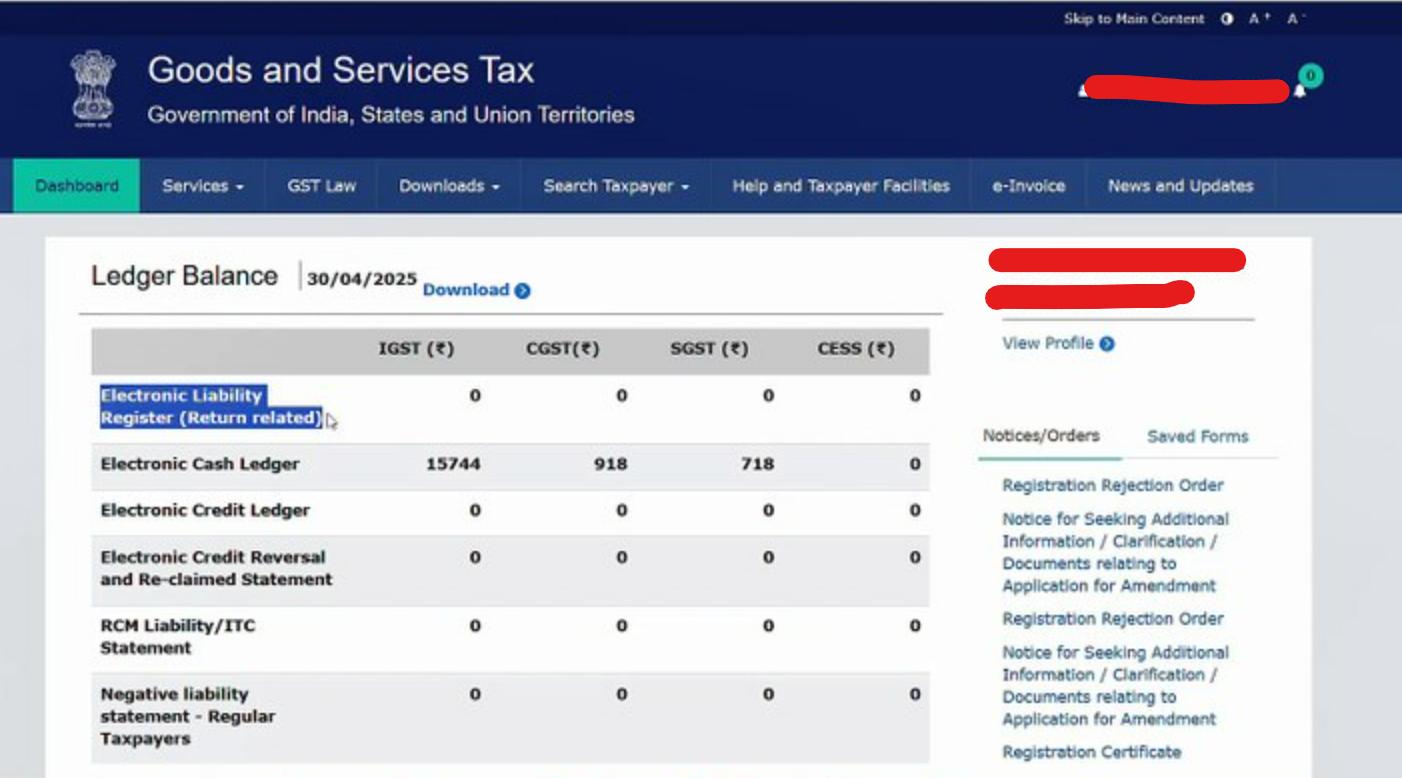
Once you log in successfully, you will be taken to your GST dashboard, where you can use different GST services and options.
How to Solve GST Login Issues?
You may experience login issues on the GST Portal even after entering the correct username, password, and captcha. Here are the most common problems with their solutions:
- Forgot password or username:
If you forget your GST login details, click on the “Forgot Username” option or “Forgot Password” on the login page. After that, follow the instructions shown on the screen and reset your username or password using your registered mobile number or email ID.
- CAPTCHA not loading: If the CAPTCHA does not load, refresh the page or clear your browser cache. Also, check your internet connection and ensure your browser is updated.
- DSC not detected: If the DSC is not showing, make sure it is plugged in properly. Also, install the required drivers or software for your DSC token on your computer.
- GST Account Locked: If you enter the wrong details too many times, your GST account may get locked. Wait for around 30 minutes and then try again.
For help, you can call the GST helpline number 1800-1200-232 or send an email to helpdesk@gst.gov.in. You can also raise a ticket through the GST portal grievance or complaint section for support.
Services available after GST login
Once you log in to the GST Portal, you get access to many services that help you manage your GST work. Some important services available after login include:
- Return filing: You can file GST returns like GSTR-1, GSTR-3B, GSTR-4, etc., directly on the portal. The portal guides you on how to fill out the return forms and submit them on time.
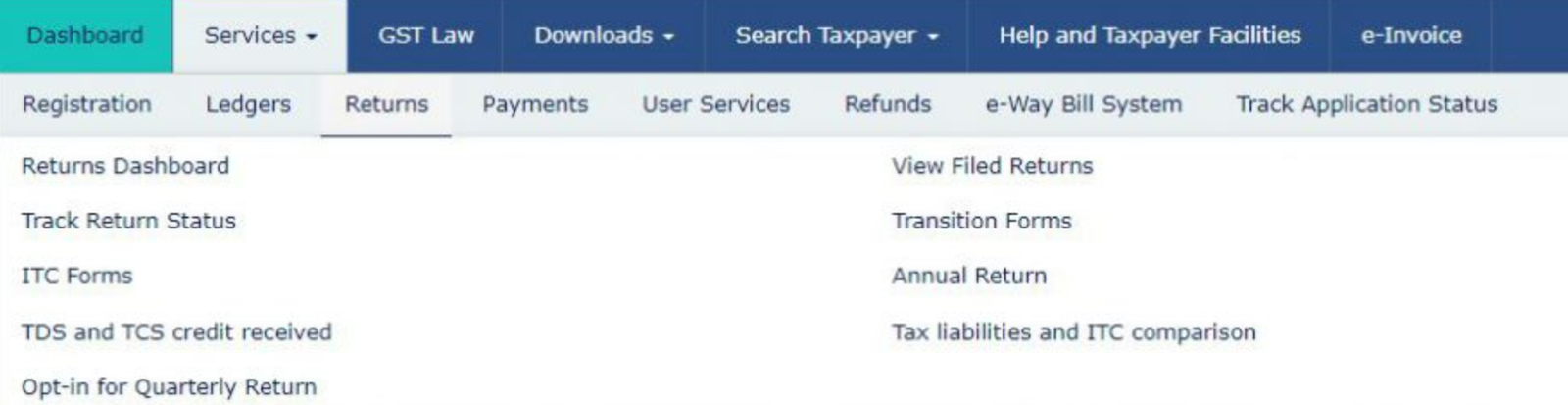
- Payment and Challans: You can generate challans and make GST payments online using net banking or cards. The portal also lets you track payment status and view your payment history.

- Profile and business detail updates: If your phone number, address, or bank details change, you can update them in your GST profile online. This helps the GST department contact you without any problems.
- Viewing notices and orders: You can see GST notices and orders online, send your reply, and check what happens next — all from the portal.
With these services, you can handle your GST work smoothly and make sure your taxes are up to date.
How to check your GST status?
You can check your GST registration status even without logging in. Although registration usually takes around 15 days, you can track the status anytime on the GST portal.
How to download the GST certificate without login?
You cannot download the GST certificate without logging in. To download it, you must log in to the GST portal using your GSTIN and password.
Conclusion
The GST login Portal is important for businesses and individuals because it gives access to all GST services online. Once you understand how to log in, what is required, and how to fix basic login issues, using the portal becomes much easier.
Using the www.gst.gov.in portal, taxpayers can register, file GST returns, pay taxes, and apply for refunds easily from one platform. If you keep your login details safe and check the GST portal from time to time. You can follow GST rules easily and avoid fines.
FAQ
- What is the GST Portal used for?
The GST portal is used for GST registration, return filing, tax payments, refunds, challans, notices, and all GST compliance work online.
- Do I need to log in to file GST returns?
Yes. You must log in with your GST username and password to file any GST return, such as GSTR-1, GSTR-3B, or GSTR-9.
- Who needs a GST login?
Businesses, freelancers, self-employed professionals, and GST practitioners who are registered under GST require a GST login.
- Can I register for GST through the portal?
Yes, a new GST registration can be done directly from the portal under Services → Registration.
- How do I get my GST username and password?
Once your GST registration is approved, you receive login credentials via email/SMS, and you can set your own password on your first login.
- What is the procedure to reset a forgotten GST password?
Click Forgot Password and reset it via your registered mobile or email.
- Can I check GSTIN details without login?
Yes. You can check GST numbers and taxpayer details without logging in by using the Search Taxpayer feature on the portal.
- Can I download a GST certificate without login?
No. GST certificate download requires login access.
- How can I check my GST registration status?
You can check the status without logging in using Track Application Status by entering ARN or TRN.
- What to do if the GST captcha is not loading?
Refresh the page, clear browser cache, check internet connection, or update your browser.
- Why does my GST account get locked?
If wrong login details are entered repeatedly, the account gets locked temporarily. Wait around 30 minutes before trying again.
- Does the GST portal support Digital Signature Certificates (DSC)?
Yes, but only for companies and LLPs while filing returns and forms. Make sure DSC drivers are installed proper