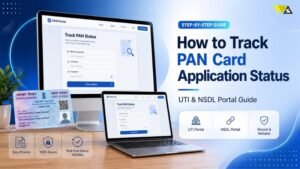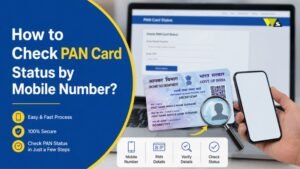

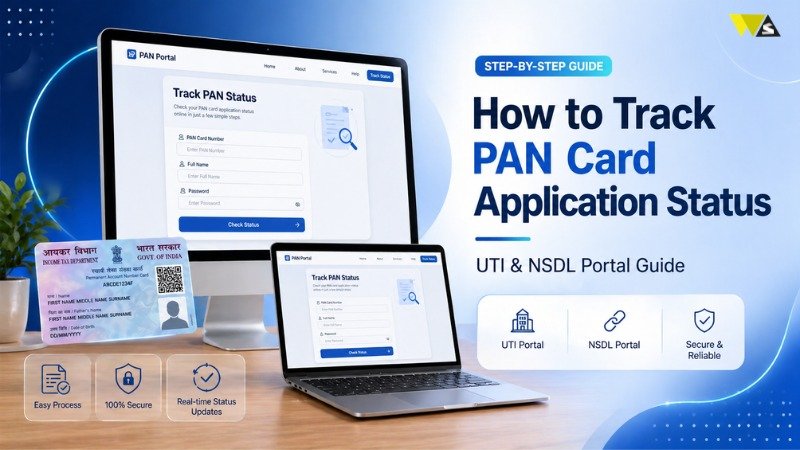
If you have applied for a PAN card, you may want to know when it will arrive. Instead of waiting, you can check your PAN status online in just a few minutes. In this guide, we will explain how to track your PAN card using NSDL or UTI websites.
Apply or Update PAN via NSDL Portal
- First, go to the NSDL website: Click the link below to start your PAN application process:
- Select your application type: Choose “New PAN for Indian Citizens” for a new PAN card. Or pick another option if you want to make changes or apply as a foreign citizen.
- Select your category: Choose your category, such as individual or organization, from the list.
- Fill the form: Provide your name, date of birth, email, and mobile number in the form.
- Go to the next step: After submitting the form, click “Continue with the PAN Application Form.”
- Do e-KYC verification: Complete your identity verification using Aadhaar details.
- Select PAN format: Choose between a physical card or e-PAN. Enter last 4 digits of Aadhaar if asked.
- Choose your PAN option: Pick if you want a printed PAN card or a digital e-PAN. Enter Aadhaar last 4 digits if required.
- Complete your information: Fill the rest of the form with your personal and contact details.
- Fill AO details: Enter your area code and AO type. You can check the help section for guidance.
- Submit documents: Upload documents (if required) and submit the declaration online.
- Review your form: Go through your details and continue if everything looks correct.
- Enter OTP: Use Aadhaar OTP sent to your mobile.
- Pay online: Choose payment method and complete payment.
- Authenticate Aadhaar: Accept the declaration and complete Aadhaar authentication.
- e-sign with Aadhaar: Enter your 12-digit Aadhaar number and verify using OTP.
- Get acknowledgement slip: After submission, download the acknowledgement slip (PDF). Use your date of birth (DDMMYYYY) as the password.
Steps to check your PAN application status via UTI
Check your PAN status on UTI in simple steps:
- Visit the official UTI website.
- Click on “Track PAN/TAN Application Status.”
- Enter your application number and select PAN.
- Submit to see your application status.
How to check PAN status on NSDL website
Steps to check PAN status on NSDL website are following:
- Go to the NSDL website.
- Click on “Track PAN/TAN Status.”
- Select PAN and enter your 15-digit acknowledgement number.
- Click submit to see your status.
You cannot track your PAN card using your name. You need your application number or acknowledgement number. Proper documents are required for a successful application.
How to check PAN status using PAN or coupon number
Steps to check PAN status using PAN or coupon number
- Go to this website
- Enter your PAN or coupon number
- Add your date of birth and captcha code
- Click “Submit” to see your status
Check NSDL PAN Status with Acknowledgement Number
- Open the NSDL tracking page
- Select “PAN – New/ Change Request”
- Enter your 15-digit acknowledgement number
- Enter the captcha code
- Click submit to view your PAN status
Check PAN Status Without Acknowledgement Number
- Visit the NSDL tracking page
- Select application type
- Choose “Name” instead of acknowledgement number
- Enter name and date of birth
- Submit to view status
How to check Instant e-PAN status using Aadhaar
- Go to the Income Tax website
- Click on “Instant e-PAN”
- Click “Check Status / Download PAN” and press “Continue”
- Enter your 12-digit Aadhaar number
- Enter the OTP sent to your mobile
- Click “Continue” to see your status
How to check PAN Application Status by Call
If you applied through NSDL (Protean), you can easily track your PAN status by phone. Just call 020-27218080 and provide your acknowledgement number.
How to check PAN Application Status by SMS
Now it is easy to track your PAN card status. You can check it online, by call, or through SMS. Just keep your acknowledgement number ready.
Also, submit proper documents to avoid delays.
Track PAN Card Delivery by Speed Post
You can track your PAN card delivery using Speed Post. India Post provides an easy tracking system.
Steps:
- Go to the India Post website: https://www.indiapost.gov.in/
- Click on “Track Consignment”
- Enter your consignment number (given after dispatch)
- Enter the security code shown on screen
- Click “Search” to see your delivery status
How to Check PAN Card Payment Status (NSDL / Protean)
If you paid online for your PAN card, you can check your payment status easily on the Protean eGov Technologies Limited website.
Steps:
- Go to the Protean website: https://www.protean-tinpan.com/
- Click on “PAN” under Services
- Select “Check payment status” option
- Enter your transaction number or acknowledgement number
- Enter your name and date of birth
- Click “Show Status” to see payment details
Conclusion
Checking your PAN card status is now very easy. You can track it online using the Protean eGov Technologies Limited website or the UTI Infrastructure Technology and Services Limited portal. You can also check your status using Aadhaar, phone call, SMS, or Speed Post tracking.
Keep your application number safe, as you will need it to track your status. Also, enter correct details and submit proper documents to avoid problems.This will help avoid delays and ensure your PAN card is approved and delivered on time.
Read our article:PAN Card Correction Form: How To Make Correction In PAN Card Online?
Frequently Asked Questions
1. How can I check my PAN card status online easily?
You can easily check your PAN card status online. Visit NSDL or UTI website, enter your details, and click submit. Your status will appear on the screen.
2. Can I check PAN card status using my name only?
You cannot track your PAN card status using only your name. You need your acknowledgement number, application number, or PAN number. Some portals allow name and date of birth, but this method may not always give results.
3. How many days does it take to get a PAN card after applying?
You will get your PAN card in about 10 to 15 working days after approval. If your documents have errors, the process may take longer.
4. What is an acknowledgement number in a PAN application?
The acknowledgement number is a 15-digit number you receive after submitting your PAN application. It is very important and is used to track your PAN status, payment, and application progress.
5. Can I check PAN status using my Aadhaar number?
If you applied for Instant e-PAN, you can check your status using your Aadhaar number. You will get an OTP on your Aadhaar-linked mobile number for verification.
6. How can I track my PAN card delivery?
You can track your PAN card delivery through Speed Post using the India Post website. Enter your consignment number in the tracking section to see delivery status.
7. What should I do if my PAN card is delayed?
If your PAN card is delayed, first check your application status online. If there is an issue, contact NSDL or UTI support. Also, make sure your documents and details are correct during application.
8. Can I check PAN application status by phone or SMS?
Yes, you can check your PAN status by calling the NSDL helpline or by sending an SMS in the required format. You will need your acknowledgement number for both methods.
9. How can I check PAN payment status online?
You can check your PAN payment on the Protean eGov Technologies Limited website. Only enter your number and details to see the status.
10. What documents are required for a PAN card application?
You need documents like identity proof (Aadhaar, voter ID), address proof, and date of birth proof. Make sure all documents are correct and match your details to avoid rejection or delay.
Read our article:How To Open E-PAN Card PDF Password, PAN Card Password Format & Example?