

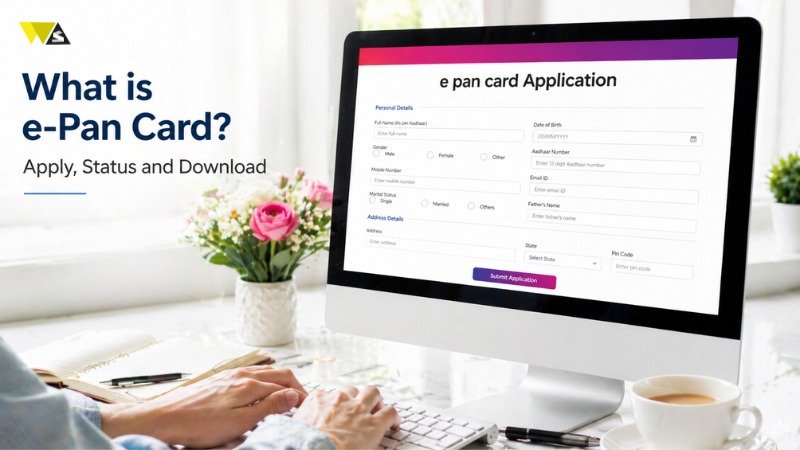
Today, everything is becoming digital. The Income Tax Department has started online services to make tax work simple for people. One important service is the e-PAN card. It makes it easy to get and use a PAN online. The e-PAN card is an online version of your PAN (Permanent Account Number) card. It shows your unique 10-digit PAN number and your digital signature. It is a valid document and you can use it as ID proof and for financial tasks like opening a bank account or filing your taxes. Now, let’s understand what e-PAN is and how it works.
Table of Contents
ToggleWhat is an e-PAN Card?
An e-PAN card is an online version of the PAN card given by the Income Tax Department. It is a simple and fast way to get your PAN without using a physical card.
The e-PAN card can be saved on your phone or computer. It helps in quick checking for tax-related work and is safe to use. You can use it as identity proof for many services. It is also useful for financial work, KYC, and income tax purposes.
What is an Instant e-PAN Card?
An instant e-PAN card can be created in about 10 minutes if you have a valid Aadhaar number. If you do not have a PAN card, you can apply for an instant e-PAN for free on the Income Tax Department website. You do not need to fill a long form or upload documents. You only need to enter your Aadhaar number and the OTP sent to your Aadhaar-linked mobile number. After that, your e-PAN card is generated quickly.
Eligibility to Apply for an e-PAN Card
Before applying for an e-PAN, you should know the basic requirements. These are simple but important:
- You must be a resident of India.
- You should not already have a PAN card.
- You must have a valid Aadhaar card with correct details.
- Your Aadhaar must be linked to your active mobile number.
Your mobile number is important because you will receive an OTP for verification during the process.
NRIs can also apply for a PAN card, but the instant e-PAN service is mainly available for people living in India.
If your Aadhaar details are not updated, you should update them on the UIDAI website or visit an Aadhaar centre. This will help in easy verification and avoid rejection of your application.
Here is the information in a simple table format:
| Requirement | Details |
| Resident Status | You must be a resident of India |
| Existing PAN | You should not already have a PAN card |
| Aadhaar Card | You must have a valid Aadhaar card with correct details |
| Mobile Number | Your Aadhaar must be linked to an active mobile number |
| OTP Verification | Your mobile number is used to receive OTP for verification |
| NRI Eligibility | NRIs can apply for PAN, but instant e-PAN is mainly for residents |
| Aadhaar Update | Update details on UIDAI website or visit Aadhaar centre if needed |
Apply e-PAN Card Via NSDL or UTIITSL Website
Applicants can apply for an e-PAN card on the NSDL or UTIITSL website.
Here is a simple process to apply for an e-PAN card on the NSDL or UTIITSL website:
- Go to the NSDL or UTIITSL website: https://www.utiitsl.com/
- Choose the option for “e-PAN card” or select that you do not want a physical PAN card in the application form.
- Fill in the required details in the PAN application form, upload the needed documents, and then submit the form.
- Pay the required fee and receive your acknowledgement number.
- The applicant will get his e-PAN card on his email address.
Apply e-PAN Card Via Income Tax e-Filing Portal
Here is a simple process to apply for an e-PAN card on the Income Tax e-Filing Portal:
- Go to the Income Tax e-Filing Portal.
- On the homepage, choose the “Instant e-PAN” option.
- Enter your Aadhaar number and the OTP sent to your registered mobile number, then submit.
- The applicant will get his e-PAN card on his email address.
Check e-PAN Card Status
You can check your e-PAN card status online. You can use your acknowledgement number or your Aadhaar number, depending on how you applied.
Here is the simple process to check your e-PAN card application status:
- Go to the NSDL or UTIITSL website.
- Enter your acknowledgement number or application number, type the captcha code, and click “Submit.”
- The status of your e-PAN card will be shown on the screen.
- For instant e-PAN status, go to the Income Tax e-Filing Portal, enter your Aadhaar number and OTP, and check your status instantly.
How to Download an e-PAN Card?
When your e-PAN card is ready, it is sent to your email. If you cannot find the email or you deleted it, you can download your e-PAN card again from the NSDL or UTIITSL website and use it when needed. Here is the simple process to download the e-PAN card:
- Go to the NSDL or UTIITSL website.
- Enter your details like acknowledgement number or PAN, your date of birth, and other basic information.
- Enter the OTP, pay the fee if you are downloading the e-PAN after 30 days, and click “Download e-PAN.”
Download an e-PAN card From the Income Tax e-Filing Portal:
- Log in and go to the “Instant e-PAN” section.
- Click on “Check Status/Download PAN”.
- Enter your Aadhaar number and click “Continue”.
- Enter the OTP sent to your registered mobile number.
- If your PAN is ready, click “Download e-PAN”.
e-PAN Card Password
To open your e-PAN card PDF, you need a password. You can view and use the e-PAN only after entering this password. The password is your date of birth in this format: DDMMYYYY (for example, 20 october 1987 = 20101987).
e-PAN Card Print
You can request a re-print of your e-PAN card if you want a physical copy. After you apply, the printed PAN card will be sent to your home address.
Simple process to re-print PAN card:
- Go to the NSDL or UTIITSL website.
- Enter your details like PAN, Aadhaar number, date of birth, GSTIN (if needed), and captcha code, then submit.
- Enter the OTP, pay the required fee, and submit the request.
- Your printed PAN card will be sent to your address.
What are the e-PAN Card Fees?
There is no fee for an instant e-PAN if you apply on the Income Tax e-Filing Portal.
But if you apply through the NSDL or UTIITSL website, the fees are:
- If you submit the PAN application at a PAN center or with physical documents: Rs. 72
- If you apply online using paperless method: Rs. 66
| Category | Details |
| Instant e-PAN Fee | No fee when applying on the Income Tax e-Filing Portal |
| Physical Mode Fee | Rs. 72 (if applying at PAN center or with physical documents via NSDL / UTIITSL) |
| Paperless Online Fee | Rs. 66 (if applying online without physical documents) |
| Validity | e-PAN is a safe and valid digital version of PAN card |
| Usage | Can be used wherever a PAN card is required |
| Process | Applying, checking status, and reprinting is simple, fast, and fully online |
The e-PAN card is a safe and valid digital version of the PAN card. You can apply for it for free (instant method), download it quickly, and use it wherever a PAN card is required. The full process of applying, checking status, or reprinting is now simple, fast, and completely online.
Conclusion
The e-PAN card is a simple and modern way to get your PAN online. It is easy to apply, quick to download, and works the same as a physical PAN card. You can use it for banking, KYC, and income tax work without any problem.
With online services from the Income Tax Department, the full process—from applying to downloading—is fast and paperless. Whether you apply instantly or through other websites, the e-PAN card saves time and effort.
FAQs
1. What is an e-PAN card?
An e-PAN card is a digital version of the PAN card. It contains your PAN number and can be used as identity proof and for financial work.
2. Is e-PAN card valid everywhere?
Yes, the e-PAN card is fully valid and accepted everywhere, just like a physical PAN card.
3. How can I apply for an instant e-PAN card?
You can apply for an instant e-PAN card on the Income Tax e-Filing Portal using your Aadhaar number and OTP.
4. Do I need to submit documents for instant e-PAN?
No, you do not need to upload any documents. Only Aadhaar number and OTP verification are required.
5. How much time does it take to get an e-PAN card?
Instant e-PAN is usually generated within a few minutes, while normal applications may take a few days.
6. What should I do if I don’t receive my e-PAN email?
If you do not receive the email, you can download your e-PAN again from NSDL, UTIITSL, or the Income Tax portal.
7. How can I check my e-PAN status?
You can check your status online using your acknowledgement number or your Aadhaar number.
8. What is the password of e-PAN PDF?
The password is your date of birth written in DDMMYYYY format. For example, if your date of birth is 1 January 1990, your password will be 01011990.
9. Can I get a physical copy of my e-PAN card?
Yes, you can apply for a reprint, and the physical PAN card will be sent to your address.
10. Is there any fee for e-PAN card?
Instant e-PAN is free. However, if you apply through NSDL or UTIITSL, a small fee is charged depending on the method.
Read our article:PAN Card Correction Form: How To Make Correction In PAN Card Online?









