

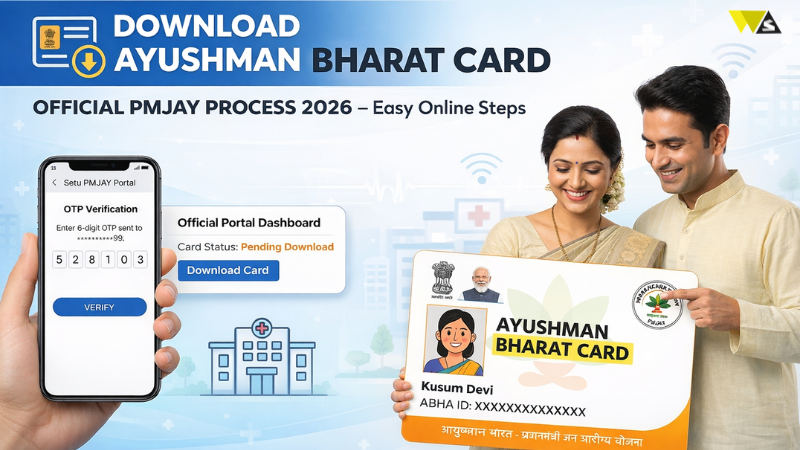
Ayushman Bharat Yojana, also called PMJAY, is a government program that helps people with medical treatment. It helps eligible families in India get financial support for medical treatment. To use this scheme, you need an Ayushman Bharat card. This card works as an ID to get free or low-cost treatment.
In this article, we will explain step-by-step how you can download your Ayushman Bharat card online, so you can easily use the healthcare benefits under this scheme.
Table of Contents
ToggleWhy is it important to download the Ayushman Card?
The Ayushman Card helps you get free treatment under the Ayushman Bharat Yojana. Your Ayushman Bharat card (PM-JAY card) is very important. It proves that you are eligible for the scheme and lets you get free treatment at more than 28,000 hospitals across India.
If you download and save the card on your phone, you can quickly use it in case of a medical emergency. It is also a good idea to keep a printed copy with you.
Having both digital and printed copies makes it easier to get treatment without any problem and helps you use the benefits of the scheme smoothly. The scheme is managed by the NHA under the Ministry of Health and Family Welfare, which makes sure it runs smoothly across the country.
Benefits of downloading the Ayushman Bharat Card
- Helps you get cashless treatment at approved hospitals
- Works as proof that you are eligible for the PMJAY scheme
- Makes hospital admission and treatment faster
- Helps keep track of your medical records and usage
You can use the benefits anywhere in India after downloading the card
Online process to download the Ayushman Card?
You can download your Ayushman card online from the official website. After verification, use your mobile number to download it. Follow these steps:
Step 1: Open this website:https://www.pmjay.gov.in
Step 2: Open the homepage and choose the “Am I Eligible” option.
Step 3: Enter your registered mobile number.
Step 4: If your name is on the list, you will receive an OTP on your phone. Enter the OTP to verify your identity.
Step 5: After verification, a new page will open.
Step 6: Click on the “Download Card” option.
Step 7: Your Ayushman card will be downloaded as a PDF file.
Step 8: Take a printout of the card and keep it safe for future use.
Offline process to download the Ayushman Card?
If you cannot download the Ayushman card online, you can get it offline from a Common Service Centre (CSC). By following these simple steps:
Step 1: Visit your nearest CSC centre. You can find it here-https://www.csc.gov.in
Step 2: At the centre, give your mobile number for verification.
Step 3: After verification, provide the required documents.
Step 4: The CSC staff will check your details and apply for your Ayushman card.
Step 5: After a few days, collect your card from the CSC centre.
How to Download Ayushman Card through NHA Beneficiary Portal?
By following these simple steps:
- Log in to the NHA portal with your mobile number.
- Search your name or ID.
- Enter your Aadhaar number for verification.
- Check the list of eligible cards.
- Click on the download option.
- Complete identity verification if asked.
- Download the Ayushman card and save it for future use.
How to download Ayushman card through the Ayushman App
Just follow these steps:
Step 1: Open the Ayushman app on your phone.
Step 2: Enter your mobile number and OTP to log in.
Step 3: Go to the Ayushman Card section.
Step 4: Search for your details.
Step 5: Click on the download option.
Step 6: Verify your identity if required.
Step 7: Download and save the card for future use.
How to download Ayushman Card through UMANG Portal?
Just follow these steps:
- Open the UMANG app or go to the UMANG website.
- Log in with your mobile number or details.
- Search for “Ayushman Bharat” service.
- Enter your Aadhaar number or required details.
- Check your Ayushman card in your profile.
- Click on download and save the card.
How to download Ayushman Card by DigiLocker?
Follow these steps:
- Open the DigiLocker app or website.
- Log in with your Aadhaar-linked mobile number.
- Open the Issued Documents section.
- Search for your Ayushman card.
- Verify your details.
- Download the card and save it in your DigiLocker account.
How to Download Ayushman Card by Mobile Number?
Follow these steps:
Step 1: Go to the official NHA website.
Step 2: Click on the “PMJAY” option.
Step 3: Click “Am I Eligible”.
Step 4: Enter the captcha and your mobile number, then click “Verify”.
Step 5: Enter the OTP sent to your phone and click “Login”.
Step 6: Select your state, scheme (PMJAY), district, and enter the required details. Then click “Search”.
Step 7: Find your name and click on “Download Card”.
Step 8: Choose “Aadhaar OTP” and click “Verify”.
Step 9: Give your consent, enter the Aadhaar OTP and mobile OTP, then click the download icon to get your card.
How to Download an Ayushman Card by ABHA Number?
After you create your ABHA ID and get your 14-digit ABHA number, follow these steps:
Step 1: Open the official ABHA website.
Step 2: Click on “ABHA Login” and log in using your mobile number, Aadhaar number, or ABHA number. Enter the captcha to continue.
Step 3: After login, click on “View Health Card” to download your card as a PDF.
How to Download an Ayushman Card by Aadhaar or Family ID?
Follow these steps:
Step 1: Go to the official PMJAY website.
Step 2: Click on “Am I Eligible”.
Step 3: Enter the captcha, mobile number, and OTP. Then click “Login”.
Step 4: Select your state, scheme (PMJAY), and district. Choose “Family ID” in search, enter your Family ID, and click “Search”.
Step 5: If your e-KYC is not done, click “Do e-KYC” and complete it.
Step 6: After that, click on “Download Card” next to your name.
Step 7: Choose “Aadhaar OTP” and click “Verify”.
Step 8: Give consent, enter Aadhaar OTP and mobile OTP, then click the download icon to get your card.
How to Print Ayushman Card?
Follow these steps:
- Download your Ayushman card from the official website or app.
- Open the PDF file, then click “Print”.
Eligibility for Ayushman Card download
People whose names are in the SECC 2011 list can download the Ayushman card. This includes poor families, daily workers, and people who do not have proper access to healthcare.
If your name is in the PMJAY beneficiary list, you can apply and download your Ayushman card easily. With this card, you can get free and cashless treatment.
What should you do if you cannot download the Ayushman card?
If you have any problem while downloading your Ayushman card, first check your internet connection and make sure all details are correct.
If the problem still continues, visit the official Ayushman Bharat website and contact the support team for help.
Ayushman Card Download Support Contact Details
If you have any questions or problems related to the Ayushman card, you can contact the support team using the details below:
Helpline Number: 1800-3000-3468
Email: ayushmanbharat.csc@gmail.com
You can also visit the official website (pmjay.gov.in) for help or to download your Ayushman card. The Ayushman Bharat scheme is a government health insurance scheme that helps millions of people in India.
Conclusion
Downloading the Ayushman Bharat card is very important for getting free and cashless treatment under the PMJAY scheme. It helps you avoid financial stress during medical emergencies and ensures quick hospital admission. The Ayushman Bharat scheme is a government health insurance scheme that helps millions of people in India. By downloading the Ayushman card, eligible people can get free treatment up to ₹5 lakh per family every year. You can also download the PMJAY card to keep it ready and use it whenever needed.
Frequently Asked Questions
- What is an Ayushman Bharat card and why is it important?
The Ayushman Bharat card is a health card under the PMJAY scheme. It allows eligible people to get free treatment up to ₹5 lakh per year at approved hospitals across India.
- Who can download the Ayushman card?
People whose names are listed in the SECC 2011 database or PMJAY beneficiary list can download the Ayushman card and use its benefits.
- Can I download the Ayushman card using my mobile number?
Yes, you can download the card using your registered mobile number by verifying it with an OTP on the official website or portal.
- Is it necessary to have an Aadhaar card for downloading the Ayushman card?
In most cases, Aadhaar is required for identity verification, but you may also use other details like Family ID or ABHA number.
- Can I download the Ayushman card without the internet?
No, you cannot download it without the internet, but you can visit a CSC centre where staff will help you get your card offline.
- Where can I use the Ayushman card?
You can use the Ayushman card at government and private hospitals that are registered under the PMJAY scheme across India.
- What should I do if I do not receive an OTP while downloading the card?
Check your mobile network and ensure the number is correct. If the problem continues, try again later or contact the support team.
- Can I download the Ayushman card from DigiLocker or UMANG?
Yes, you can download your Ayushman card from platforms like DigiLocker and UMANG by logging in and verifying your details.
- Do I need to print the Ayushman card after downloading it?
Yes, it is recommended to keep a printed copy along with a digital copy for easy use during hospital visits.
- What should I do if my name is not in the PMJAY list?
If your name is not on the list, you may not be eligible. You can check again on the official website or visit a CSC centre for help.









