

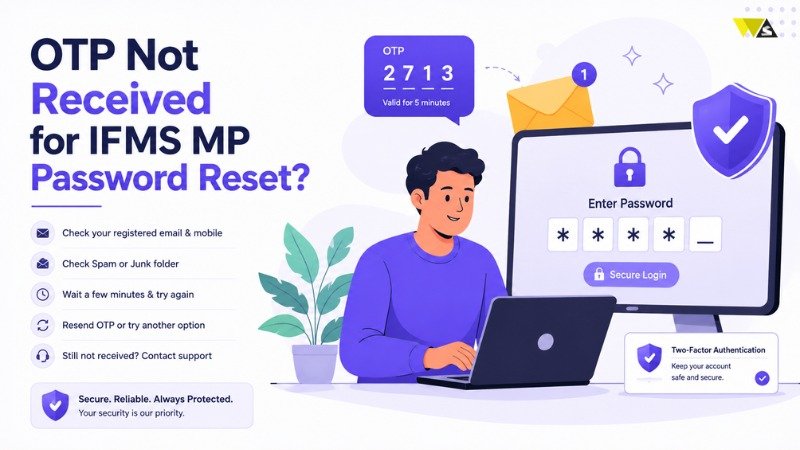
If you are not receiving the OTP for your IFMS MP password reset, try these steps: check your mobile network and signal, wait 1- 2 minutes and click Resend OTP, make sure you entered the correct Employee Code, free up your inbox if the SMS box is full, turn off SMS-blocking or DND/spam filters, and restart your phone. The most common reason is that your mobile number is not updated on the portal. In that case, contact your DDO to update it and reset your password. This simple guide explains why the IFMS MP OTP is not received and gives you clear, step-by-step solutions so you can reset your password and log in quickly.
Table of Contents
ToggleWhy Is the IFMS MP OTP Not Received?
The IFMS portal sends an OTP to your registered mobile number during password reset. If the OTP does not arrive, one of the following issues may be causing the problem: If you do not get it, here are the common reasons:
- Mobile number not updated on the portal (the biggest reason)
- Weak or no network signal on your phone
- Wrong Employee Code / User ID entered
- Full SMS inbox with no space for new messages
- DND, spam filter, or SMS-blocking app stopping the message
- Server delay or heavy traffic on salary day / month-end
- SIM or phone issue (temporary glitch)
How to Fix “OTP Not Received” for IFMS MP Password Reset?
1. Check Your Mobile Network and Signal
A weak mobile network signal is one of the most common reasons for OTP delays.
- Make sure your phone has a good network signal.
- Switch from a low-signal area to an open space.
- Turn Airplane Mode on and off to refresh your mobile network connection.
2. Wait a Minute, Then Click “Resend OTP”
Due to heavy traffic, the OTP may take some extra time to be delivered.
- Wait 1–2 minutes before trying again.
- Click the “Resend OTP” button on the portal.
- Do not click it many times quickly, as this can block further attempts for a while.
3. Confirm You Entered the Correct Employee Code
If the wrong Employee Code / User ID is entered, the OTP goes nowhere.
- Double-check your Employee Code for spelling and typing mistakes.
- Use the exact code given to you by your DDO.
4. Clear Space in Your SMS Inbox
- If your message inbox is full, new OTP messages may not arrive. Delete some old SMS messages and restart your phone.
5. Turn Off DND, Spam Filters, or SMS-Blocking Apps
Some settings or apps block official SMS.
- Check if DND (Do Not Disturb) is blocking service messages.
- Look in your Spam / Blocked SMS folder for the OTP.
- Temporarily disable any SMS-blocking app.
6. Restart Your Phone or Reinsert the SIM
A small phone glitch can stop messages.
- Restart your phone.
- If needed, remove and reinsert your SIM card.
- Try again after the phone reconnects to the network.
7. Retry During Non-Peak Hours
On salary day or month-end, the server is busy and SMS may be delayed.
- Wait for some time and try again later.
- Attempt the reset during early morning or late evening.
8. Update Your Mobile Number Through Your DDO
If your registered mobile number is old or wrong, the OTP will never reach you. This is the most common real cause.
- Contact your DDO (Drawing and Disbursing Officer).
- Request them to update your mobile number on the portal.
- Ask for a DDO-assisted password reset if needed.
- This usually takes 24–48 hours.
How to Reset IFMS MP Password (Once OTP Works)
After you start receiving the OTP, resetting is quick:
- Go to https://mptreasury.gov.in/IFMS/ and open Employee Login.
- Click “Forgot Password”.
- Enter your Employee Code / User ID.
- Enter the OTP sent to your registered mobile.
- Set a new strong password (for 2026: at least 12 characters with uppercase, lowercase, numbers, and special characters – example style MP@Tr$2026Jan).
- Log in again with your new password.
Tips to Avoid OTP Problems in Future
- Keep your mobile number updated with your DDO at all times.
- Make sure your phone has enough network signal before starting.
- Do not keep your SMS inbox full.
- Avoid clicking Resend OTP too many times.
- Save the official link https://mptreasury.gov.in/IFMS/ to avoid fake sites.
Conclusion
To avoid OTP problems in the future, keep your mobile number updated, always use the official IFMS MP portal at https://mptreasury.gov.in/IFMS/, and never share your OTP with anyone. By Following these simple steps will help keep your account secure and make password resets quick and hassle-free.
FAQs
1. Why am I not receiving the OTP for IFMS MP password reset?
If you are not receiving the OTP, check your network signal, inbox space, and spam settings. An outdated registered mobile number may also be the cause and can be updated through your DDO.
2. Where is the IFMS MP OTP sent?
The OTP is sent to your registered mobile number linked to your Employee Code on the portal.
3. What should I do if the OTP is delayed?
Wait 1–2 minutes, check your network signal, and click “Resend OTP”. Trying during non-peak hours also helps.
4. My mobile number has changed. How do I get the OTP?
You must contact your DDO to update your new mobile number on the portal. After updating, you will start receiving the OTP.
5. How long does it take to update my number with the DDO?
If your DDO updates your details, the process normally takes about 24–48 hours.
6. Can DND or spam settings block the OTP?
Yes. Check your Spam, Junk, or Blocked Messages folder, as the OTP may have been filtered there. Also, disable DND (Do Not Disturb) mode and any SMS-blocking apps, then request the OTP again.
7. The OTP expired before I could enter it. What now?
Request a fresh OTP using the Resend OTP option and enter it quickly, as the OTP is valid for a short time only.
8. Why does the OTP not come on salary day?
On salary day and month-end, the server is busy and SMS may be delayed. Wait a while and retry during non-peak hours.
9. Can I reset my IFMS MP password without OTP?
No. For security, OTP verification is required. If you cannot get the OTP, ask your DDO for a manual/assisted reset.
10. Is it safe to use other websites to reset my IFMS MP password?
No. Always use only the official site https://mptreasury.gov.in/IFMS/. Never share your OTP with anyone.
Read our article:How to Download IFMS MP Pay Slip 2026: Step-by-Step Guide
Read our article:How to Download IFMS MP Pay Slip 2026: Step-by-Step Guide









