

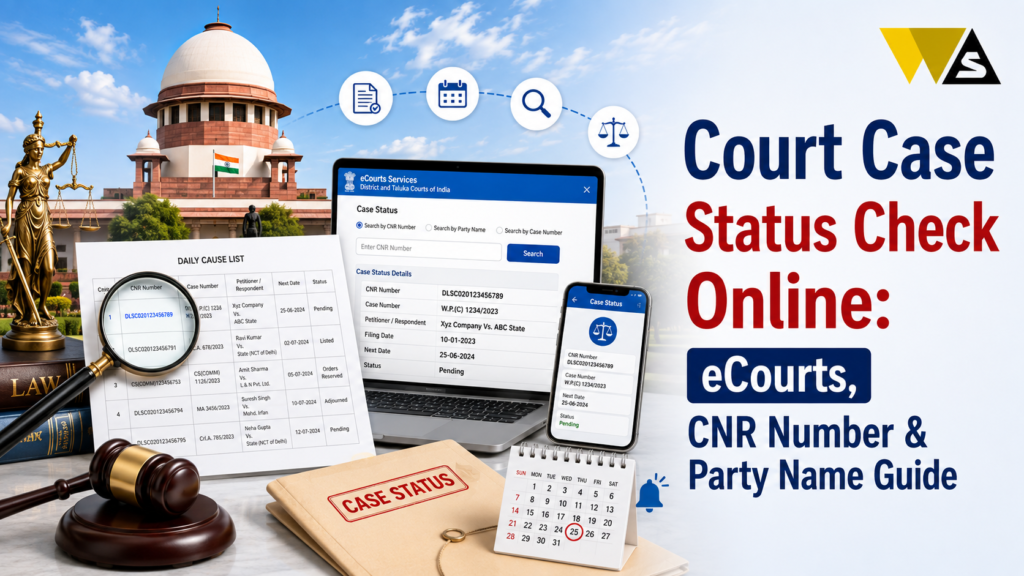
To do a court case status check online in India, go to the official eCourts portal (services.ecourts.gov.in). The fastest way is to enter the 16-character CNR number (Case Number Record, like DLSW01-001234-2024) with the captcha the full case opens, showing parties, next hearing date, case stage, and all orders.
If you do not have the CNR, click “Case Status” and search by case number, party name, advocate name, filing number, or FIR number, after selecting your state, district, and court. For High Court cases use that High Court’s website, and for the Supreme Court use sci.gov.in . You can also use the eCourts Services app (or UMANG) to save cases and get hearing alerts. It is completely free.
Table of Contents
ToggleWhat is a Court Case Status Check?
A court case status check means finding the current position of a court case online without visiting the court or standing in a clerk’s queue.
When you check a case status, you can see:
- The parties (petitioner and respondent) names
- The case number and filing details
- The current stage of the case
- The next hearing date
- The history of past hearings
- The orders and judgments uploaded by the court (as PDFs)
India has a national eCourts system, run by the eCommittee of the Supreme Court of India and the National Informatics Centre (NIC). It connects thousands of district and taluka courts on one portal services.ecourts.gov.in — giving you free, real-time case information.
You can track any case’s progress and next date from your phone or computer, for free.
Court Case Status Overview 2026
| Detail | Information |
| Service | Online Court Case Status Check |
| Main Portal | services.ecourts.gov.in |
| Run By | eCommittee, Supreme Court + NIC |
| Fastest Search | CNR Number (16-character code) |
| Other Searches | Case number, party name, advocate, FIR, filing number |
| High Court Cases | Each High Court’s own website |
| Supreme Court Cases | sci.gov.in |
| Mobile App | eCourts Services app / UMANG |
| What You See | Parties, stage, next date, orders |
| Cost | Free |
What is a CNR Number?
CNR = Case Number Record. It is a unique 16-character code given to every case filed in a district or taluka court in India — for example, DLSW01-001234-2024.
Why the CNR is Important:
- It is unique to one case: no duplicates, no confusion.
- It never changes, even if the case moves between stages.
- It is the fastest and most reliable way to open a case.
- It avoids the problem of similar party names or case numbers.
Where to find your CNR number:
- On your court orders and case papers
- On notices, often next to a QR code
- On any case-information printout from the court
Once you find a case, note down its CNR number. After that, every future check takes just seconds paste the CNR, enter the captcha, and the case opens.
How to Check Court Case Status by CNR Number (Step-by-Step)
This is the easiest and fastest method:
Step 1: Go to the official portal services.ecourts.gov.in.
Step 2: On the home page, find the “CNR Number” search box.
Step 3: Enter your 16-character CNR number (for example, DLSW01-001234-2024).
Step 4: Fill in the captcha code.
Step 5: Click “Search”.
Step 6: The full case details are open — parties, advocates, filing and registration numbers, case stage, next hearing date, and order history.
You can also view and download court orders as PDFs from this page.
CNR search works without needing to select state, district, or court — that is why it is the quickest method.
How to Check Court Case Status by Party Name
If you do not have the CNR or case number, you can search by the person’s name (petitioner or respondent).
- Go to services.ecourts.gov.in and click “Case Status”.
- Select your State and District.
- Choose the Court Complex / Establishment.
- Click the “Party Name” tab.
- Enter the petitioner’s or respondent’s name.
- Select the registration year and choose “Pending” or “Disposed”.
- Fill the captcha and click “Go”.
- A list of matching cases appears — click “View” to open the one you need.
Tips for party name search:
- Common names (like “Rajesh Kumar”) return many results confirm the right one using the opposite party’s name, advocate name, and case type.
- The year is the case registration year, which can differ from when the dispute started. If a year returns nothing, try nearby years or clear the year filter.
- Once you find the case, note its CNR number for easy future checks.
How to Check Case Status by Case Number or Other Methods
The eCourts portal supports several search methods. After clicking “Case Status” and selecting your state, district, and court, you can search by:
- Case Number: Enter the case type, number, and year (from your filing papers).
- Filing Number: The number given at the time of filing.
- Advocate Name: Find all cases handled by a particular advocate.
- FIR Number: For criminal cases, search using the FIR number and police station.
- Act: Search cases filed under a particular law/act.
The Case Number and Filing Number methods need the exact court and case type, so they work best when you have the original filing documents.
How to Check High Court Case Status
The eCourts district portal covers district and taluka courts. For High Court cases, you use the High Court’s own website.
- Go to your State High Court’s official website (each High Court has its own).
- Find the “Case Status” or “Case Information System” section.
- Search by CNR number, case number, party name, or advocate name.
- View the case details, next hearing date, and orders.
Most High Courts are also linked with the National Judicial Data Grid (NJDG), which shows case pendency statistics.
How to Check Supreme Court Case Status
For cases in the Supreme Court of India, use the official Supreme Court website.
- Go to sci.gov.in (the Supreme Court’s official website).
- Open the “Case Status” section.
- Search by case number, diary number, party name, advocate name, or CNR number.
- View the case status, hearing dates, and orders.
The diary number is given when a case is first filed in the Supreme Court, before it gets a regular case number useful for tracking new cases.
How to Use the eCourts Services App
You can check and track cases easily on your phone using the official app:
- Download the eCourts Services app from Google Play or the App Store (or use the UMANG app).
- Search a case by CNR, case number, party name, or advocate.
- Save cases to “My Cases” so you do not have to search again.
- Get notifications when a new order is uploaded or a hearing date is set.
- Scan the QR code on a court notice or order to open the case instantly.
- View cause lists (the daily list of cases) for any court.
The push notifications feature is very useful. You get alerted about your next hearing date automatically, so you never miss it.
Understanding the Case Status Details
When you open a case, you see several details. Here is what they mean in simple words:
- Case Type & Number: The category and number of the case.
- Filing / Registration Date: When the case was filed and registered.
- Petitioner vs Respondent: The two sides of the case.
- Advocates: The lawyers representing each side.
- Case Stage: The current step (for example, evidence, arguments, judgment).
- Next Hearing Date: The date of the next court hearing.
- Case History: A list of all past hearing dates and what happened.
- Orders / Judgments: The court’s written orders, which you can download as PDFs.
What Do “Pending” and “Disposed” Mean?
Two words you will often see:
- Pending: The case is still going on, not yet decided. It has a next hearing date.
- Disposed: The case is finished/closed — the court has given its decision (judgment or order).
When searching by party name, you often choose “Pending” or “Disposed” to filter results. If you are not sure, check both.
A “Disposed” case can still have orders to read and download the final judgment PDF to know the outcome.
Why Check Court Case Status Online?
People check case status for many real reasons:
For lawyers and firms — to manage many cases and their dates, alongside their business compliance and tax filing work.
To know the next hearing date — so you and your lawyer are prepared.
To confirm a case exists — when you get a notice or phone call but no papers reached you.
To check if a case is filed against you — a recovery suit, eviction, or other matter.
For background checks — on a tenant, borrower, employee, or business partner (useful before you do a company registration or sign a new business deal).
To read court orders — download judgments and orders.
To track a family or property case — divorce, maintenance, custody, or land disputes.
Find a Case When You Have Less Information
Here is how to still find the case:
- Use party name search with the state and district where you think the case is.
- Try nearby years, since the registration year may differ from when the dispute began.
- Confirm the match using the opposite party’s name, advocate name, and case type.
- In criminal cases, use the FIR number and police station.
- If a lawyer handled it, use the advocate name search.
- Once found, save the CNR number for instant future access.
If no records show up, the case may be in a different district, a High Court, or a tribunal — check those portals separately.
Beware of Fake “Court Case” Call and SMS Scams
Scammers sometimes call or message people saying “a court case or warrant has been filed against you — pay now to settle it”, to create fear and steal money.
How to stay safe:
- Do not panic — real courts do not demand instant payment over a phone call or SMS.
- Verify any claim yourself on the official eCourts portal (services.ecourts.gov.in ) using party name or CNR.
- Never pay money or share OTP/bank details to “settle a case” over the phone.
- Do not click links in suspicious SMS or WhatsApp messages.
- Consult a lawyer if you are unsure about a genuine notice.
If you are cheated: report to the National Cyber Crime Helpline 1930 or cybercrime.gov.in .
Conclusion
A court case status check is now quick, free, and easy in India. Just go to the official eCourts portal (services.ecourts.gov.in). The fastest way is to enter the 16-character CNR number — the whole case opens with parties, case stage, next hearing date, and orders. If you do not have the CNR, click “Case Status” and search by case number, party name, advocate name, filing number, or FIR number, after choosing your state, district, and court.
For High Court cases, use that High Court’s website, and for the Supreme Court, use sci.gov.in. Best of all, the eCourts Services app (or UMANG) lets you save your cases and get automatic alerts for new orders and hearing dates.
Save your CNR number. Use only the official eCourts website to check your case. Do not trust calls or messages asking for money.
Frequently Asked Questions (FAQs)
1. How can I check my court case status online?
Go to the official eCourts portal at services.ecourts.gov.in. Enter your 16-character CNR number with the captcha for the fastest result, or click “Case Status” and search by case number, party name, advocate name, or FIR number after selecting your state, district, and court.
2. What is a CNR number?
A CNR (Case Number Record) is a unique 16-character number given to every court case. It helps you quickly find your case online because each CNR number belongs to only one case.
3. Can I check a case status without a case number?
Yes. Use the party name search on services.ecourts.gov.in select the state, district, and court, choose the Party Name tab, enter the petitioner’s or respondent’s name, pick the year and Pending/Disposed, and search. You can also search by advocate name.
4. Where do I find my CNR number?
You can find the CNR number on your court order, case papers, or notice. Use this number to check your case status online. .
5. How do I check a High Court case status?
Visit the official High Court website, open Case Status, enter your case details, and check the latest case information.
6. How do I check a Supreme Court case status?
Go to the Supreme Court’s official website, sci.gov.in, open the Case Status section, and search by case number, diary number, party name, advocate name, or CNR number to see the status, hearing dates, and orders.
7. Is checking court case status online free?
Yes. Checking case status on the eCourts portal, High Court sites, the Supreme Court site, and the eCourts Services app is completely free. You can also view and download court orders and judgments as PDFs at no cost.
8. How can I get alerts about my next hearing date?
Download the eCourts Services app, search your case, and save it to “My Cases”. The app sends push notifications when a new order is uploaded or a hearing date is set, so you never miss your next date.
9. What is the difference between “Pending” and “Disposed”?
“Pending” means the case is still going on and has a next hearing date. “Disposed” means the case is closed and the court has given its decision. A disposed case may still have a final judgment PDF to download.
10. I got a call saying a case is filed against me and I must pay. Is it genuine?
Be very careful — real courts do not demand instant payment over a phone call or SMS. Verify any claim yourself on services.ecourts.gov.in using the party name or CNR, never pay or share OTP over the phone, and report scams to 1930 or cybercrime.gov.in.
Read our article:
Read our article:









