

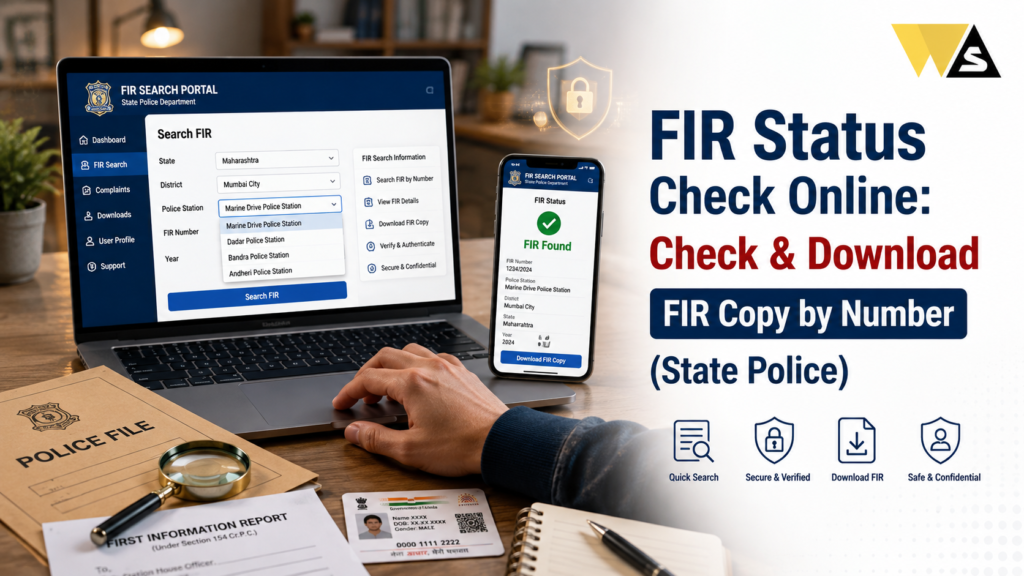
To do an FIR status check online, go to your state police CCTNS Citizen Portal (each state has its own, for example the Delhi Police, UP Police (UPCOP), or Maharashtra Police citizen portal), or the national Digital Police Portal (digitalpolice.gov.in ). Click “Citizen Services” → “View FIR / Search FIR”, select your district and police station, enter the FIR number and year, fill the captcha, and view the FIR details.
Because of Supreme Court rulings and the CCTNS system, most FIRs are now a public document you can view and download free as a PDF usually within 24 hours of filing. Sensitive cases (like those under special/sexual offence laws) may be restricted for privacy. To track the court case that follows a chargesheet, use the eCourts portal.
Table of Contents
ToggleWhat is an FIR and FIR Status Check?
An FIR (First Information Report) is the first official written record made by the police when they receive information about a cognizable offence (a serious crime where police can act and arrest without a warrant like theft, assault, or fraud).
An FIR is very important because it sets the law in motion once it is filed, the police start an investigation. Every FIR has a unique number tied to a specific police station, district, and year — for example, FIR No. 245/2026, Connaught Place PS, New Delhi.
FIR status check means finding out what is happening with the FIR, whether the police are investigating, whether a chargesheet has been filed, and the current stage of the matter.
India uses CCTNS (Crime and Criminal Tracking Network & Systems), a national system by the National Crime Records Bureau (NCRB), Ministry of Home Affairs, that connects police stations across the country. This lets citizens view and track FIRs online.
Note: In 2024, the old CrPC (Criminal Procedure Code) was replaced by the BNSS (Bharatiya Nagarik Suraksha Sanhita) but the FIR system continues as before.
FIR Status Check Overview 2026
| Detail | Information |
| Document | FIR (First Information Report) |
| Check Online On | State Police CCTNS Citizen Portal |
| National Portal | digitalpolice.gov.in |
| Run By | NCRB, Ministry of Home Affairs |
| Search By | FIR number + year + district + police station |
| FIR Copy | Free to view/download (public document) |
| Availability | Usually within 24 hours of filing |
| Restricted Cases | Sensitive offences (privacy protected) |
| Court Tracking | eCourts portal (after chargesheet) |
| Cost | Free |
Why Should You Check Your FIR Status Online?
Checking your FIR online saves time and gives you important information. Here is why it matters:
- Track your complaint: Know if the police are investigating and how far it has reached.
- Get the FIR copy: You need an FIR copy for insurance claims, court cases, bail, and legal steps.
- For insurance: A stolen vehicle or phone claim needs the FIR copy.
- For bail: An accused person needs the FIR copy to apply for anticipatory bail.
- Avoid police station visits: You can do it from home, without repeated trips.
- Transparency: No need to pay any “processing fee” or bribe — it is free and online.
- Track the court case: Once a chargesheet is filed, you can follow the court case too.
Online FIR checking gives you direct access to a document that once needed many visits to the police station.
Is the FIR a Public Document?
Yes in most cases. Supreme Court rulings and the CCTNS project, FIRs are now uploaded online and treated as a public document that citizens can view and download for free.
But there are exceptions. FIRs are usually NOT shown online for sensitive cases, to protect privacy and the investigation, such as:
- Sexual offences (for example, cases under laws protecting women and children)
- POCSO (child protection) cases
- Certain terrorism or national security matters
- Some special/sensitive categories decided by the state
Normal FIRs (theft, accident, fraud, etc.) are usually available online, while sensitive FIRs are restricted for genuine privacy reasons.
How to Check FIR Status Online (Step-by-Step)
The exact portal differs by state, but the steps are similar everywhere. Here is the general process:
Step 1: Go to your state police Citizen Portal (the CCTNS citizen services website of your state).
Step 2: Look for the “Citizen Services” section.
Step 3: Click on “View FIR” or “Search FIR” (sometimes “FIR Status”).
Step 4: Select your District and Police Station.
Step 5: Enter the FIR Number and Year (some states also allow search by complainant or accused name).
Step 6: Fill in the captcha (and complete mobile OTP verification if the state requires it).
Step 7: Click “Search” / “View”.
Step 8: The FIR details appear — you can view and download the FIR copy (PDF).
How to Check FIR Status on the Digital Police Portal
The national Digital Police Portal offers several citizen services, including FIR-related services:
- Go to digitalpolice.gov.in
- Explore the citizen services, which include:
- Obtaining copies of FIRs
- Details of arrested persons / wanted criminals
- Details of missing / kidnapped persons
- Stolen / recovered vehicles and property
- Requests for NOCs and verification (servants, employment, passport, etc.)
- It usually directs you to your state’s portal for the actual FIR, since FIRs are maintained state-wise.
The Digital Police Portal is a good starting point, but for the actual FIR copy, you usually go to your state police portal.
State-Wise FIR Portals
Each state has its own CCTNS citizen portal. Here are some states:
- Delhi: Delhi Police portal one of the first with online/e-FIR for theft and vehicle cases.
- Uttar Pradesh: UP Police website / UPCOP app — one of the most reliable FIR search services.
- Maharashtra: Maharashtra Police Citizen Portal — search and view published FIRs across Mumbai, Pune, and all districts.
- Karnataka: KSP (Karnataka State Police) Citizen Portal — download FIR and NC (Non-Cognizable) reports.
- Chhattisgarh, Madhya Pradesh, Rajasthan, Tamil Nadu, and other states — each has its own citizen portal with a View FIR option.
Search for “[your state] police citizen portal CCTNS” to find the official site, and always use the official government (.gov.in) website.
How to Download an FIR Copy Online
Getting the FIR copy (PDF) is usually part of the same process:
- On your state police citizen portal, open “View FIR” / “Search FIR”.
- Enter the district, police station, FIR number, and year (or the complainant/accused name where allowed).
- Verify the FIR details shown on screen.
- Click “Download” or “Print”.
- Save the FIR copy (PDF) for your records.
Keep the downloaded FIR safe; you will need it for insurance, court, or bail.
What is an e-FIR (Online FIR)?
Some states let you file an FIR online (called an e-FIR or online FIR) for certain cases — usually theft of vehicles, phones, or property where the accused is unknown.
How it generally works:
- You go to the state police portal and choose “e-FIR” / “Lodge Complaint”.
- You fill in the incident details and submit.
- For qualifying cases, an FIR is registered online, and you get a copy.
- For serious crimes, you usually still need to go to the police station.
e-FIR is very useful for stolen vehicle or phone cases, where you need a quick FIR copy for insurance.
What Happens After You File an FIR: FIR vs Court Case
An FIR is only the first step here is what follows:
- FIR filed → the FIR lives in the police CCTNS records.
- Police investigate → they collect evidence and question people.
- Chargesheet filed in court → if there is enough evidence, the police file a chargesheet in a magistrate’s court.
- Court case begins → the matter now becomes a criminal case with its own CNR number.
Before a chargesheet, there is no court case yet so a court website search will show empty. At that stage, check the police CCTNS portal. After the chargesheet, you track it as a court case.
To track the court case that follows your FIR, use the eCourts portal you can check the court case status by FIR number, or by the CNR number once the case is registered. This shows the next hearing date, case stage, and all court orders.
What Documents/Details Do You Need to Check FIR Status?
To check your FIR status smoothly, keep these ready:
- FIR Number (the unique number given when the FIR was filed)
- Year of the FIR
- District where it was filed
- Police Station name
- Registered mobile number (some states send an OTP)
- Complainant or accused name (if searching by name, where allowed)
If you do not know the FIR number, check the acknowledgement/receipt you got when filing, or ask the police station.
Common Problems and Solutions
Here are common issues and simple fixes:
- FIR not showing online: It may be a sensitive case (restricted), or not uploaded yet — wait 24 hours or check with the police station.
- Wrong FIR number/details: Double-check the number, year, district, and police station.
- Portal not opening / slow: Try a different browser or check again later; use the official state site.
- OTP not received: Ensure your registered mobile is correct; some states need mobile verification.
- No court case found: The chargesheet may not be filed yet — check the police portal instead of the court portal.
- Need a certified copy: For court use, you may need a certified FIR copy from the police station or court.
If the online copy is not enough for a legal purpose, request a certified copy through the proper channel.
Beware of FIR and “Police Case” Scams
Scammers sometimes call, SMS, or WhatsApp people pretending to be police or officials, saying “an FIR/case has been filed against you to pay now to settle it”, to create fear and steal money.
How to stay safe:
- Do not panic, real police do not demand instant payment over a phone call to “cancel an FIR”.
- Verify any claim yourself on your official state police portal.
- Never pay money or share OTP/bank details over the phone to “settle a case”.
- Do not click links in suspicious SMS or WhatsApp messages.
- Beware of fake “digital arrest” scams, police do not arrest people over video calls.
- Consult a lawyer if you receive a genuine legal notice you can get help from trusted online legal services with experienced professionals.
If you are cheated: report immediately to the National Cyber Crime Helpline 1930 or cybercrime.gov.in.
Conclusion
An FIR status check online is now quick, free, and simple in India. Go to your state police CCTNS Citizen Portal (or the national Digital Police Portal, digitalpolice.gov.in), open “View FIR / Search FIR”, select your district and police station, enter the FIR number and year, and view the details. Thanks to Supreme Court rulings and CCTNS, most FIRs are now a public document you can download free as a PDF, usually within 24 hours though sensitive cases stay restricted for privacy.
Keep your FIR number, year, district, and police station ready; use only the official state government (.gov.in) portal; and understand that the FIR leads to a court case only after a chargesheet , which you can then track on the eCourts portal using the CNR number.
Frequently Asked Questions (FAQs)
1. How can I check my FIR status online?
Go to your state police CCTNS Citizen Portal, open “Citizen Services” and click “View FIR” or “Search FIR”, select your district and police station, enter the FIR number and year, fill the captcha, and view the FIR details. You can also download the FIR copy as a PDF.
2. Can I download my FIR copy online for free?
Yes. For most normal cases, FIRs are a public document under CCTNS, and you can view and download the FIR copy free from your state police portal. You do not need to pay any fee or bribe for a standard FIR copy.
3. Which portal should I use to check FIR status?
Use your state police CCTNS Citizen Portal (such as the Delhi Police, UP Police/UPCOP, Maharashtra Police, or Karnataka KSP portal). The national Digital Police Portal (digitalpolice.gov.in) is a good starting point but usually directs you to your state portal.
4. What details do I need to check my FIR status?
You usually need the FIR number, the year, the district, and the police station name. Some states also allow searching by the complainant or accused name, and a few require mobile OTP verification.
5. Why is my FIR not showing online?
If your FIR is missing online, first check that you entered the correct FIR number and other details. If everything is correct and the FIR still does not appear, ask the police station for an update.
6. Are all FIRs available online?
No. Most normal FIRs (theft, accident, fraud) are available online, but sensitive cases — such as sexual offences, POCSO, and certain security matters — are restricted online to protect privacy and the investigation.
7. What is an e-FIR?
An e-FIR (online FIR) lets you file an FIR online for certain cases, usually theft of vehicles, phones, or property where the accused is unknown. For serious crimes, you generally still need to visit the police station.
8. How do I track the court case after an FIR?
Before a chargesheet is filed, there is no court case yet — check the police CCTNS portal. After the chargesheet, the matter becomes a criminal case with a CNR number, which you can track on the eCourts portal for hearing dates and orders.
9. Do I need the FIR copy for an insurance claim?
If you are making an insurance claim for a stolen vehicle, phone, or other property, you may need to submit an FIR copy. Download it from the state police website or request a certified copy from the police station.
10. I got a call saying an FIR has been filed against me and I must pay. Is it genuine?
Be very careful — real police never demand instant payment over a phone call to cancel an FIR, and “digital arrest” over video call is always a scam. Verify on your official state police portal, never pay or share OTP, and report fraud to 1930 or cybercrime.gov.in.
Read our article:
Read our article:









