

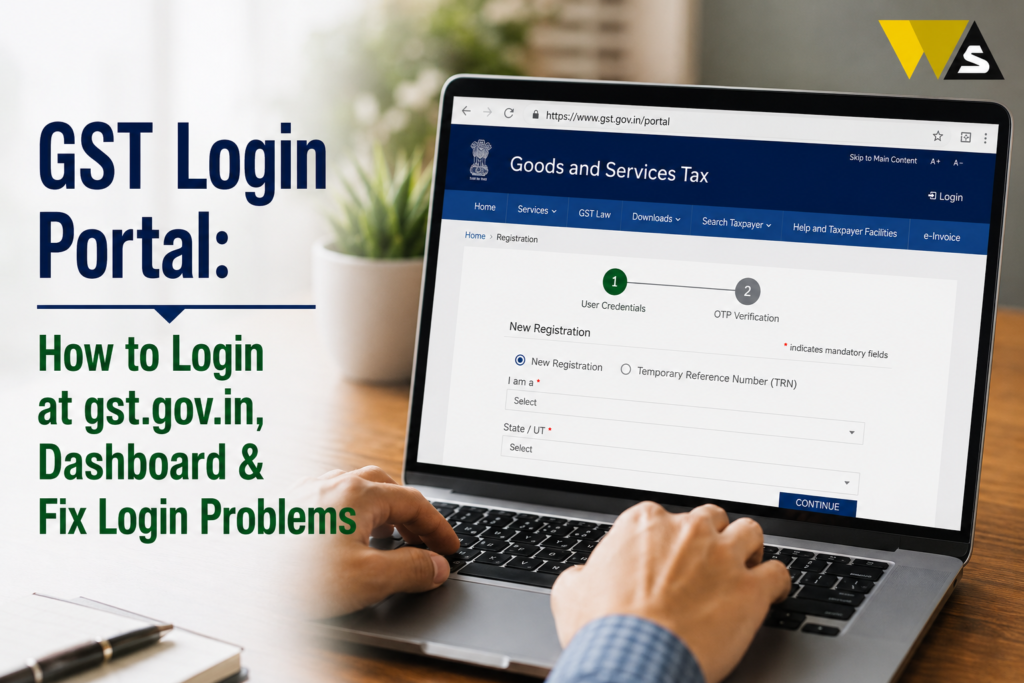
To log in to the GST portal, open the official website gst.gov.in, click “Login” at the top-right corner, enter your username and password (the ones you created after registration, not your GSTIN), type the captcha, and click LOGIN. Your taxpayer dashboard opens, where you can file returns (GSTR-1, GSTR-3B), pay tax, view notices, download your certificate, and manage the IMS (Invoice Management System).
If you are logging in for the first time, click “first time login”, enter your Provisional ID/GSTIN and the temporary password from your email, then create your own username and password. If you forget your password or username, use the “Forgot Password” option. Some read-only tasks (like verifying a GSTIN or searching by PAN) need no login..
Table of Contents
ToggleWhat is the GST Portal?
The GST portal (gst.gov.in ) is the official online website of the Government of India where every GST-registered taxpayer manages their Goods and Services Tax (GST) work.
Almost everything a GST business does with the tax department now happens behind one login:
- Filing GST returns (GSTR-1, GSTR-3B, GSTR-9, etc.)
- Paying tax and creating challans
- Downloading the GST registration certificate
- Replying to notices from the department
- Claiming refunds and tracking them
- Managing invoices through the new IMS (Invoice Management System)
- Checking if a supplier’s GSTIN is genuine
The GST portal is the single online window for all GST compliance. When your login works, your GST work flows smoothly; when it fails, work stops which is why knowing the login process well is important.
GST Login Portal Overview 2026
| Detail | Information |
| Portal | GST Portal |
| Official Website | gst.gov.in |
| Run By | Goods and Services Tax Network (GSTN) |
| Login Needs | Username + Password + Captcha |
| First-Time Login | Provisional ID/GSTIN + temporary password |
| Main Use | Returns, payments, notices, certificate, IMS |
| No-Login Services | Verify GSTIN, Search by PAN, HSN lookup |
| Forgot Password | Via “Forgot Password” (OTP to mobile/email) |
| Helpdesk | 1800-1200-232 |
| DSC Needed | Only for Companies and LLPs |
GST Login: Regular Login vs First-Time Login
There are two different login situations, and it helps to know which one applies to you:
- Regular login: For taxpayers who already have a GSTIN and have created a permanent username and password. You just log in with those.
- First-time login: For taxpayers who have just received registration and are logging in for the very first time, using a Provisional ID/GSTIN/UIN and a temporary password sent by email.
If you have logged in before, use the regular login. If this is your very first login after getting GST registration, use the first-time login to create your own username and password.
How to Login to the GST Portal (Step-by-Step)
Here is the regular login process in simple steps:
Step 1: Open a browser and go to the official website gst.gov.in (type the address yourself; do not click random search results).
Step 2: Click the “Login” button at the top-right corner of the homepage.
Step 3: Enter your Username — this is the ID you created yourself, not your GSTIN and not your email.
Step 4: Enter your Password (it is case-sensitive).
Step 5: Type the captcha exactly as shown (if it is unclear, refresh it).
Step 6: Click “LOGIN”.
Step 7: Your taxpayer dashboard opens — your home for all GST work.
Keep your username and password handy not the GSTIN, which is only used in specific recovery steps.
How to Do First-Time Login (New Users)
If you just received your GST registration, do this once to set up your account:
Step 1: Go to gst.gov.in and click “Login”.
Step 2: Below the login fields, click the link that says “first time login: if you are logging in for the first time, click here”.
Step 3: Enter your Provisional ID / GSTIN / UIN.
Step 4: Enter the temporary password that was sent to your email.
Step 5: Enter the captcha and click LOGIN.
Step 6: On the New Credentials page, create your own username and a password, then re-enter the password to confirm.
Step 7: Click SUBMIT.
After this, log in again using your new username and password. Some steps may include OTP verification to your registered mobile/email.
What You See on the GST Dashboard (After Login)
After a successful login, you reach your taxpayer dashboard, the central hub for all GST activities. Here is what it offers:
- File Returns: Quick links to file GSTR-1, GSTR-3B, GSTR-9, and others.
- Notices & Orders: View and respond to any notices from the department.
- Ledger Summary: See your electronic cash ledger, Input Tax Credit (ITC), and tax liability.
- Profile Section: Update contact details, authorised signatories, and bank account.
- Tax Calendar: Track important return filing due dates.
- Refund Status: Monitor refund applications and check their ARN status.
- IMS (Invoice Management System): Review and act on supplier invoices.
- Payments: Create challans and pay tax online.
The IMS (Invoice Management System)
Every GST taxpayer should know, the Invoice Management System (IMS) is now an important part of the login and monthly workflow.
What is IMS?
- It shows the invoices your suppliers have filed against your GSTIN.
- Each time you log in, you can review these invoices on the IMS dashboard.
- You accept, reject, or keep pending each invoice, which affects your Input Tax Credit (ITC).
Why it matters:
Supplier invoices appear progressively through the month as suppliers file. It is much easier to act on them daily (a few at a time) than to review hundreds of invoices on one day near the deadline.
GST Services You Can Use WITHOUT Login
Not everything needs a login. Some read-only services are open to the public from the homepage:
- Search Taxpayer / Verify GSTIN: Check whether a GST number is valid, active, or cancelled.
- Search by PAN: See all GST registrations linked to a PAN.
- HSN Code lookup: Find the HSN/SAC code for goods/services.
- Track Application Status: Check a registration application (ARN) status.
You can verify a supplier’s GSTIN is genuine before doing business, without logging in a quick, smart safety check. Always verify a new supplier’s GSTIN on the portal before you claim ITC on their invoices.
Common GST Login Problems and Solutions
Login problems stop your work, so here are the common issues and simple fixes:
1. Forgot Password
- Click “Forgot Password” on the login page.
- Enter your username, complete OTP verification (mobile/email), and set a new password.
2. Forgot Username
- Click “Forgot Username” on the login page.
- Complete OTP verification, and your username is sent to your registered email/mobile.
3. OTP Not Received
- Check your registered mobile/email is correct and has a signal.
- Wait a minute and click resend OTP.
- Check the spam folder for email OTP.
4. Account Locked
- After multiple wrong attempts, the account locks. Wait about 30 minutes and try again.
- If still locked, contact the GST helpdesk at 1800-1200-232.
5. Captcha Error
- Refresh the captcha and type it exactly (it is case-sensitive in some cases).
6. Website Not Opening / Slow
- The portal is busy near deadlines, try early morning or a different browser.
- Clear your browser cache or try incognito mode.
Most login problems are solved by Forgot Password/Username and OTP keeps your registered mobile and email active.
GST Login for CAs and GST Practitioners
If you are a Chartered Accountant (CA) or GST Practitioner (GSTP) managing clients:
- Register as a GSTP and log in with your own username and password to manage client filings that do not hold clients’ passwords.
- Businesses can create sub-users with role-based access (like Return Filer, Payment Manager, or Viewer) instead of sharing the main login.
Sharing your main GST password is risky. Sub-users and GSTP login keep your account secure while allowing teamwork.
Give each team member a sub-user login with only the access they need; it protects your account and keeps a clear record of who did what.
Do You Need a DSC (Digital Signature) to Login?
- A Digital Signature Certificate (DSC) is required only for Companies and LLPs for filing GST returns.
- Other taxpayers (proprietors, individuals) can log in and file using EVC (OTP-based verification) — no DSC needed.
If you run a Company or LLP, keep your DSC ready and registered on the portal, as you will need it for filing.
How to Download Your GST Certificate After Login
Many people log in mainly to download their GST registration certificate (Form GST REG-06):
- Log in to gst.gov.in with your username and password.
- Go to “Services” → “User Services” → “View/Download Certificate”.
- Download the certificate (Form GST REG-06) as a PDF.
No hard copy is given by the department; the downloaded certificate is your official proof. You must display it at your place of business.
Is the GST Portal Safe? (Security Tips)
The GST portal uses a secure, credential-based login with OTP. To stay safe:
- Always type gst.gov.in yourself do not log in through links in SMS/email (they may be fake).
- Never share your password or OTP with anyone.
- Use sub-users instead of sharing your main login.
- Log out after finishing, especially on shared computers.
- Beware of fake GST websites and calls asking for your login or payment.
If you get a suspicious GST message/call: do not click links or pay; verify only on the official portal, and report fraud to 1930 / cybercrime.gov.in .
Common Mistakes to Avoid in GST Login Portal
- Using GSTIN as username —your username is the ID you created, not the GSTIN.
- Logging in through search-result links — always type gst.gov.in .
- Sharing the main password — use sub-users instead.
- Ignoring the IMS — check it regularly for correct ITC.
- Missing due dates — use the Tax Calendar on the dashboard.
- Not verifying suppliers — check their GSTIN before claiming ITC.
- Weak password — use a strong, unique password.
Conclusion
The GST login portal (gst.gov.in ) is the single online window for all your GST work — filing returns, paying tax, viewing notices, downloading your certificate, and managing invoices through the IMS. To log in, just go to gst.gov.in , click “Login”, enter your username and password (not your GSTIN) with the captcha, and reach your dashboard. For your first login, use the Provisional ID/GSTIN and temporary password from your email to create your own username and password.
You do not need to log in for some GST services, such as checking a GSTIN or PAN. If you forget your login details, use the “Forgot Password” or “Forgot Username” option.
Check your IMS dashboard regularly and verify your suppliers’ GSTINs. Use separate sub-users for your team and never share your main password or OTP. Always use the official GST website.
Frequently Asked Questions (FAQs)
1. How do I login to the GST portal?
Go to gst.gov.in, click “Login” at the top-right corner, enter your username and password (the ones you created, not your GSTIN), type the captcha, and click LOGIN. Your taxpayer dashboard will open where you can file returns, pay tax, and more.
2. What is my username for GST login?
Your username is the ID you created yourself during your first-time login — it is not your GSTIN and not your email. If you forget it, use the “Forgot Username” option on the login page to recover it via OTP.
3. How do I login to the GST portal for the first time?
Click “Login”, then the “first time login” link, enter your Provisional ID/GSTIN and the temporary password sent to your email, enter the captcha, and log in. Then create your own username and password on the New Credentials page and submit.
4. What should I do if I forget my GST password?
Click “Forgot Password” on the login page, enter your username, complete OTP verification through your registered mobile or email, and set a new password. You can also change your password anytime from your profile settings.
5. Why is my GST portal account locked?
Your account may get locked after too many wrong login attempts. Wait 30 minutes and try again with the correct details. If the problem continues, contact the GST helpdesk.
6. Can I use the GST portal without logging in?
Yes. Read-only services like verifying a GSTIN, searching a taxpayer by PAN, HSN code lookup, and tracking a registration application (ARN) status are open to the public from the homepage without any login.
7. What is the IMS on the GST portal?
You can use IMS to check invoices reported by your suppliers. Review them carefully and accept, reject, or keep them pending. This helps you claim the correct ITC and file GSTR-3B correctly.
8. Do I need a DSC to login and file GST?
A Digital Signature Certificate (DSC) is required only for Companies and LLPs for filing returns. Other taxpayers, like proprietors and individuals, can log in and file using OTP-based EVC verification without a DSC.
9. How do I download my GST certificate after login?
To download your GST certificate, log in to gst.gov.in and go to “Services” → “User Services.” Click “View/Download Certificate” and download Form GST REG-06.
10. How can CAs or team members access GST without sharing the password?
CAs should register as GST Practitioners and log in with their own credentials, and businesses should create sub-users with role-based access (like Return Filer or Viewer) instead of sharing the main password. This keeps the account secure.
Read our article:
Read our article:
Read our article:
Read our article:









