

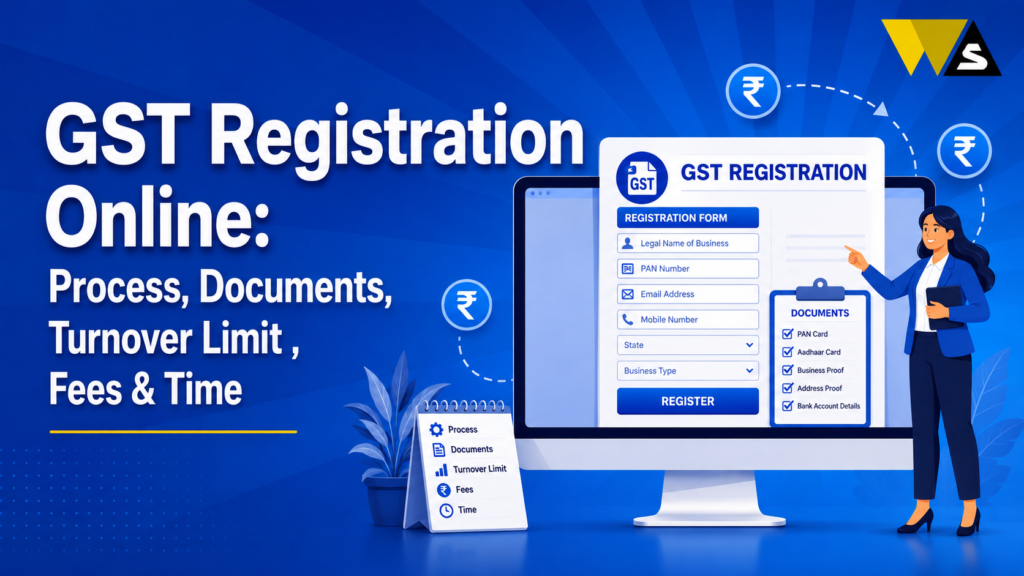
You need GST registration if your annual turnover crosses ₹40 lakh (goods) or ₹20 lakh (services) in most states (₹20 lakh / ₹10 lakh in special-category states), or if you sell inter-state, sell online (e-commerce), or fall in a compulsory category regardless of turnover.
You can apply for GST registration online for free. Fill Form GST REG-01 on the GST portal and complete Aadhaar verification. If biometric verification is required, visit the GST centre. After approval, you will get your 15-digit GSTIN and REG-06 certificate.
After you get the GSTIN, add bank details within 30 days and start filing returns. The #1 reason for rejection is a PAN–Aadhaar name mismatch.
Table of Contents
ToggleWhat is GST Registration?
GST registration is the process of getting a GSTIN, a unique 15-digit number given to your business by the government.
After registration, you can legally collect GST from customers, claim eligible Input Tax Credit (ITC), and file GST returns. If GST registration is required for your business but you do not register, you may face penalties.
Why it matters:
- It makes your business legally compliant.
- It lets you claim Input Tax Credit and reduce your tax cost.
- It builds trust — many buyers and companies only deal with GST-registered suppliers.
- It is needed to sell on e-commerce platforms (Amazon, Flipkart, etc.).
- It helps your business grow and expand across states.
GST registration is the first legal step for a growing business and for many businesses, it is compulsory.
GST Registration Online Overview 2026
| Detail | Information |
| Registration | GST Registration (GSTIN) |
| Portal | gst.gov.in |
| Form | GST REG-01 (Part A + Part B) |
| Threshold (Goods) | ₹40 lakh (₹20 lakh special-category) |
| Threshold (Services) | ₹20 lakh (₹10 lakh special-category) |
| Government Fee | Free (₹0) |
| Authentication | Aadhaar OTP + biometric (if selected) |
| Time to Get GSTIN | About 7 working days (up to 30 for others) |
| Fast-Track (Rule 14A) | 3 working days for eligible small applicants |
| Certificate | Form GST REG-06 |
| After GSTIN | Add bank details within 30 days |
Who Needs GST Registration? Check the Turnover Limit and Rules
There are two main reasons you may need GST registration: your turnover is above the limit, or GST registration is mandatory for your business.
1. Turnover threshold (normal states):
- ₹40 lakh for suppliers of goods
- ₹20 lakh for suppliers of services
Special-category states (lower limits):
- ₹20 lakh for goods
- ₹10 lakh for services
2. Compulsory registration (any turnover) — under Section 24: You must register for GST even if your turnover is below the limit if you are:
- Making inter-state supply of goods
- Selling through e-commerce platforms (Amazon, Flipkart, etc.)
- A casual taxable person (occasional business in another state)
- A non-resident taxable person
- Required to pay tax under reverse charge
- An e-commerce operator or a person responsible for deducting TDS/TCS.
- A person who distributes input services or supplies goods/services on behalf of another person.
3. Voluntary registration: Even if your turnover is below the limit, you can choose to register for GST. It can help you claim eligible ITC, work with GST-registered businesses, and build trust with customers.
Once you cross the threshold, you must apply within 30 days. Delaying means penalties and interest.
Documents Required for GST Registration
Keep these ready before applying:
For all applicants:
- PAN card of the business/applicant
- Aadhaar card of the proprietor/partners/directors
- Photograph of the owner/partners/directors
- Business address proof — electricity bill, rent agreement, property tax receipt, or NOC from the owner
- Bank account proof — cancelled cheque, bank statement, or passbook copy
- Mobile number and email (for OTP)
Extra, based on business type:
- Proprietorship: owner’s PAN, Aadhaar, photo, address and bank proof
- Partnership/LLP: A partnership deed or LLP agreement with the required partner details.
- Company (Pvt Ltd/OPC): Certificate of Incorporation, MOA/AOA, board resolution, directors’ details
- Authorised signatory: authorisation letter/board resolution
Make sure the address proof is clear and the name matches across PAN, Aadhaar, and documents mismatches cause rejection.
How to Apply for GST Registration Online (Step-by-Step)
The whole process is online and free on the official portal gst.gov.in . It has two parts — Part A (basic details to get a temporary number) and Part B (the full application). Follow these simple steps one by one.
Part A — Get Your TRN (Temporary Reference Number)
- Step 1 — Open the GST portal:
- Go to gst.gov.in.
- Click Services → Registration → New Registration.
- Step 2 — Select who you are:
- In “I am a”, choose “Taxpayer”.
- Select your State and District.
- Step 3 — Enter basic business details:
- Legal name of the business exactly as printed on the PAN card.
- PAN of the business or proprietor.
- Email ID and mobile number (use ones you check often — OTPs come here).
- Step 4 — Verify with OTP:
- Enter the two OTPs one sent to your email, one to your mobile.
- Type the captcha and click Proceed.
- Step 5 — Note your TRN:
- The portal gives you a 15-digit TRN (Temporary Reference Number).
- Save this TRN — you need it to fill the main form in Part B.
Part B — Fill the Full Application (Form REG-01)
- Step 6 — Log in with the TRN:
- On the New Registration page, choose “Temporary Reference Number (TRN)”.
- Enter the TRN and the OTP, and open the REG-01 form. Your saved draft stays here, so you can finish it over a few sittings if needed.
- Step 7 — Fill in all the sections:
- Business details — trade name, type of business (proprietor/partnership/company), and reason for registration.
- Promoters / Partners / Directors — names, PAN, Aadhaar, and photos.
- Authorised signatory — the person who will manage GST (with their details).
- Principal place of business — full address, with address proof.
- Additional places of business, if any.
- Goods and services you deal in — add the correct HSN code (goods) or SAC code (services).
- Bank account details (you can also add these within 30 days after registration).
- Step 8 — Upload your documents:
- Upload clear scans of PAN, Aadhaar, photo, address proof, and bank proof.
- Keep files in the allowed format and size (PDF/JPEG), and make sure they are
- readable blurry proofs get rejected.
- Step 9 — Complete Aadhaar authentication:
- Choose “Yes” for Aadhaar authentication (this makes approval much faster).
- The promoter/partner and authorised signatory get a link on their mobile/email — open it and enter the OTP to verify.
- Step 10 — Submit the application:
- Companies and LLPs must submit using a DSC (Digital Signature).
- Proprietors and others can submit using EVC (OTP).
- Review everything once, then submit.
- Step 11 — Get your ARN:
- You receive an ARN (Application Reference Number).
- Use it to track your application status on the portal.
What Happens After You Submit
- If you are selected for biometric verification, visit a GST Suvidha Kendra within 15 days.
- After the officer’s check (or deemed approval), your 15-digit GSTIN and Form REG-06 certificate are issued.
- You can then download your certificate from the portal.
Aadhaar Authentication and Biometric Verification (2026 Update)
This is an important 2026 point that decides how fast you get your GSTIN.
Aadhaar authentication (mandatory):
- The promoter/partner and authorised signatory get an authentication link on their registered mobile and email.
- They open the link and enter the OTP to complete Aadhaar authentication.
- Completing this on time speeds up ARN generation and approval.
Biometric verification (selected cases):
- Based on a risk assessment, some applicants are selected for biometric verification.
- They get an invitation to visit a GST Suvidha Kendra (GSK) within 15 days to give fingerprints and photo.
- Important: In these cases, the ARN is generated only after biometric verification is done.
Place of business verification (from 17 April 2025):
- In risk-based cases or where Aadhaar authentication is not completed, officers may do a physical or geo-tagged verification of your business premises.
- So keep your premises and documents ready for possible inspection.
If you are asked for biometric verification, do it within 15 days otherwise your application is treated as never submitted, and you must start again.
New in 2026: Rule 14A 3-Day Fast-Track Registration
All of India now has a Simplified Registration Scheme (Rule 14A) for small applicants:
- It gives deemed approval within 3 working days for low-risk, eligible small applicants.
- Eligibility: your monthly B2B output tax liability (CGST + SGST + IGST + cess on sales to registered persons) should not exceed ₹2.5 lakh.
- Aadhaar authentication by directors/partners and the authorised signatory must be completed.
- Available to all entity types (proprietor, LLP, Pvt Ltd, OPC) that meet the criteria.
If you are a small business, this fast-track route can get your GSTIN in about 3 days.
GST Registration Fees: Is It Free?
Yes, GST registration is completely free. The government charges no fee for registration on the portal.
- The entire process on gst.gov.in is free of cost.
- You only pay if you hire a professional (CA/consultant) to do the documentation and filing for you; that is a service charge, not a government fee.
Beware of anyone claiming a “government fee” for GST registration — there is none. You may choose to pay a professional for help and convenience, but the registration itself is free.
For a simple proprietorship, many people register themselves for free. For companies/LLPs or complex cases, professional help is often worth it.
How Long Does GST Registration Take?
Here is the timeline:
- Aadhaar-authenticated applications: You can usually get approval within 7 working days.
- Rule 14A fast-track (eligible small applicants): The application is automatically approved within 3 working days.
- Non-Aadhaar / physical-verification / high-risk cases: can take up to 30 days.
- Deemed approval: if the officer takes no action within the set time, the registration is deemed approved and the GSTIN is auto-generated.
After You Get Your GSTIN: Important Next Steps
Getting the GSTIN is just the start. Do these immediately:
- Download your GST certificate (Form REG-06) from the portal — no hard copy is issued.
- Display the GSTIN at your principal place of business (and every additional place) — non-display can attract a penalty up to ₹25,000.
- Add valid bank account details within 30 days of registration (or before filing GSTR-1) — otherwise your registration can be suspended.
- Set your invoice series for the financial year and issue GST-compliant invoices.
- Start filing returns from the month of registration — even nil months need a return.
GST Returns You Must File After Registration
Once registered, you must file returns regularly, even if there is no business in a month:
- GSTR-1 (outward sales) — by the 11th of the next month (monthly) or under QRMP (quarterly).
- GSTR-3B (summary + tax payment) — by the 20th of the next month (or 22nd/24th under QRMP).
- GSTR-9 (annual return) — by 31 December of the next financial year.
Late filing penalty: about ₹20/day (nil return) or ₹50/day (non-nil), plus 18% interest on unpaid tax.
Reason GST Registration Gets Rejected
The most common rejection cause is a PAN–Aadhaar name mismatch.
- If your name spelling differs on PAN and Aadhaar (for example, “Amit Kumar Sharma” on PAN vs “Ameet K. Sharma” on Aadhaar), the Aadhaar authentication fails.
- You must correct one document before applying — minor Aadhaar corrections via the UIDAI portal, and PAN corrections via the NSDL/UTI portal.
Other common rejection reasons:
- Blurry or mismatched address proof
- Wrong PAN or wrong taxpayer category
- Aadhaar/biometric not completed in time
- Address on document not matching the application
Common Problems and Solutions
- Name mismatch (PAN vs Aadhaar): Correct one document before applying.
- Address proof rejected: Use a clear, valid, matching proof (bill/rent agreement/NOC).
- Aadhaar OTP not received: Check your registered mobile with UIDAI.
- Biometric intimation received: Visit the GST Suvidha Kendra within 15 days.
- ARN not generated: You may need to complete biometric first.
- Application rejected: Read the reason, fix it, and re-apply.
- Someone asking for a “government fee”: There is none — registration is free.
Conclusion
GST registration online is the first legal step for a growing business in India. You need it if your turnover crosses ₹40 lakh (goods) or ₹20 lakh (services) — lower in special-category states — or if you sell inter-state, sell online, or fall in a compulsory category. You apply free on gst.gov.in in Form REG-01, complete Aadhaar authentication (and biometric if selected), and receive your 15-digit GSTIN and REG-06 certificate, usually within about 7 working days — or 3 days under the new Rule 14A fast-track for eligible small businesses.
Registration is completely free (only professional help costs money), the #1 rejection cause is a PAN–Aadhaar name mismatch (fix it first), and after getting your GSTIN you must add bank details within 30 days, display your GSTIN, and file returns on time — even nil months.
Frequently Asked Questions (FAQs)
1. Who needs to register for GST in India?
You need GST registration if your annual turnover crosses ₹40 lakh for goods or ₹20 lakh for services (₹20 lakh/₹10 lakh in special-category states), or if you sell inter-state, sell on e-commerce, or fall in a compulsory category under Section 24 — regardless of turnover.
2. Is GST registration free?
Yes. There is no government fee for GST registration on the official portal. The process on gst.gov.in is completely free. You only pay if you hire a CA or consultant for help, which is a service charge, not a government fee.
3. How do I register for GST online?
Go to gst.gov.in → Services → Registration → New Registration, fill Part A (PAN, name, email, mobile) to get a TRN, then complete Part B of Form REG-01 with business details and documents, do Aadhaar authentication, and submit. You get an ARN to track the application.
4. What documents are needed for GST registration?
You generally need PAN, Aadhaar, and a photo of the owner, partners, or directors. You also need business address proof, such as a utility bill, rent agreement, or NOC, and bank proof, such as a cancelled cheque or bank statement. Partnerships need a partnership deed, while companies need the Certificate of Incorporation, MOA/AOA, and board resolution.
5. How long does GST registration take?
With Aadhaar authentication, GST registration may take about 7 working days. Eligible Rule 14A applicants may get approval in 3 working days. Other cases can take up to 30 days.
6. What is Aadhaar and biometric authentication in GST registration?
Aadhaar authentication is mandatory — the promoter and authorised signatory verify via an OTP link. Some applicants are selected for biometric verification and must visit a GST Suvidha Kendra within 15 days; in those cases, the ARN is generated only after biometric verification.
7. What is the turnover limit for GST registration?
In normal states, it is ₹40 lakh for goods and ₹20 lakh for services. In special-category states, it is ₹20 lakh for goods and ₹10 lakh for services. Composition scheme limits are higher (₹1.5 crore / ₹50 lakh).
8. Why do GST registration applications get rejected?
The most common reason is a PAN–Aadhaar name mismatch, which fails Aadhaar authentication. Other reasons include blurry or mismatched address proof, wrong PAN or taxpayer category, and not completing Aadhaar/biometric verification in time.
9. What should I do immediately after getting my GSTIN?
After getting GST registration, download your REG-06 certificate and display your GSTIN at your business place. Add your bank details, set your invoice numbers, and start filing GSTR-1 and GSTR-3B on time.
10. Do I have to file returns even if I have no sales?
A zero-turnover month does not mean you can skip your GST return. You still need to file it on time. Late filing can lead to penalties and interest if tax is unpaid.
Read our article:
Read our article:
Read our article:
Read our article:









