

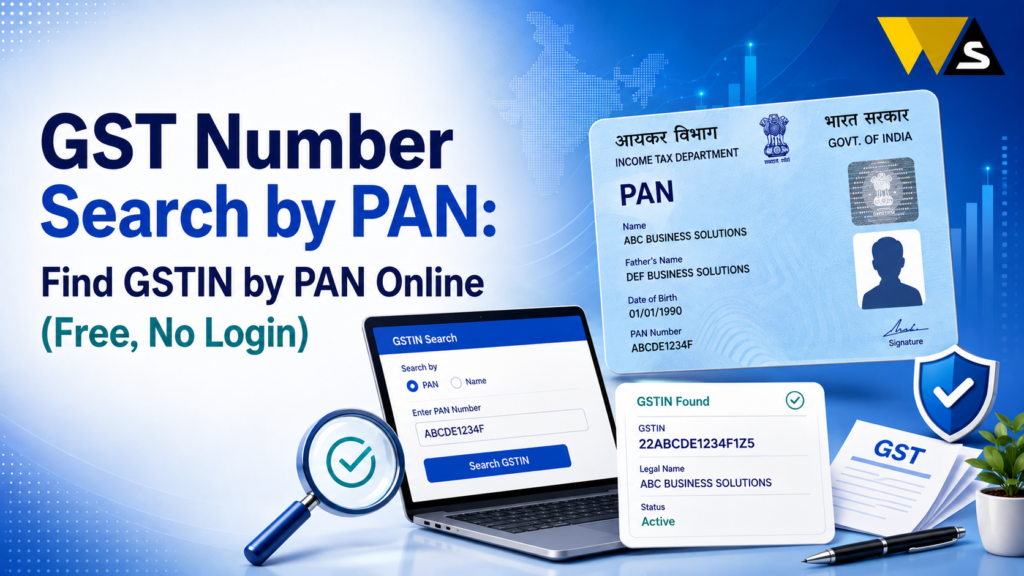
To do a GST number search by PAN, go to the official portal gst.gov.in, click Search Taxpayer → Search by PAN, enter the 10-character PAN and the captcha, and click Search. The portal shows all GST numbers (GSTINs) registered under that PAN — across every state — along with each GSTIN’s status (active/cancelled).
This is free and needs no login. It is very useful to find your own GSTIN, check if a business is GST-registered, and verify a supplier before claiming Input Tax Credit (ITC). Interesting fact: your PAN is actually inside your GSTIN — digits 3 to 12 of any 15-digit GSTIN are the PAN, so PAN and GSTIN are directly linked.
Do you want to find a GST number using a PAN? This guide tells you everything in very simple words — the steps, the GSTIN-PAN link, and how to verify a business safely.
Table of Contents
ToggleWhat is GST Number Search by PAN?
GST number search by PAN means finding the GSTIN (GST Identification Number) of a business by entering its PAN (Permanent Account Number).
Every business’s GST registration is linked to its PAN. In fact, the PAN is built into the GSTIN itself. So if you know a business’s PAN, you can quickly find all the GST numbers registered under it on the official portal.
Why is this useful?
- To find your own GSTIN if you forgot it.
- To check whether a business is GST-registered.
- To verify a supplier before dealing with them.
- To see if a business has multiple GST registrations (in different states).
- To protect your ITC by confirming a supplier’s GSTIN is active.
Since PAN and GSTIN are directly connected, a PAN-based search is a quick, free way to find and verify GST numbers.
GST Number Search by PAN Overview 2026
| Detail | Information |
| What It Does | Finds all GSTINs under a PAN |
| Portal | gst.gov.in |
| Path | Search Taxpayer → Search by PAN |
| Login Needed? | No |
| Cost | Free |
| Input | 10-character PAN + captcha |
| Output | All GSTINs + state + status |
| PAN in GSTIN? | Yes — digits 3 to 12 of the GSTIN |
| Main Use | Find GSTIN, verify a business |
| Multiple GSTINs? | Yes — one PAN can have many (state-wise) |
The PAN and GSTIN Link
GSTIN is linked to your PAN. This makes the search easier. A GSTIN is 15 characters long, and it is built like this:
- Digits 1–2: the State code (for example, 33 = Tamil Nadu, 07 = Delhi, 27 = Maharashtra).
- Digits 3–12: the PAN of the business (all 10 characters of the PAN).
- Digit 13: the entity/registration number (how many registrations that PAN has in that state).
- Digit 14: the letter “Z” (a default, for most taxpayers).
- Digit 15: a check digit (for error-checking).
Example: In a GSTIN like 33ABCDE1234F1Z5, the part ABCDE1234F is the PAN.
What this means:
- You can read the PAN directly from any GSTIN (just take digits 3 to 12).
- And you can search all GSTINs from a PAN, because they all contain that PAN.
How to Search GST Number by PAN (Step-by-Step)
Follow these steps:
Step 1: Go to the official portal gst.gov.in .
Step 2: On the top menu, click “Search Taxpayer”.
Step 3: Select “Search by PAN”.
Step 4: Enter the 10-character PAN (for example, ABCDE1234F).
Step 5: Type the captcha shown.
Step 6: Click “Search”.
Step 7: The portal shows all GSTINs registered under that PAN, with the state and status of each.
Step 8: Click on a GSTIN to see more details (or copy it to verify further).
What Results Will You See in GST Number Search by PAN?
After searching by PAN, you will see:
- All GSTINs linked to that PAN, listed state by state.
- The state of each registration.
- The status of each GSTIN — Active, Cancelled, or Suspended.
If the PAN has one registration, you see one GSTIN. If it has many (businesses in several states), you see all of them.
If no GST is registered under that PAN, the search shows no records meaning the business is not GST-registered under that PAN.
Note the status of each GSTIN — an Active status means it is safe to deal with; Cancelled means do not claim ITC on their invoices.
Why One PAN Can Have Multiple GST Numbers
One PAN can have multiple GSTINs. This is allowed under GST. Here’s how it works:
- GST is state-wise. A business operating in multiple states needs a separate GST registration in each state, so it gets one GSTIN per state — all under the same PAN.
- A business can also have more than one registration in the same state (for different business verticals), which is reflected in digit 13 of the GSTIN.
Example: A company with the PAN ABCDE1234F operating in Tamil Nadu, Karnataka, and Maharashtra will have three GSTINs — 33ABCDE1234F1Z5, 29ABCDE1234F1Z-, and 27ABCDE1234F1Z- — the same PAN in each, only the state code changes.
How to Find Your Own GSTIN Using PAN
Forgot your own GST number; A PAN search is the simple way to find it:
- Go to gst.gov.in → Search Taxpayer → Search by PAN.
- Enter your business PAN and the captcha.
- Search — your GSTIN(s) appear, with the state and status.
- Note your GSTIN for future use.
You can also find your GSTIN on your GST certificate (REG-06), your invoices, or by logging in to the portal but the PAN search is the quickest public method.
How to Verify a Supplier’s GST Number Using PAN
If you claim Input Tax Credit (ITC) on an invoice from a fake or cancelled GSTIN, you can lose that ITC and face problems. So verifying protects your money.
How to verify:
- Ask the supplier for their PAN or GSTIN.
- Search by PAN on gst.gov.in to see all their GSTINs and statuses.
- Confirm the GSTIN they gave you is Active and matches the correct state.
- You can also cross-check by searching the GSTIN directly (Search by GSTIN/UIN).
GST Number Search by PAN vs Search by GSTIN
The portal offers two search options here is the difference:
- Search by PAN: You enter a PAN, and see all GSTINs linked to it (across states). Best when you only know the PAN or want to find all registrations.
- Search by GSTIN/UIN: You enter a GSTIN, and see the full details of that one registration (name, address, status, filing table). Best when you already have the GSTIN and want full details.
Uses of GST Number Search by PAN
- Find your GSTIN if you forgot it.
- Verify a supplier’s GSTIN before making a purchase.
- Check if a business has a valid GST registration.
- Verify GST details before entering into a business deal.
- Use the correct GSTIN for the state when creating invoices.
- Check GST details before adding a new vendor to your accounts.
- Spot fake or invalid GST numbers before doing business.
Common Problems and Solutions
- No records found: The PAN may be wrong, or the business is not GST-registered under that PAN.
- Wrong PAN entered: Re-check all 10 characters carefully.
- GSTIN shows cancelled: Do not claim ITC on that supplier; ask them to clarify.
- Multiple GSTINs confusing: Pick the one for the state you are dealing with.
- Captcha error: Refresh and type it exactly.
- Portal slow: Try again later or use a different browser.
- Asked to pay for the search: It is free, do not pay any website or agent.
Beware of Fake GST Verification Websites
Because people search for GST/PAN details, scammers create fake verification sites:
- Use only gst.gov.in — type it yourself; do not click links in SMS/WhatsApp/email.
- Never enter sensitive details (bank, OTP, password) on any “GST search” site — the real search only needs a PAN and captcha.
- Be careful of fake apps or sites that ask for a fee to “search GST by PAN” — the official search is free.
- Do not misuse someone’s PAN — use this search for genuine business verification only.
If cheated: report to 1930 / cybercrime.gov.in
Conclusion
You can find GST numbers using PAN for free without any GST Portal Login. Vist to gst.gov.in → Search Taxpayer → Search by PAN, enter the 10-character PAN and captcha, and see all the GSTINs registered under that PAN, across every state, with their status.
Your PAN is built into your GSTIN — digits 3 to 12 of any GSTIN are the PAN — so one PAN links to all its GST registrations. This helps you find your own forgotten GSTIN, check if a business is registered, and most importantly verify a supplier is genuine and active before you claim Input Tax Credit.
Frequently Asked Questions (FAQs)
1. How do I search for a GST number by PAN?
Go to gst.gov.in → Search Taxpayer → Search by PAN, enter the 10-character PAN and the captcha, and click Search. The portal shows all GSTINs registered under that PAN, with each one’s state and status. No login is needed and it is free.
2. Can I find a GST number using only a PAN?
Yes. You can search for GSTINs using your PAN on the GST portal. It shows GST numbers linked to the PAN and their current status, such as active or cancelled..
3. Is GST search by PAN free?
Yes. Searching GST by PAN on the official portal gst.gov.in is completely free and needs no login. If any website or agent asks for a fee to search GST by PAN, it is a scam.
4. Is the PAN part of the GSTIN?
Yes. Every GSTIN has 15 characters, including the state code and your 10-character PAN. This is why your PAN is part of your GSTIN.
5. Why does one PAN show multiple GST numbers?
Because GST is state-wise. A business operating in several states needs a separate GST registration in each, getting one GSTIN per state — all under the same PAN. It can also have more than one registration in the same state for different verticals.
6. How do I find my own GST number by PAN?
Go to gst.gov.in → Search Taxpayer → Search by PAN, enter your business PAN and captcha, and search. Your GSTIN(s) appear with the state and status. You can also find your GSTIN on your REG-06 certificate or your invoices.
7. How do I verify a supplier’s GST number?
Search by their PAN to see all their GSTINs and statuses, then confirm the GSTIN they gave you is Active and matches the correct state. You can also cross-check by searching that GSTIN directly under Search by GSTIN/UIN.
8. What does it mean if the GSTIN shows are cancelled?
A cancelled GSTIN means the GST registration is not active anymore. Do not claim ITC on such invoices. Always check the supplier’s GST status before dealing with them.
9. What is the difference between search by PAN and search by GSTIN?
Search by PAN shows all GSTINs linked to a PAN across states — useful when you only know the PAN. Search by GSTIN/UIN shows full details of one registration — useful when you already have the GSTIN and want complete information.
10. Do I need to log in to search for GST by PAN?
No. You do not need to log in to search GST by PAN. Just enter your PAN and captcha. Login is required for private services such as certificate download and return filing.
Read our article:
Read our article:
Read our article:
Read our article:
Read our article:
Read our article:









