

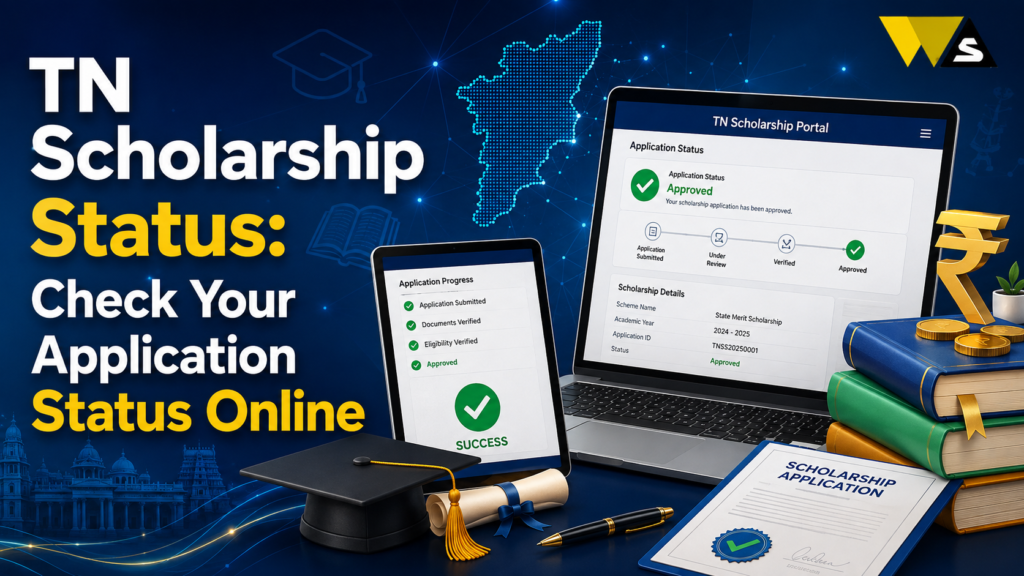
Log in with your application number and password, then click “Application Status” or “Track Status” to check whether your TN Scholarship is submitted, verified, approved, or paid.
The scholarship money is sent by Direct Benefit Transfer (DBT) to your Aadhaar-linked bank account, usually between January and March. Always save your application number. It is the key to checking your status. Helpline (post-matric): 1800-599-7638.
Table of Contents
ToggleWhich TN Scholarship Portal Should You Use?
Tamil Nadu scholarships are on different portals depending on your category and scheme:
- BC / MBC / DNC students → scholarships.tn.gov.in (Backward Classes, Most Backward Classes & Minorities Welfare).
- SC / ST students → tnadtwscholarship.tn.gov.in (Adi Dravidar & Tribal Welfare Department).
- Central government scholarships (for all categories) → National Scholarship Portal (NSP), scholarships.gov.in .
- Minority scholarships → often through NSP and the Minorities Welfare department.
- Special state schemes (First Graduate, EVR Nagammaiyar for girls, Pudhumai Penn, Moovalur Ramamirtham) → through the relevant department portal or NSP.
TN Scholarship Status Overview 2026
| Category | Portal |
| BC / MBC / DNC | scholarships.tn.gov.in |
| SC / ST | tnadtwscholarship.tn.gov.in |
| Central schemes | scholarships.gov.in (NSP) |
| Check with | Application / Registration number |
| Payment mode | DBT to Aadhaar-linked bank account |
| DBT timing | Usually January–March |
| Typical apply window | June–October |
| Verification | Institute → District → State |
| Helpline (post-matric) | 1800-599-7638 |
What is TN Scholarship Status?
Your scholarship status shows where your application has reached in the process from submission to payment. After you apply, your application goes through several verification stages, and the status tells you the current stage.
Why check your status?
- To confirm your application was received.
- To see if your college/institute has verified it.
- To check if it is approved.
- To know when the money (DBT) is credited.
- To spot and fix problems (rejection, document issues) early.
The TN Scholarship Verification Stages
Your scholarship application goes through several stages. Understanding them helps you know what your current status means:
- Applied / Submitted: You submitted your application online.
- Institute/College Verified: Your college checks and forwards your application (a critical step).
- District Level Verified: The district officer verifies your details.
- State Level Verified/Approved: The state/department approves the scholarship.
- Sanctioned / DBT Processed: The amount is released to your bank account by DBT.
- Paid: The money is credited to your account.
The college/institute verification is where most applications get stuck — if your college has not verified/forwarded your application, it cannot move forward.
How to Check BC/MBC TN Scholarship Status (scholarships.tn.gov.in )
For BC, MBC, and DNC students:
Step 1: Go to scholarships.tn.gov.in (Backward Classes Welfare portal).
Step 2: Click “Login” / “Student Login”.
Step 3: Enter your application/registration number and password.
Step 4: Open “Application Status” / “Track Status”.
Step 5: View your current stage — submitted, verified, approved, or paid.
How to Check SC/ST TN Scholarship Status (tnadtwscholarship.tn.gov.in )
For SC and ST students (Adi Dravidar & Tribal Welfare):
Step 1: Go to tnadtwscholarship.tn.gov.in.
Step 2: Click “Student Login”.
Step 3: Enter your login details (application/registration number and password).
Step 4: Open “Application Status” / “Know Your Status”.
Step 5: View the current stage of your scholarship.
How to Check NSP (Central) TN Scholarship Status (scholarships.gov.in )
For central government scholarships on the National Scholarship Portal:
Step 1: Go to the NSP portal (scholarships.gov.in ).
Step 2: Click “Login” (or “Applicant Login”).
Step 3: Enter your Application ID and password (or use the OTP login).
Step 4: Open “Check Your Status” / “Track Application”.
Step 5: View the verification and payment status.
Note: For NSP, your application is verified by your institute, then the state nodal officer, before approval.
How to Check TN Scholarship Payment (DBT) Status
The scholarship money is sent by Direct Benefit Transfer (DBT) to your Aadhaar-linked bank account. To check the payment status:
- On the scholarship portal: Your status will show “Sanctioned/Paid” once the DBT is processed.
- Check your bank account: Confirm the credit in your Aadhaar-linked account.
- PFMS/DBT tracking: Payments are processed through the DBT/PFMS system the portal shows when the amount is released.
Your bank account must be Aadhaar-linked and active (NPCI/DBT enabled) if it is not, the payment fails even after approval.
Why is TN Scholarship Status Not Updating or Stuck?
If your status is stuck, here are the common reasons:
- College has not verified/forwarded your application (the most common reason).
- Documents pending or rejected — income, community, or other proof issues.
- District/state verification pending — it takes time in peak season.
- Aadhaar/bank not linked — payment cannot be processed.
- Wrong or incomplete details in the application.
- Applied on the wrong portal for your category.
How to fix:
- Follow up with your college for verification.
- Correct/re-upload any pending documents.
- Aadhaar-seed your bank account for DBT.
- Contact the helpline with your application number.
Documents Needed for TN Scholarships
Common documents include:
- Aadhaar card
- Income Certificate
- Community/Caste Certificate (for BC/MBC/SC/ST)
- Previous marksheet
- Bank passbook (Aadhaar-linked account)
- First Graduate Certificate (if applicable)
- Admission/bonafide proof from the college
Common Problems and Solutions for TN Scholarship
- Cannot find application: You may be on the wrong portal — check the correct one for your category.
- Forgot application number: Recover it via the portal (registered mobile/email) or ask your college.
- Status stuck at institute level: Follow up with your college to verify/forward.
- Payment not received: Check your Aadhaar-linked bank account and DBT status.
- Document rejected: Re-upload the correct document and re-submit.
- Portal slow near deadline: Try early morning/late night; apply early, not on the last day.
- Someone asking for money: Scholarships and status checks are free do not pay agents.
Helpline (post-matric): 1800-599-7638 (toll-free), plus the department contacts on each portal.
Get Your TN Scholarship Without Delay
- Apply early and do not wait for the deadline; portals are slow near the end.
- Apply for ALL scholarships you are eligible for state and central; there is often no limit (check each scheme’s rules).
- Getting certificates ready for early income, community, and domicile takes time.
- Aadhaar-seed your bank account for DBT before the payment season.
- Follow up on college verification
- Save your application number and check status regularly.
- Keep your mobile and email active for OTPs and updates.
Beware of TN Scholarship Scams
- Scholarship applications and status checks are free. Do not pay anyone.
- Always use the official scholarship portals.
- Never share your password, OTP, or bank OTP.
- Avoid fake websites and agents who promise guaranteed scholarships for money.
- Only the college and government authorities can verify and approve your scholarship.
If cheated: report to the helpline or the cybercrime helpline 1930 / cybercrime.gov.in .
Conclusion
To check your TN scholarship status, the key is using the correct portal for your category: BC/MBC/DNC students use scholarships.tn.gov.in, SC/ST students use tnadtwscholarship.tn.gov.in, and central scholarships are on the National Scholarship Portal (scholarships.gov.in). Log in with your application number, open “Application Status”, and check your current stage — from submitted and college-verified to approved and paid (DBT).
The college/institute verification is where most applications get stuck (so follow up), the money comes by DBT to your Aadhaar-linked bank account (so keep it Aadhaar-seeded), and payments usually arrive between January and March. Applying on the wrong portal is the top reason students “cannot find” their application.
Frequently Asked Questions (FAQs)
1. How do I check my TN scholarship status?
Use the correct portal for your category: BC/MBC/DNC students check scholarships.tn.gov.in, SC/ST students check tnadtwscholarship.tn.gov.in, and central scholarships are on scholarships.gov.in (NSP). Log in with your application number, open Application Status, and view the current stage.
2. Which portal is my Tamil Nadu scholarship on?
It depends on your category — BC/MBC/DNC use the Backward Classes Welfare portal (scholarships.tn.gov.in), SC/ST use the Adi Dravidar & Tribal Welfare portal (tnadtwscholarship.tn.gov.in), and central schemes use the National Scholarship Portal. If unsure, ask your college which portal and scheme your application went to.
3. Why can’t I find my scholarship application?
You may be checking the wrong portal for your category. Choose the correct portal for BC/MBC, SC/ST, or NSP. Also, enter the correct application or registration number from your application.
4. What are the TN scholarship verification stages?
The application moves from submission to college verification, district verification, state approval, DBT processing, and payment. If it is stuck at college verification, follow up with your college.
5. Why is my scholarship status stuck?
Common reasons are that your college has not verified/forwarded your application, documents are pending or rejected, district/state verification is pending in peak season, or your bank is not Aadhaar-linked. Follow up with your college and fix any document or bank issue.
6. How do I check my scholarship payment (DBT) status?
When your DBT payment is processed, the status may show “Sanctioned” or “Paid.” Check your Aadhaar-linked bank account to confirm the payment. Make sure your account is active and linked with Aadhaar.
7. My scholarship is approved but money is not received. Why?
If your payment fails, check whether your bank account is Aadhaar-linked and DBT-enabled. Complete the required linking with your bank and then check the DBT status.
8. What documents are needed for TN scholarships?
You may need Aadhaar, income certificate, community, caste certificate, previous marksheet, Aadhaar linked bank passbook, and admission or bonafide proof. A First Graduate Certificate may also be required in some cases.
9. When is the TN scholarship money credited?
State scholarship applications usually open between June and October. Verification may continue until November, while DBT payments are often made between January and March.
10. Is checking scholarship status free?
Yes. Applying for and checking scholarship status on the official portals is completely free. Never pay any agent or share your password/OTP. No agent can approve your scholarship — it goes through official college and government verification.
Read our article:
Read our article:
Read our article:









