

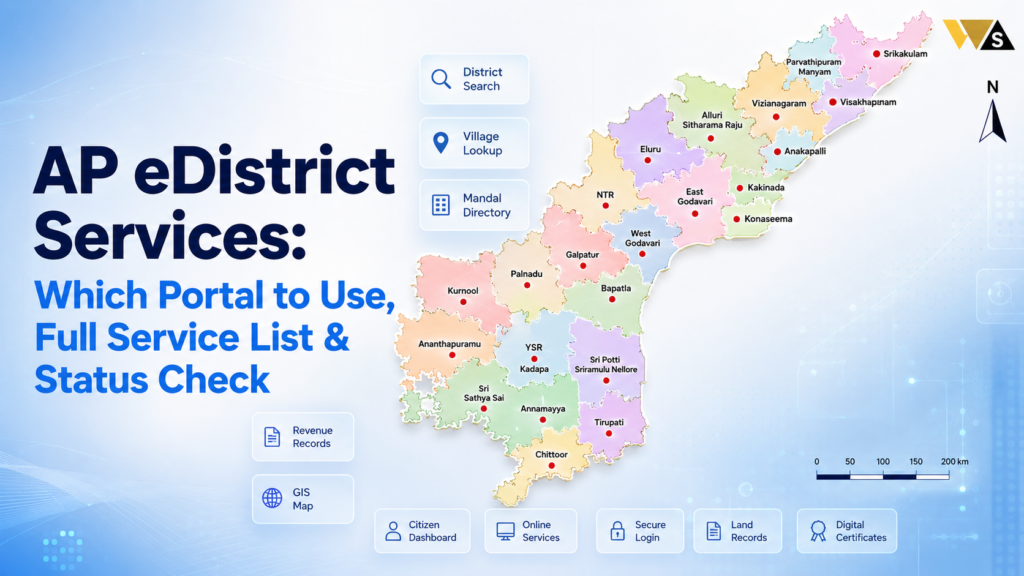
In Andhra Pradesh, there is no separate “eDistrict” portal like in some other states. The same eDistrict-type services – caste, income, birth, death, and residence certificates, land records, ration card, and pensions , are given through the MeeSeva portal (ap.meeseva.gov.in) and the AP Seva / Grama-Ward Sachivalayam (VSWS) system.
To apply, log in to MeeSeva, choose your service, upload documents, pay the fee, and note your Application ID. To check the status, use “Know Your Application Status” on MeeSeva. For help, call 1100, or visit your nearest MeeSeva centre or Sachivalayam.
Table of Contents
ToggleWhat are eDistrict Services?
eDistrict is a project under India’s National e-Governance Plan (NeGP). Its goal is simple: to give government services online, so people do not have to visit government offices again and again.
Under eDistrict, citizens can apply for, track, and download important documents like certificates, land records, and pension services from home. It makes the process faster, easier, and more transparent, and removes middlemen.
AP eDistrict Services Overview 2026
| Detail | Information |
| State | Andhra Pradesh |
| Separate eDistrict Portal? | No |
| Main Citizen Portal | MeeSeva (ap.meeseva.gov.in ) |
| Local Service System | AP Seva / Grama-Ward Sachivalayam (VSWS) |
| Services | Certificates, land records, ration card, pensions |
| Apply Online | MeeSeva Citizen Portal |
| Apply Offline | MeeSeva centre / Sachivalayam |
| Track By | Application ID / Transaction ID |
| Certificate Type | Digitally signed PDF |
| Helpline | 1100 |
Does Andhra Pradesh Have an eDistrict Portal?
Andhra Pradesh does not have a separate eDistrict portal. If you search for “edistrict.ap.gov.in “, you will not find an official AP eDistrict website like other states have.
Instead, Andhra Pradesh gives the same eDistrict services through:
- MeeSeva (ap.meeseva.gov.in ): The main online citizen portal of AP, to apply for and download certificates.
- AP Seva / VSWS (Grama-Ward Sachivalayam): The local office system in every village and ward, for offline and assisted services.
- Department portals: For special services like Mee Bhoomi (land records), EPDS/AePDS (ration card), and sspensions.ap.gov.in (pensions).
AP eDistrict Services List (What You Can Apply For)
Here is the list of main services you can get through MeeSeva and the Sachivalayam in Andhra Pradesh.
| Category | Services |
| Certificates | Caste (Integrated), Income, Birth, Death, Marriage, Residence/Nativity, EWS (Income & Asset), OBC, EBC |
| Land / Revenue | Adangal, 1-B (ROR), Village Map/FMB, Old Adangal copies, Mutation, Pattadar Aadhaar Seeding |
| Ration Card | New rice card, add/remove member, corrections, eKYC |
| Pension | NTR Bharosa pension status, new pension application |
| Property | Encumbrance Certificate (EC), market value (via IGRS AP) |
| Utility | Bill payments, licences, and other citizen services |
So almost every service you would expect from an “eDistrict” portal is available in AP through MeeSeva or your Sachivalayam.
AP Certificates and Where to Apply
Here are the most-used certificates and the right place to apply:
- Caste Certificate (Integrated Certificate): MeeSeva / Sachivalayam. In AP this one certificate covers caste, date of birth, and nativity together.
- Income Certificate: MeeSeva / Sachivalayam. Needed for scholarships, fee reimbursement, and EWS.
- EWS (Income & Asset) Certificate: MeeSeva → Revenue Department. Only for General (OC) category.
- Birth Certificate: MeeSeva, or the CRS portal for hospital births from 2024.
- Death Certificate: MeeSeva / municipality.
- Marriage Certificate: MeeSeva + Sub-Registrar Office visit (in person, with 2 witnesses).
Apply for your income certificate first, because it is needed as a supporting document for EWS and many scholarships.
How to Register on the AP MeeSeva Portal (eDistrict Login)
Before you apply, you must create an account. Follow these steps:
Step 1: Go to the official portal ap.meeseva.gov.in .
Step 2: Click on “Citizen Portal” and then “New Registration”.
Step 3: Enter your name, mobile number, email, and Aadhaar.
Step 4: Verify with the OTP sent to your mobile.
Step 5: Create your password and finish the registration.
Now you can log in and apply for any available service. This login is your “AP eDistrict login”.
How to Apply for a Service on MeeSeva (Step-by-Step)
Once you are registered, applying is easy:
- Log in to the MeeSeva Citizen Portal.
- Go to “Services” and pick the department (Revenue, Municipal, etc.).
- Select the service you need (like Income Certificate or Caste Certificate).
- Fill the application form with your correct details.
- Upload the documents (Aadhaar, address proof, photo, etc.).
- Pay the fee online (card, net banking, or UPI).
- Submit and save your Application ID / Transaction ID.
Only some services are available on the MeeSeva online portal. For any service not listed online, you must visit a MeeSeva centre in person.
How to Apply Through the Grama/Ward Sachivalayam (AP Seva)
Andhra Pradesh has a Sachivalayam (Secretariat) in every village and ward. This is very useful for people who do not use the internet:
- Visit your nearest Grama or Ward Sachivalayam.
- Give your Aadhaar and documents to the Digital Assistant.
- They will file your application online for you.
- Collect your acknowledgement with the Application ID.
The Village/Ward Volunteers can also help you at your doorstep. This makes government services reach even the smallest village.
How to Check AP eDistrict (MeeSeva) Application Status
After you apply, track your application easily:
- Go to the MeeSeva portal (ap.meeseva.gov.in ).
- Click on “Know Your Application Status” / “Track Application”.
- Enter your Application ID or Transaction ID.
- Click “Go”.
- Your status pending, under process, approved, or rejected — will show on the screen.
You can also check the status at the MeeSeva centre or Sachivalayam where you applied.
How to Download Your Certificate from MeeSeva
Once your application is approved, download your certificate:
- Log in to the MeeSeva portal.
- Go to the certificate download / print section.
- Enter your Application ID.
- Download the certificate as a PDF and take a printout.
The certificate is digitally signed, so it is valid for all official purposes. You can also collect a print from the MeeSeva centre where you applied.
Benefits of AP eDistrict (MeeSeva) Services
Using the online system has many benefits:
- Saves time: No need to visit government offices again and again.
- Apply anytime: The portal is open 24/7 from any device.
- Track your application in real time with your Application ID.
- No middlemen: Less chance of corruption and extra charges.
- Digital certificates: Digitally signed and valid everywhere.
- Reaches villages: The Sachivalayam and Volunteers help people who are not online.
Fees and Processing Time for AP Services
- Fees: Most certificates have a small service charge (often around ₹30–₹45, plus a small court-stamp fee for some).
- Processing time: Simple services can be quick, but certificates needing a field verification (like caste, income, and EWS) usually take about 15 to 30 days.
- Category B services: These need a local verification by the revenue staff (VRO/RI) before approval, so they take longer.
Exact fees and times can change, so always check on the portal while applying.
Common AP eDistrict Service Problems and Solutions
- Looking for a fake “AP eDistrict” site: Use only ap.meeseva.gov.in . Other “eDistrict AP” sites are not official.
- Service not showing online: Only some services are online. Visit a MeeSeva centre for the rest.
- Application pending long: Field verification takes time. Follow up at your Sachivalayam with your Application ID.
- Details mismatch: Your name or details are different in your documents. Correct them and apply again.
- OTP not received: Your mobile must be linked to Aadhaar. Link it, then try again.
- Lost Application ID: Get it again at the MeeSeva centre using your Aadhaar.
AP eDistrict Services Helpline Number
If your application or download problem is not solved, you can get help here:
- MeeSeva Helpline: 1100
- Spandana / Grievance Helpline: 1902
- Nearest MeeSeva Centre (for apply, status, and download)
- Grama/Ward Sachivalayam (for local and assisted help)
Conclusion
There is no separate AP eDistrict portal. Use the MeeSeva portal or visit your Grama/Ward Sachivalayam for government certificate and citizen services.
After applying, save your Application ID to check your application status. Once approved, you can download your certificate online or get help at a MeeSeva Centre.
Frequently Asked Questions (FAQs)
1. Does Andhra Pradesh have an eDistrict portal?
No. Andhra Pradesh does not have a separate eDistrict portal. The same eDistrict-type services are given through the MeeSeva portal (ap.meeseva.gov.in) and the Grama/Ward Sachivalayam (AP Seva / VSWS) system.
2. Which portal should I use for AP eDistrict services?
Use the official MeeSeva portal (ap.meeseva.gov.in) for online services, and your nearest MeeSeva centre or Grama/Ward Sachivalayam for offline and assisted services. Avoid fake “AP eDistrict” websites.
3. What services are available under AP eDistrict (MeeSeva)?
You can get caste (Integrated), income, EWS, birth, death, marriage, and residence certificates, land records (Adangal, 1-B), ration card services, pension services, and bill payments.
4. How do I create my AP eDistrict (MeeSeva) login?
Go to ap.meeseva.gov.in, click Citizen Portal → New Registration, enter your name, mobile, email, and Aadhaar, verify with OTP, and create your password to finish registration.
5. How can I check my AP eDistrict application status?
On ap.meeseva.gov.in, click “Know Your Application Status”, enter your Application ID or Transaction ID, and click “Go” to see if it is pending, approved, or rejected.
6. How do I download my certificate from MeeSeva?
Log in to the MeeSeva portal, open the certificate download/print section, enter your Application ID, and download the digitally signed PDF. You can also collect a print from a MeeSeva centre.
7. Why is my service not showing on the MeeSeva online portal?
Only some services are available on the online Citizen Portal. For any service not listed online, you must visit a MeeSeva centre in person to apply.
8. How long does it take to get a certificate in AP?
Some services are fast. Caste, income, and EWS certificates usually take 15–30 days because revenue officials verify your details first.
9. Can I apply for AP services without the internet?
Yes. Visit your nearest Grama/Ward Sachivalayam or MeeSeva centre with your Aadhaar and documents, and the Digital Assistant or operator will file the application for you.
10. What is the helpline number for AP eDistrict (MeeSeva) services?
The MeeSeva helpline is 1100, and the Spandana grievance helpline is 1902. You can also visit your nearest MeeSeva centre or Grama/Ward Sachivalayam for help.
Read our article:AP Scholarship Status
Read our article:AP Farmer Registry
Read our article:Jnanabhumi Scholarship Status
Read our article:Andhra Pradesh EWS Certificate
Read our article:Andhra Pradesh Marriage Certificate









