

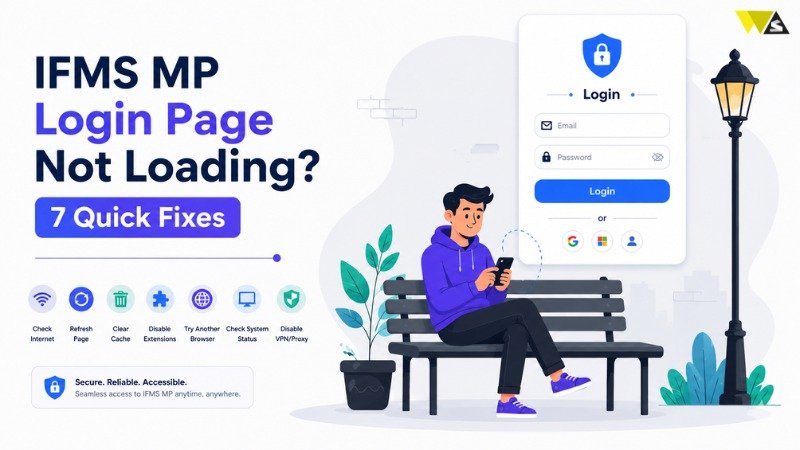
If your IFMS MP login page not loading, try these seven quick fixes: check your internet connection, make sure you are using the correct official portal URL, clear your browser cache and cookies, use a different or updated browser, disable VPNs and browser extensions or try Incognito mode, wait and try again if the server is busy during peak hours, and restart your device or switch to another network. If the problem continues after trying all these steps, contact your DDO or the MP Treasury support team for assistance. This simple guide gives you 7 quick fixes to get the MP Treasury IFMS login page working again.
Table of Contents
ToggleWhy Is the IFMS MP Login Page Not Loading?
Before the fixes, here are the most common reasons the mptreasury.gov.in login page does not open:
- Weak or slow internet connection
- Wrong or outdated website link (URL)
- Old browser data, including cache and cookies, may cause login or loading problems.
- Browser issues (old version or too many extensions)
- VPN or proxy blocking the site
- Heavy traffic on salary day (server busy during peak hours)
- Temporary server maintenance by the treasury department
7 Quick Fixes for IFMS MP Login Page Not Loading
Fix 1: Check Your Internet Connection
A slow or broken internet connection is the most common reason.
- Open another website to test if your internet is working.
- If it is slow, switch from Wi-Fi to mobile data (or the other way around).
- Restart your router if needed.
Fix 2: Use the Correct Official URL
Always check that you are visiting the correct official portal, as fake or old links can lead to errors.
- Enter the official IFMS MP URL correctly: https://mptreasury.gov.in/IFMS/
- Avoid clicking unknown links from messages or random search ads.
- Make sure the website address is entered correctly, without any spelling errors or unnecessary additions such as “www”.
Fix 3: Clear Your Browser Cache and Cookies
Old saved data (cache and cookies) can stop the page from loading correctly.
- Open your browser settings, go to Privacy, and select “Clear Browsing Data.”
- Select Cache and Cookies, then clear them.
- Close and reopen the browser, then try again.
Fix 4: Try a Different or Updated Browser
Sometimes the problem is your browser.
- Update your browser to the latest version.
- If the page is not loading, switch to another browser like Chrome or Firefox and try again.
- If you are on mobile, try opening the site in a desktop or laptop browser.
Fix 5: Turn Off VPN and Extensions (or Use Incognito)
A VPN, proxy, or browser add-on can block government websites.
- Turn off any VPN or proxy before logging in.
- Disable ad blockers and unnecessary browser extensions, then try loading the page again.
- Open the site in Incognito mode and check if it works.
Fix 6: Wait and Retry During Peak Hours
On salary days and at month-end, a large number of employees access the portal at same time, which can increase server load and slow down the website.
- Wait for some time and try again after a few minutes.
- Try during non peak hours like early morning or late evening.
- The site may also be under short maintenance, retry later.
Fix 7: Restart Your Device or Switch Network
If nothing works, restart your device and try again.
- Restart your phone, laptop, or computer.
- Switch your network (Wi-Fi to mobile data).
- Try logging in from another device.
- If none of the fixes work, contact your DDO or the MP Treasury helpdesk for support.
Common Problems and Solutions
| Problem | Quick Fix |
|---|---|
| Page not opening at all | Check your internet connection and make sure you’re using the correct URL: mptreasury.gov.in/IFMS/. |
| Page loads halfway / blank screen | Clear your browser cache and cookies, then refresh the page. |
| Captcha not showing | Refresh the page or clear your browser cache. |
| Site blocked / error | Disable any VPN, proxy server, or browser extensions and try again. |
| Very slow on salary day | Wait for some time and try again during non-peak hours. |
| Works on others’ device, not yours | Update your browser to the latest version or switch to another device. |
| Still not loading | Restart your device and contact your DDO if the issue continues. |
Contact Your DDO or Helpline
If you have tried all 7 fixes and the page still does not load, the issue may be on the portal or account side, not yours. In that case:
- Contact your DDO (Drawing and Disbursing Officer) for account or login help.
- Reach out to the MP Treasury support helpline (check the current number on the official website).
- If a feature is missing after login, it may be a department-side setup issue, not a loading problem your DDO/admin can fix.
Note: Always confirm helpline numbers and email IDs from the official site mptreasury.gov.in to avoid scams.
Conclusion
If the IFMS MP login page is not loading, there’s usually no need to worry, as the problem is often temporary and easily resolved. In most cases, a quick check of your internet, the correct URL, and a cache clear will fix it within minutes. If the problem continues, switch your browser or device, and only then contact your DDO or the official helpline. Save the correct link – https://mptreasury.gov.in/IFMS/ and you will always reach your pay slip and salary details without trouble.
Frequently Asked Questions (FAQs)
1. Why is my IFMS MP login page not loading?
It is usually due to slow internet, a wrong URL, old cache, browser issues, a VPN, or a busy server on salary day. Trying the 7 fixes above solves it in most cases.
2. What is the correct IFMS MP login website?
The official website is https://mptreasury.gov.in/IFMS/. Always type it yourself and avoid fake links.
3. How do I fix a blank or half-loaded IFMS MP page?
Clear your browser cache and cookies, refresh the page, and try again. Using Chrome or Firefox also helps.
4. Which browser works best for IFMS MP Treasury?
Chrome and Firefox work best. Keep your browser updated to the latest version for a smooth experience.
5. Why does the captcha not show on the login page?
This is usually a cache or loading issue. Refresh the page or clear your browser data, and the captcha should appear.
6. Is the IFMS MP portal down or under maintenance?
Sometimes the server is busy on salary day or under short maintenance. Wait a few minutes and try again, preferably during non-peak hours.
7. Can a VPN stop the IFMS MP page from loading?
Yes. A VPN or proxy can block government sites. Turn off your VPN and try again.
8. The page does not load on my phone — what should I do?
Try switching between Wi-Fi and mobile data, clear your mobile browser cache, or open the site on a laptop/desktop.
9. I tried everything and it still does not load. What now?
Restart your device and try another network or device. If it still fails, contact your DDO or the MP Treasury helpline.
10. Is it safe to use other websites to log in to IFMS MP?
No. Always use only the official site mptreasury.gov.in/IFMS/ .Other sites may steal your Employee Code, password, or OTP.
Read our article:How to Download IFMS MP Pay Slip 2026: Step-by-Step Guide









