

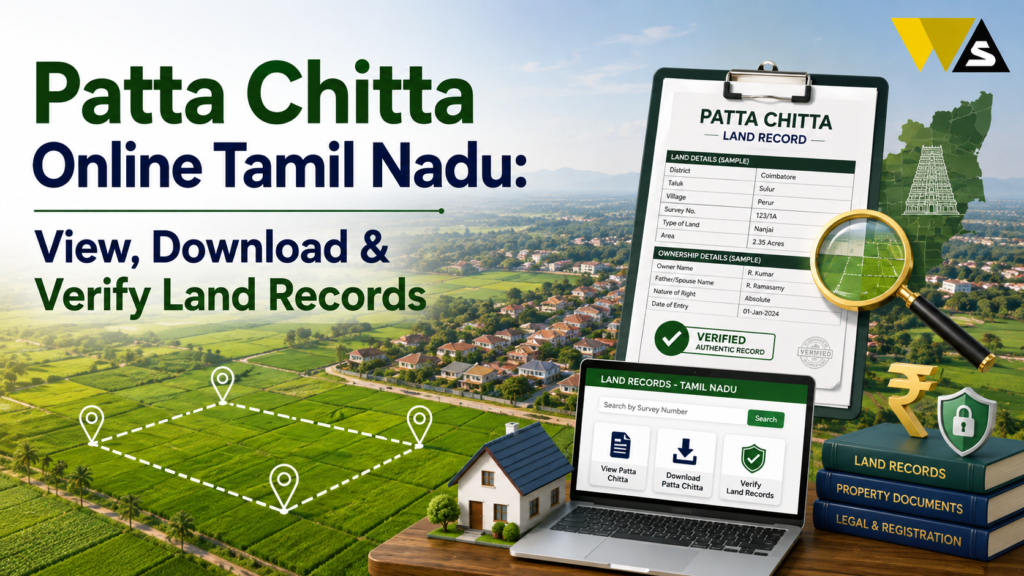
To check Patta Chitta online in Tamil Nadu, go to the official e-Services of Land Records portal (eservices.tn.gov.in ) — run by the Tamil Nadu Revenue Department. Click “View Patta & FMB / Chitta / TSLR Extract”, select your District, Taluk, and Village, choose the land type (Rural / Natham / Urban), enter your Patta Number or Survey Number, verify with the OTP and captcha, and view or download the PDF. Patta shows land ownership, and Chitta shows the land classification and revenue details now combined into one digital Patta Chitta.
For urban or city land, use the TSLR Extract. Viewing the record is free, while mutation or transfer services may have a small fee of around ₹100.
Table of Contents
ToggleWhat is Patta Chitta?
Patta Chitta is the most important land record in Tamil Nadu. It proves who owns a piece of land and gives its details. Let us understand the two parts:
- Patta: This is the ownership document, issued by the government in the name of the actual landowner. It shows the owner’s name, survey number, land area, and land type (wet or dry).
- Chitta: This is the land revenue record. It shows the classification of the land whether it is Nanjai (wetland) or Punjai (dryland) — and other revenue details.
In 2026, Patta and Chitta were combined into a single digital “Patta Chitta” record, making it much easier to view and verify online.
You need Patta Chitta to:
- Prove you own the land
- Buy or sell property
- Apply for a bank loan against land
- Get building approvals
- Complete land registration and mutation
- Avoid and settle land disputes
Patta Chitta Online Overview 2026
| Detail | Information |
| Record | Patta Chitta (land ownership + classification) |
| State | Tamil Nadu |
| Portal | eservices.tn.gov.in |
| Run By | Tamil Nadu Revenue Department |
| Search By | Patta Number / Survey Number (+ village) |
| Rural Land | View Patta / Chitta |
| Urban Land | TSLR Extract |
| Also Available | FMB sketch, Adangal, A-Register |
| Viewing Cost | Free |
| Mutation/Transfer Fee | About ₹100 (for certain services) |
| 2026 Update | Integrated Land Record Report (single PDF) |
Patta, Chitta, Adangal, FMB, TSLR — What’s the Difference?
Here is each one explanation:
- Patta: The ownership record whose name the land is in.
- Chitta: The land revenue/classification record wetland (Nanjai) or dryland (Punjai).
- Adangal (A-Register): The cultivation/crop register what crop is grown, and details maintained by the village office.
- FMB (Field Measurement Book): The survey sketch/map showing the exact boundaries of your survey number.
- TSLR (Town Survey Land Register): The urban land ownership record used for city/town (Natham/urban) land, similar to Patta for rural land.
Why Check Your Patta Chitta Online?
Checking your land records online is important. Here is why:
- Confirm ownership — make sure the land is correctly in your name.
- Before buying land — verify the seller is the real owner and the land is genuine.
- For a loan — banks ask for Patta Chitta to give a loan against land.
- For selling/registration — you need it for property transactions.
- Catch errors early — spot name spelling mistakes, wrong area, or wrong classification.
- Avoid fraud — confirm no one has wrongly changed the records.
- No office visits — do it from home, free, without middlemen.
How to View Patta Chitta Online (Step-by-Step)
Here is the easy step-by-step process on the official portal:
Step 1: Go to the official e-Services of Land Records portal (eservices.tn.gov.in ).
Step 2: Choose your language (English or Tamil).
Step 3: Click on “View Patta & FMB / Chitta / TSLR Extract” (or “View Patta / Chitta – Rural / Natham”).
Step 4: Select your District, then Taluk and Village.
Step 5: Choose the land type — Rural or Natham (urban village).
Step 6: Choose to search by Patta Number, Survey Number, or (where available) owner name.
Step 7: Enter the number, the subdivision number if asked, and your mobile number for the OTP.
Step 8: Enter the OTP and captcha, and click Submit.
Step 9: Your Patta Chitta details appear — owner name, survey number, land area, and classification. View, download (PDF), or print it.
How to Download Patta Chitta as a PDF
Downloading a copy is part of the same process:
- After your Patta Chitta details appear on screen, look for the “Download” or “Print” option.
- Click Download to save the PDF copy.
- Save it safely on your phone or computer, and email a copy to yourself.
- You can print it for use with banks, registration, or court as needed..
How to Verify Patta Chitta
When buying land or accepting a document from someone. You can verify a Patta Chitta using its reference number:
- Go to eservices.tn.gov.in and click the “Verify Patta / Chitta” option.
- Enter the Patta Chitta Reference Number and the authentication value.
- Click Submit.
- The genuine details are displayed, confirming the document is real and matches records.
Always verify the Patta Chitta yourself before buying land, never rely only on a printed copy given by the seller. Fake or old documents are a common land fraud.
How to Check FMB (Field Measurement Sketch) Online
The FMB shows your land’s boundaries/map. To view it:
- On eservices.tn.gov.in , select the “FMB / A-Register Extract” option (or the combined view).
- Enter your District, Taluk, Village, and Survey Number.
- Verify with the OTP/captcha and submit.
- The FMB sketch appears — showing the boundaries of your survey number.
- Download or print it.
The FMB is important during land purchase, boundary disputes, and division of land, because it shows the exact shape and boundaries.
How to Check Adangal / A-Register Extract
The Adangal (A-Register) shows cultivation and crop details and is maintained by the village office. To view it:
- On the portal, select the “A-Register Extract” option.
- Enter your District, Taluk, Village, and Survey/Patta Number.
- Verify with OTP/captcha and submit.
- View and download the extract.
Urban Land: How to Check TSLR Extract
For city/town (urban) land, you use the TSLR (Town Survey Land Register) Extract instead of Patta:
- On eservices.tn.gov.in , click the “TSLR Extract” option.
- Enter your District, Taluk, Town, Town Survey Number, and Subdivision Number.
- Verify with OTP/captcha and submit.
- View and download the TSLR extract.
Integrated Land Record Report
- Integrated Land Record Report, introduced in March 2026, allows landowners to download one PDF containing the A-Register extract, Chitta ownership details, and FMB sketch. All these land records are available together in a single document.
- You no longer need to collect each land record separately because they are available in one report.
What Details Do You Need to Check Patta Chitta?
Keep these ready before you search:
- District, Taluk, and Village of the land
- Patta Number or Survey Number (and Subdivision Number if any)
- Land type — Rural / Natham / Urban
- Mobile number (for the OTP)
If you do not know your Patta or Survey Number, check your old land documents, sale deed, or previous Patta Chitta copy, or ask at the Village Administrative Officer (VAO) office.
How to Apply for Patta Transfer (Mutation)
When land is bought, sold, or inherited, the Patta must be transferred to the new owner — this is called mutation. The general process:
- After the sale/registration, apply for Patta transfer (name change) — through the e-Services portal or the Taluk/VAO office.
- Submit the required documents — sale deed, old Patta, Aadhaar, EC (Encumbrance Certificate), and application.
- Pay the small fee (mutation/transfer may cost about ₹100 or as fixed).
- The revenue officials verify and update the Patta in the new owner’s name.
- Download the updated Patta Chitta once done.
Always complete the mutation after buying land otherwise the record still shows the old owner’s name, which causes problems later.
Common Problems and Solutions for Patta Chitta
- If your details are not showing, make sure your Patta/Survey Number, village, and land type are correct.
- Name spelling mistake: Apply for a correction at the Taluk/VAO office with proof.
- Old owner’s name still shown: You need to complete mutation (Patta transfer) after purchase.
- OTP not received: Check your mobile number and try again; the portal can be slow at peak times.
- If the land type is incorrect, request a correction at the revenue office.
- If the portal is not loading, check that you are using the official website and try again after some time.
- Someone asking for money to “view”: Viewing is free — do not pay agents for a free service.
Beware of Land Record Frauds of Patta Chitta
Land is valuable, so land fraud is common. Protect yourself:
- Always verify Patta Chitta yourself on the official portal before buying land.
- Do not trust only a printed copy given by a seller it could be fake or old.
- Check the FMB and EC too, not just the Patta.
- Never pay a bribe for a record that is free to view.
- Beware of fake websites that use only eservices.tn.gov.in .
For legal safety in any land deal such as verifying documents, checking the title, drafting a sale deed, or handling a mutation or dispute — it is wise to consult trusted online legal services with experienced professionals before you pay for or register any property.
Conclusion
Patta Chitta online has made land records in Tamil Nadu simple, transparent, and fraud-resistant. Using the official e-Services of Land Records portal (eservices.tn.gov.in), you can view, download, and verify your land records in minutes just select your district, taluk, and village, enter your Patta or Survey Number, verify with OTP, and get your Patta Chitta PDF.
Always verify Patta Chitta yourself before buying land, complete mutation after purchase, and keep your records correct. A few minutes online can protect your most valuable asset — your land from disputes and fraud. And for any serious land deal, take proper legal help before you pay.
Frequently Asked Questions (FAQs)
1. How can I check Patta Chitta online in Tamil Nadu?
Go to the official e-Services portal (eservices.tn.gov.in), click “View Patta & FMB / Chitta / TSLR Extract”, select your district, taluk, and village, enter your Patta or Survey Number, verify with the OTP and captcha, and view or download your Patta Chitta.
2. What is the difference between Patta and Chitta?
Patta is the land ownership record showing the owner’s name, survey number, and land area. Chitta is the land revenue record showing the land classification (wetland/Nanjai or dryland/Punjai). In 2026, they are combined into a single digital Patta Chitta.
3. Is checking Patta Chitta online free?
Yes, viewing and downloading your Patta Chitta is usually free. Some services, such as Patta transfer (mutation) or certain requests, may charge a small fee of about ₹100.
4. How do I download my Patta Chitta as a PDF?
After your Patta Chitta details appear on the e-Services portal, click the Download or Print option to save it as a PDF. Keep the copy safe for loans, property sale, registration, or disputes.
5. How do I verify if a Patta Chitta is genuine?
On eservices.tn.gov.in, click “Verify Patta / Chitta”, enter the Patta Chitta reference number and authentication value, and submit. The genuine details will be displayed, confirming whether the document is real.
6. What is FMB in land records?
FMB (Field Measurement Book) is the survey sketch or map showing the exact boundaries of your survey number. It is important during land purchase, boundary disputes, and land division, and can be viewed on the e-Services portal.
7. How do I check urban or city land records?
For urban/city land, use the TSLR (Town Survey Land Register) Extract instead of Patta. On the e-Services portal, click “TSLR Extract”, enter the town survey number and subdivision number, verify, and view or download it.
8. What is the 2026 Integrated Land Record Report?
With this 2026 upgrade, you can download the A-Register, Chitta, and FMB sketch in a single PDF. The combined document is useful for property sales, loans, and legal work.
9. How do I transfer Patta to my name after buying land?
To transfer Patta, apply online through the e-Services portal or visit the Taluk/VAO office. Submit the required documents and pay the applicable fee. After verification, the Patta will be updated in your name and you can download it online.
10. What details do I need to check Patta Chitta?
You need the district, taluk, and village of the land, your Patta Number or Survey Number (and subdivision number if any), the land type (Rural/Natham/Urban), and a mobile number for the OTP.
Read our article:
Read our article:
Read our article:
Read our article:









