

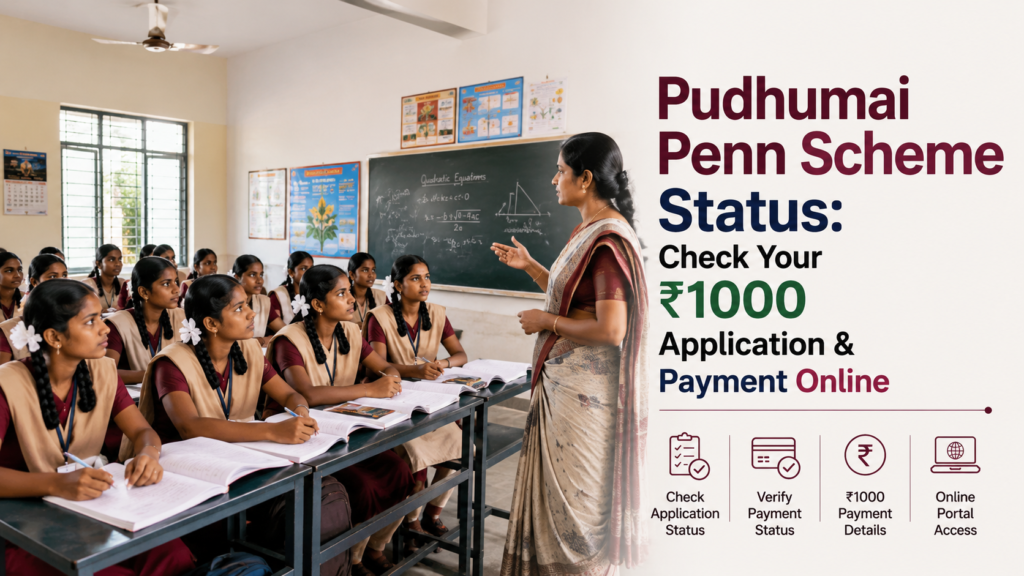
To check your Pudhumai Penn scheme status, go to the official portal penkalvi.tn.gov.in, open the student login, sign in with your registered details/mobile number and OTP, and view your application and payment status. Because applications are submitted through your school or college (students cannot apply directly), the fastest way to check is to ask your college nodal officer, who can see your record on the Penkalvi/UMIS portal.
Pudhumai Penn (officially the Moovalur Ramamirtham Ammaiyar Higher Education Assurance Scheme) pays ₹1,000 per month by DBT to girl students who studied Classes 6 to 12 in government schools, until they complete their UG degree, diploma, or ITI. If your money is not credited, the usual reason is Aadhaar–bank seeding (NPCI).
Table of Contents
ToggleWhat is the Pudhumai Penn Scheme?
Pudhumai Penn means “Modern Woman” in Tamil. Its official name is the Moovalur Ramamirtham Ammaiyar Higher Education Assurance Scheme.
It is run by the Social Welfare and Women Empowerment Department, Government of Tamil Nadu. The scheme gives ₹1,000 every month (₹12,000 a year) directly into the girl student’s own bank account through DBT, until she completes her higher education.
Many girls from government schools were stopping their studies after Class 12, often due to money problems and early marriage. The scheme was announced in the Tamil Nadu Budget on 18 March 2022 and launched on 5 September 2022.
It is a transformed version of the older Moovalur Ramamirtham Ammaiyar Marriage Assistance Scheme. So the state changed the support from marriage to education — a big shift in thinking.
There is also a companion scheme for boys, called Tamil Pudhalvan.
Pudhumai Penn Scheme Status Overview 2026
| Detail | Information |
| Scheme | Pudhumai Penn |
| Official Name | Moovalur Ramamirtham Ammaiyar Higher Education Assurance Scheme |
| State | Tamil Nadu |
| Run By | Social Welfare & Women Empowerment Dept |
| Benefit | ₹1,000 per month (₹12,000 a year) |
| Payment Mode | DBT to student’s own bank account |
| For | Girl students, Classes 6–12 in govt schools |
| Paid Until | Completion of UG / diploma / ITI |
| Portal | penkalvi.tn.gov.in |
| Who Applies | School / college (not the student directly) |
| Announced | 18 March 2022 (launched 5 Sept 2022) |
What Does “Pudhumai Penn Status” Mean?
Students usually search for one of these three status updates:
- Application Status – Whether your college submitted your application and it was approved.
- Payment Status – Whether your ₹1,000 monthly amount has been credited.
- Renewal Status – Whether your college has verified your enrollment for the current year, so the money continues.
How to Check Pudhumai Penn Status Online (Step-by-Step)
Follow these simple steps on the official portal:
Step 1: Go to the official website penkalvi.tn.gov.in .
Step 2: Click on the student login option.
Step 3: Enter your registered details (such as your registration/application number or mobile number).
Step 4: Verify with the OTP sent to your registered mobile.
Step 5: Your application and payment status appear on the screen.
Note: The portal is mainly used by institutions, so some options are visible only to your college login. If you cannot see your details, use the college route below.
How to Check Your Pudhumai Penn Scheme Status Through Your College
Your school or college applies on your behalf. Because of this, they keep the main application record. So:
- Meet your college’s Pudhumai Penn nodal officer (often in the office or scholarship section).
- Give your name, register number, and course details.
- The staff log in to the Penkalvi / UMIS portal with the institution username and password.
- They can see your application status, approval, and payment details.
If your payment stops, always check with your college first — the problem is very often a pending enrolment verification at their end, not at yours.
What Do the Pudhumai Penn Scheme Status Results Mean?
You may see different status updates. Here is the meaning of each one:
- Submitted / Pending: Your college has sent your application, and it is being verified.
- Approved / Sanctioned: You are an approved beneficiary, and the ₹1,000 will be credited monthly.
- Rejected: Your application was not approved — check the reason with your college.
- Payment Success: Your ₹1,000 has been credited to your bank account.
- Payment Failed: The amount could not be credited, usually due to a bank/Aadhaar problem.
- Verification Pending: Your college has not confirmed your current enrollment/attendance yet.
Who is Eligible for the Pudhumai Penn Scheme?
Most status problems come from eligibility, so check these carefully. You are generally eligible if:
- You are a girl student and a resident of Tamil Nadu.
- You studied Classes 6 to 12 in a Tamil Nadu government school.
- You are now enrolled in a regular higher education course — UG degree, diploma, ITI, or professional course.
- You have your own bank account, linked with Aadhaar.
Not eligible:
- Students in correspondence, distance education, or open university courses.
- Students who did not complete the required schooling in government schools.
Sources differ on this point. Some say only government school students qualify (not aided, private, or corporation schools), while others mention government-aided students and special RTE cases as well. Because this rule has been updated over time, please confirm your exact case with your college or the official portal before assuming.
How to Apply for Pudhumai Penn Scheme (If You Have Not Applied Yet)
If your status search shows no record, you may not have applied. Remember this key point: students cannot apply on their own.
- Your college or institution hosts a registration drive on the Penkalvi/UMIS portal.
- Submit your documents to the college nodal officer — usually your Aadhaar Card, bank passbook details, school Transfer Certificate (TC) proving Classes 6–12 in government schools, and your course/admission details.
- The staff log in with the institution username and password and enter your details.
- Your application is submitted for verification and approval.
When to apply: Applications generally open around June/July with college admissions and may close around October, though dates change each year — so ask your college early.
How to Check Your Pudhumai Penn Scheme ₹1,000 Payment (DBT) Status
The scheme transfers ₹1,000 directly to your bank account by DBT. To verify this:
- Check your payment status on the Penkalvi portal or with your college.
- Check your bank passbook, SMS, or bank app for the DBT credit.
- Confirm your bank account is active and in your own name (not a parent’s account).
If your status shows Approved but no money arrived, the problem is almost always the bank link — see the next section.
Why is Pudhumai Penn ₹1,000 Not Credited?
If your money is not coming, here are the common reasons:
- Aadhaar not seeded with your bank account (NPCI): The number one reason — DBT fails without it.
- Bank account not in the student’s own name, or inactive/dormant.
- Wrong bank details entered in the application.
- The college has not verified your current enrollment or attendance.
- Application still pending or rejected.
- Course not eligible (for example, a distance-education course).
- Attendance shortage or discontinued studies.
How to Fix a Pudhumai Penn Scheme Failed Payment (Aadhaar–Bank Seeding)
Bank Aadhaar KYC is NOT the same as NPCI DBT seeding. Your bank may say “Aadhaar is linked”, but government DBT money travels through the NPCI mapper. Without NPCI seeding, the payment still fails.
Here is what to do:
- Visit your bank branch (the account where you want the money).
- Ask them to confirm that “Aadhaar seeding / NPCI DBT mapping is active” for your account.
- If not active, complete the seeding with the consent form.
- Make sure the account is active and in your own name.
- Inform your college so they can update or re-verify your record.
After seeding, the next month’s payment usually comes through, and pending months may be credited as arrears.
Pudhumai Penn Scheme Renewal: Why Your Payment Can Stop Mid-Course
The scheme is not paid automatically forever. It is renewed based on your college confirming:
- That you are still actively enrolled in the course.
- Your attendance and academic progress (some sources mention a minimum marks condition, commonly cited as around 33% in the previous exam — confirm the current rule with your college).
If your college does not update your enrollment on the portal, your payment simply stops, even though nothing is wrong with you.
So at the start of every academic year, ask your college to confirm your Pudhumai Penn enrolment update.
What to Do if Your Pudhumai Penn Scheme Application is Rejected
If your status shows Rejected:
- Ask your college nodal officer for the exact reason.
- Fix the specific problem for example, correct bank details, submit the school TC, or provide proof of government-school study.
- Ask the college to re-submit or correct your application on the portal.
- If the issue is eligibility, check whether your schooling record matches the rule.
- If it is still unresolved, approach the District Social Welfare Office.
Documents For Pudhumai Penn Scheme
Keep these documents ready:
- Aadhaar card of the student
- Bank passbook account in the student’s own name, Aadhaar linking
- School Transfer Certificate showing Classes 6–12 in government schools
- Class 10 and 12 mark sheets
- College admission / bonafide certificate
- Passport-size photograph
Pudhumai Penn Status Helpline and Where to Get Help
If your status or payment problem is not solved, get help here:
- Your college or school nodal officer
- Official portal: penkalvi.tn.gov.in
- District Social Welfare Office
- Social Welfare and Women Empowerment Department, Government of Tamil Nadu
- Your bank branch for NPCI linking
Conclusion
Checking your Pudhumai Penn scheme status is simple if you know where to look. Use the student login on penkalvi.tn.gov.in , but remember the fastest route is your college, because your school or college applies and verifies on your behalf — students cannot apply directly.
The scheme pays ₹1,000 every month through DBT. If your payment stops, check your application, college verification, and Aadhaar–bank link.
Keep your bank account in your own name, active, and Aadhaar-seeded, ask your college to update your enrolment every academic year, and never pay anyone, the scheme is completely free.
Frequently Asked Questions (FAQs)
1. How can I check my Pudhumai Penn scheme status?
Go to penkalvi.tn.gov.in, open the student login, sign in with your registered details and OTP, and view your application and payment status. The fastest way is to ask your college nodal officer, who can see your record on the Penkalvi/UMIS portal.
2. Can I apply for Pudhumai Penn directly myself?
No. Students cannot apply on their own. Your school or college submits the application on the Penkalvi/UMIS portal using its institution login, after you give your documents to the nodal officer.
3. Why is my Pudhumai Penn ₹1,000 not credited?
The most common reason is that your Aadhaar is not seeded with your bank account (NPCI), so the DBT fails. Other reasons are an account not in your own name, an inactive account, wrong bank details, pending college verification, or a rejected application.
4. How do I fix a failed Pudhumai Penn payment?
Visit your bank branch and confirm that Aadhaar seeding / NPCI DBT mapping is active for your account, and that the account is active and in your own name. Then inform your college so they can re-verify your record.
5. Why did my payment stop in the middle of my course?
The benefit is renewed based on your college confirming your active enrolment and attendance each year. If the college does not update your enrolment on the portal, the payment stops. Ask them to update it at the start of every academic year.
6. Who is eligible for the Pudhumai Penn scheme?
Girl students of Tamil Nadu who studied Classes 6 to 12 in government schools and are now enrolled in a regular UG degree, diploma, ITI, or professional course. Distance, correspondence, and open university courses are not eligible.
7. Can I get Pudhumai Penn along with other scholarships?
Yes. The scheme is given in addition to other scholarships, so receiving it does not cancel your other scholarship benefits.
8. Until when will I receive the ₹1,000 per month?
The ₹1,000 monthly amount is paid until you complete your first higher education course — your undergraduate degree, diploma, or ITI — provided your enrolment continues uninterrupted and your college verifies it.
9. What should I do if my application is rejected?
Ask your college nodal officer for the exact reason, fix the problem (for example, correct bank details or submit your school TC), and ask them to re-submit or correct the application. If unresolved, approach the District Social Welfare Office.
10. Is there any fee to apply or check status for Pudhumai Penn?
There are no fees. Applying and checking your status are free. Never pay an agent or share your OTP.
Read our article:
Read our article:
Read our article:
Read our article:
Read our article:
Read our article:









