

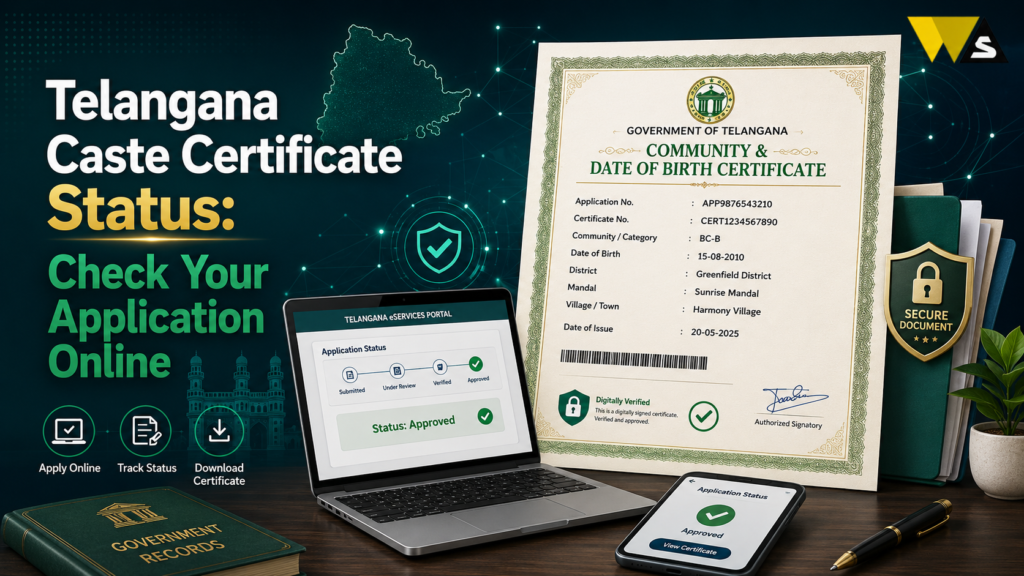
To check your Telangana caste certificate status, go to the MeeSeva portal (ts.meeseva.telangana.gov.in ), click “Know Your Application Status” / “Application Status”, enter your Application Number (or Transaction ID) and the confirmation/OTP code, and click Search. Your current status appears — Under Process, Pending, Approved, or Rejected.
In Telangana, the caste certificate is issued as an Integrated Certificate (covering SC, ST, BC, and OC castes, along with nativity and date of birth), verified and approved by the Tahsildar/MRO. It usually takes about 7–15 days. Once approved, you can download the digitally signed certificate (with QR code) from the portal. Status checking is free.
Table of Contents
ToggleWhat is the Telangana Caste (Integrated) Certificate?
In Telangana, the caste certificate is issued as an Integrated Certificate, a single document that combines the caste, nativity (residence), and date of birth details. It is issued to people belonging to SC, ST, BC, and OC communities.
The caste certificate is a document to access reservations and welfare benefits, such as:
- Education — admissions, scholarships, and fee reimbursement
- Government jobs — reservation in recruitment
- Welfare schemes — SC/ST/BC corporation loans and benefits
- Community-based benefits and proof of category
The Tahsildar / Mandal Revenue Officer (MRO) issues it after verification, and you apply through the MeeSeva portal or a MeeSeva centre.
Telangana Caste Certificate Status Overview 2026
| Detail | Information |
| Certificate | Integrated Certificate (caste) |
| Categories | SC, ST, BC, OC |
| Portal | ts.meeseva.telangana.gov.in |
| Issued by | Tahsildar / MRO |
| Track by | Application Number / Transaction ID |
| Processing time | About 7–15 days |
| Status types | Under process, pending, approved, rejected |
| Certificate has | QR code + digital signature |
| Validity | Usually long-term (commonly cited 10 years) |
| Helpline | 1800-599-4788 |
What is “Caste Certificate Status”?
Your application status tells you where your caste certificate application has reached — from submission to approval. After you apply at MeeSeva, the application goes to the Tahsildar/MRO for verification, and the status shows the current stage.
Why check the status?
- To confirm your application was received.
- To see if it is under verification.
- To know if it is approved and ready to download.
- To spot a rejection or query early and fix it.
- To avoid repeated visits to the MeeSeva centre.
What You Need to Check Your Status
To track your caste certificate, keep these ready:
- Application Number (given when you applied), or
- Transaction ID, and
- The confirmation code / OTP (if the portal asks for it)
- Sometimes your registered mobile number can also help
How to Check Telangana Caste Certificate Status (Step-by-Step)
Here is the simple process on the MeeSeva portal:
Step 1: Go to the official MeeSeva portal — ts.meeseva.telangana.gov.in .
Step 2: On the homepage, click “Know Your Application Status” (or “Application Status”).
Step 3: Enter your Application Number (or Transaction ID).
Step 4: Enter the confirmation code / captcha (and OTP if asked).
Step 5: Click “Search” / “Go”.
Step 6: Your caste certificate status appears showing the current stage (under process, pending, approved, or rejected).
Understanding the Status Messages
Your status will show one of these messages here is what each means:
- Under Process / Pending at Tahsildar: Your application is with the officer for verification normal during the processing period.
- Pending for Clarification / Query: The officer needs more details/documents you must respond/submit them.
- Field Verification: A VRO/officer may verify your details on the ground.
- Approved / Digitally Signed: Your certificate is approved and ready you can download it.
- Rejected: The application was not approved, check the reason and re-apply with corrections.
- Ready for Download / Delivered: The certificate is issued to download or collect it.
How Long Does the Caste Certificate Take?
- Most caste (Integrated) certificates are processed in about 7 to 15 days.
- Simple, clear cases may be faster (a few days).
- Cases needing extra verification (field check, missing documents) take longer.
- The Tahsildar/MRO verification is the main step that decides the time.
Because the officer verifies your caste, family, and residence details carefully to prevent false certificates this protects the genuine benefit for eligible people.
How to Download Your Caste Certificate (After Approval)
Once your status shows “Approved / Ready for Download”:
- Go to the MeeSeva portal (ts.meeseva.telangana.gov.in ).
- Use the “Download Certificate” / “Print Certificate” option (or via your application status page).
- Enter your Application Number / Transaction ID.
- Download the digitally signed certificate (PDF) — it has a QR code and digital signature.
- Print it for your use.
Or at a MeeSeva centre: You can also collect the printed certificate from the MeeSeva centre where you applied.
Why is My Caste Certificate Delayed or Rejected?
If your status is stuck or rejected, common reasons are:
- Pending Tahsildar/MRO verification — normal during processing.
- Field verification pending — an officer needs to check details.
- Documents missing or unclear — income, residence, or family proof issues.
- Details mismatch — name, community, or address does not match records.
- Query not answered — you did not respond to a clarification request.
- Wrong community claimed — the community must be in the official SC/ST/BC list.
How to fix:
- Respond to any clarification quickly with documents.
- Correct and re-apply if rejected.
- Follow up at the MeeSeva centre / Tahsildar office with your application number.
Documents Needed for the Caste Certificate
Common documents include:
- Aadhaar card
- Residence/address proof (Telangana resident)
- Ration card / family details
- Parent’s or blood relative’s caste certificate (strong proof)
- School records (showing community, if available)
- Passport-size photo
- Self-declaration/affidavit (as required)
Common Problems and Solutions
- Application number lost: Check your MeeSeva receipt, or ask the MeeSeva centre where you applied.
- Status not updating: Your application may still be under verification. Wait a few days and check again.
- Pending for clarification: Submit the required documents.
- Rejected: Read the reason, correct it, and re-apply.
- Cannot download after approval: Use the correct Application Number; try a different browser; or collect from the MeeSeva centre.
- Portal slow: Try again later, or use a MeeSeva centre.
- Someone asking for a bribe: The fee is small and officials do not pay extra.
Helpline: 1800-599-4788 (MeeSeva), and the Tahsildar/MRO office for verification issues.
BC vs OBC
- The Telangana BC Certificate is a state-level certificate used for BC reservations, education, jobs, and government schemes in Telangana.
- For central government jobs, PSUs, IITs, and central universities, you usually need an OBC (Non-Creamy Layer) certificate issued under the central notification, not the state BC certificate.
- Your community must appear in the relevant list (state BC list and/or central OBC list).
Conclusion
Checking your Telangana caste certificate status is quick and free on the MeeSeva portal (ts.meeseva.telangana.gov.in ) — click “Know Your Application Status”, enter your Application Number/Transaction ID and confirmation code, and view the current stage: under process, pending, approved, or rejected. The caste certificate is issued as an Integrated Certificate (SC/ST/BC/OC), verified and approved by the Tahsildar/MRO, usually within 7–15 days.
keep your application number safe, respond quickly to any clarification/query (a top reason for delay), and once approved, download the digitally signed certificate with the QR code from the portal. Attaching a parent’s/relative’s caste certificate is the strongest proof and speeds up verification.
Frequently Asked Questions (FAQs)
1. How do I check my Telangana caste certificate status?
Open the MeeSeva portal and click “Know Your Application Status.” Enter your Application Number or Transaction ID and confirmation code, then click Search. You can see whether your application is Under Process, Pending, Approved, or Rejected. The service is free and does not require an account.
2. What number do I need to track my caste certificate?
Use the MeeSeva Application Number or Transaction ID from your acknowledgement receipt to track the application. You may also need an OTP or confirmation code.
3. How long does a Telangana caste certificate take?
Most caste certificate applications take 7 to 15 days. Field verification or missing documents may cause delays. Tahsildar/MRO verification is an important part of the process.
4. What do the status messages mean?
“Under process/pending” means verification is ongoing; “pending for clarification” means the officer needs more documents; “approved/digitally signed” means it is ready to download; and “rejected” means it was not approved — check the reason and re-apply with corrections.
5. How do I download my caste certificate after approval?
Once the status shows approved, go to the MeeSeva portal, use the Download/Print Certificate option, enter your Application Number/Transaction ID, and download the digitally signed PDF with the QR code. You can also collect the printout from the MeeSeva centre.
6. Why is my caste certificate application delayed?
The application may be delayed due to pending Tahsildar/MRO or field verification, missing documents, incorrect details, or an unanswered query. Check your application and reply to any query as soon as possible. You can also contact the MeeSeva centre with your application number.
7. Why was my caste certificate rejected?
Your application may be rejected if documents are missing, details do not match, you do not reply to a query, or your community is not on the official list.
8. What documents are needed for a Telangana caste certificate?
Commonly Aadhaar, residence proof, ration card/family details, a parent’s or relative’s caste certificate (strong proof), school records showing community, a photo, and a self-declaration. A parent’s existing caste certificate speeds up verification the most.
9. Is the online caste certificate valid?
Yes. A caste certificate issued through MeeSeva is digitally signed and usually has a QR code for verification. You can scan the QR code to check the certificate details. The certificate is generally valid for a long period, but the exact validity can change, so check the latest rules on the official portal.
10. Is a state BC certificate valid for central government jobs?
A state BC certificate is not enough for central government jobs or institutions. You may need a Central OBC (Non-Creamy Layer) certificate. Check the Central OBC list to see if your community is included.
Read our article:









