

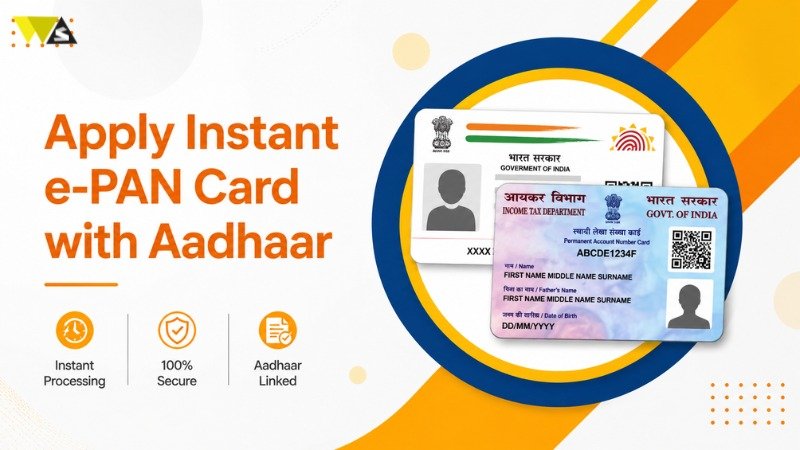
Getting a PAN card is now very easy in just 10 minutes using the Instant e-PAN service by the Income Tax Department. The process is completely online, free of cost, and does not require any documents.
If you have a valid Aadhaar card, you can get an instant PAN from the Income Tax Department. There is no need to fill a detailed form. The PAN is issued in PDF format without any cost.
The PDF includes a QR code with your personal details such as name, date of birth, and photo. You can download it using your 15-digit acknowledgement number or check it on the e-filing website. It is also sent to your email.
This article will guide you about eligibility, step-by-step application process, and how to check your e-PAN Card status through Aadhaar.
Table of Contents
ToggleWho Can Apply for Instant e-PAN?
You can apply for instant e-PAN if:
- You have never been issued a PAN before.
- You are not a minor.
- Your Aadhaar card is valid and linked to your mobile number.
- Your Aadhaar shows your complete date of birth.
- You are not applying as a representative assessee.
| Condition | Requirement |
| No Existing PAN | You have never been issued a PAN before. |
| Age Criteria | You are not a minor. |
| Aadhaar Requirement | Your Aadhaar card is valid and linked to your mobile number. |
| Date of Birth | Your Aadhaar shows your complete date of birth. |
| Application Type | You are not applying as a representative assessee. |
How to Apply For an Instant PAN Card With Aadhaar?
Steps to Apply for Instant e-PAN:
Step 1: Go to the Income Tax e-filing website (www.incometax.gov.in).
Step 2: Click on “Instant e-PAN” under Quick Links.
Step 3: Click on “Get New PAN”.
Step 4: Enter your Aadhaar number and tick the confirmation box. Click “Continue”.
Step 5: Accept the terms and click “Continue”.
Step 6: Enter the OTP sent to your Aadhaar-linked mobile number and click “Continue”.
Step 7: If needed, validate your email ID and click “Continue”.
After submission, you will get an acknowledgement number. You can use it to check your PAN status.
How to Download e-PAN Using an Aadhaar Number?
Once your PAN is ready, you can download it easily:
- Go to the Income Tax website
- Click on “Instant e-PAN” under Quick Links
- Click on “Check Status of PAN”
- Enter your Aadhaar number
- Enter Aadhaar number and complete OTP verification
- Check your PAN status
- View status and download e-PAN in PDF format if available
Process to Check Instant e-PAN Status
Follow these steps to check your PAN status:
- Visit the Income Tax e-Filing website
- Click on “Instant PAN through Aadhaar”
- Select “Check Status / Download PAN”
- Enter your Aadhaar number and CAPTCHA code
- Click on “Submit”
- If your PAN is ready, you can download it
Benefits of Instant PAN through Aadhaar
Getting an instant PAN through Aadhaar is very easy and helpful. You don’t need to fill long forms or submit documents. The process is online and free.
| Point | Details |
| Process | Getting an instant PAN through Aadhaar is very easy and helpful. |
| No Paperwork | You don’t need to fill long forms or submit any documents. |
| Mode | The entire process is online and completely free of cost. |
| Download Option | You can download your PAN anytime in PDF format. |
| Benefits | Helps in tax filing and makes financial activities more transparent and secure. |
You can download your PAN anytime in PDF format. It also helps you in tax filing and makes your financial activities more transparent and secure.
Conclusion
Getting a PAN card is now easier than ever with Instant e-PAN. The process is 100% online, completely free, and takes only a few minutes. If your Aadhaar is linked to your mobile number, you can apply instantly without any paperwork.
You can also download your e-PAN anytime and use it for tax filing and other financial work. Overall, it is a simple, fast, and convenient service provided by the Income Tax Department.
Read our article:How To Open E-PAN Card PDF Password, PAN Card Password Format & Example?
Frequently Asked Questions (FAQs)
1. What is Instant e-PAN?
Instant e-PAN is an online service that allows you to get a PAN card quickly using your Aadhaar number without any paperwork.
2. Who can apply for Instant e-PAN?
Anyone who does not already have a PAN card, is above 18 years of age, and has a valid Aadhaar linked with a mobile number can apply.
3. Is Instant e-PAN free of cost?
Yes, the Instant e-PAN service is completely free for all applicants.
4. How much time does it take to get e-PAN?
You can get your e-PAN within a few minutes, usually around 10 minutes after completing the process.
5. Is e-PAN valid like a physical PAN card?
Yes, e-PAN is fully valid and can be used anywhere a PAN card is required.
6. Do I need to submit any documents?
No, you do not need to submit any documents. The process is based on Aadhaar e-KYC.
7. Can I apply for an Instant e-PAN without Aadhaar?
No, you must have a valid Aadhaar card to apply for Instant e-PAN.
8. What if my mobile number is not linked with Aadhaar?
You will not be able to apply for Instant e-PAN. You need to link your mobile number with Aadhaar first.
9. Can minors apply for Instant e-PAN?
No, minors are not eligible for Instant e-PAN service.
10. How will I receive my e-PAN?
You will get your e-PAN in PDF format through email, and you can also access and download it from the website.
11. What is an acknowledgement number?
It is a 15-digit number given after applying. You can use it to check your PAN status or download your e-PAN.
12. What should I do if I do not receive my e-PAN?
You can visit the Income Tax website and download it using your Aadhaar number or acknowledgement number.
13. Can I apply again if my application fails?
Yes, you can apply again if your previous application was not successful.
14. Is it safe to apply for an Instant e-PAN online?
Yes, it is safe because the process is done through the official Income Tax website.
15. Can I update details in e-PAN after it is generated?
No, you cannot update details through Instant e-PAN. You need to apply for PAN correction separately.
Read our article:PAN Card Correction Form: How To Make Correction In PAN Card Online?









