

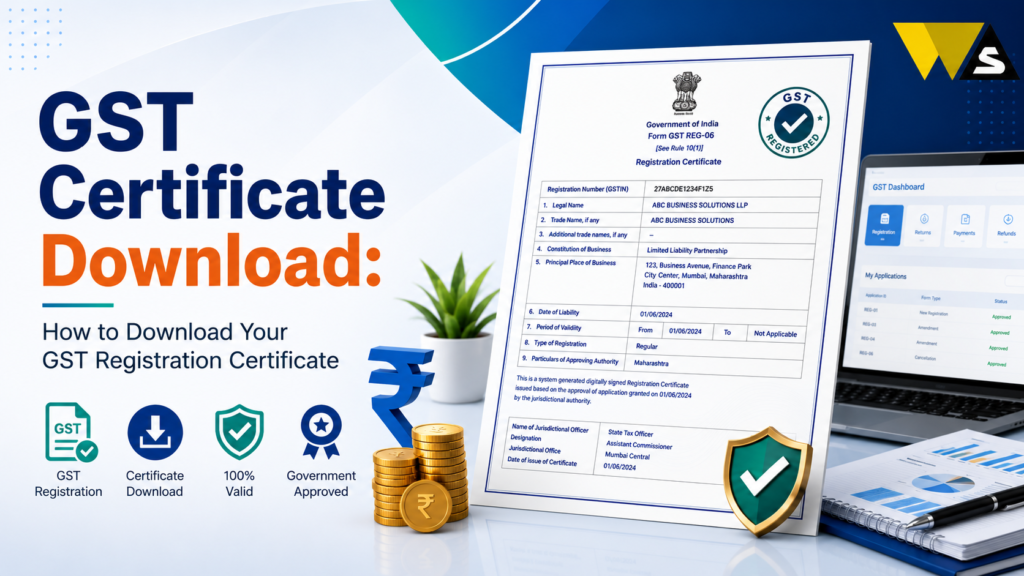
To do your GST certificate download, log in to the official portal gst.gov.in with your username and password, go to Services → User Services → View/Download Certificates, and click the download icon next to Form GST REG-06 to save it as a PDF. The GST certificate (Form GST REG-06) is your official proof of GST registration, showing your GSTIN, legal name, trade name, business address, and registration date.
The government issues no physical/hard copy; the downloaded PDF is your only official certificate. You must display it prominently at your place of business (and every additional place), or you can face a penalty of up to ₹25,000. Downloading is completely free and needs a login.
Table of Contents
ToggleWhat is the GST Certificate (Form REG-06)?
The GST certificate officially Form GST REG-06 — is the document that proves your business is registered under GST. It is issued by the government after your GST registration is approved.
The GST registration certificate contains your 15-digit GSTIN and business details. It is official proof of your GST registration.
Key points about the GST certificate:
- It is issued only in digital form — there is no hard copy from the department.
- You download it yourself from the GST portal.
- It is free to download (and re-download).
- You must display it at your place of business.
- It updates automatically when you make approved changes (amendments) to your registration.
The GST certificate is your business’s GST identity proof every registered business should download it, save it, and display it.
GST Certificate Download Overview 2026
| Detail | Information |
| Certificate | Form GST REG-06 |
| Portal | gst.gov.in |
| Path | Services → User Services → View/Download Certificates |
| Login Needed? | Yes |
| Format | |
| Cost | Free |
| Hard Copy? | No — digital only |
| Display Rule | Must display at place of business |
| Non-Display Penalty | Up to ₹25,000 |
| Auto-Update | Yes, after approved amendments |
What Details Are on the GST Certificate?
Form GST REG-06 shows:
- GSTIN — your 15-digit GST Identification Number
- Legal name of the business (as per PAN)
- Trade name (if any)
- Constitution of business — proprietor, partnership, company, etc.
- Address of the principal place of business
- Date of liability and date of validity (for regular taxpayers, valid until cancelled/surrendered)
- Type of registration — regular, composition, casual, etc.
- Approving authority details
Annexure A: Lists additional places of business (branches, godowns).
Annexure B: Shows the details and photos of the proprietor / partners / directors.
After downloading, check every detail carefully especially your name, GSTIN, and address. Any mistake should be corrected through an amendment.
Do You Get a Physical GST Certificate?
No, there is no physical or hard-copy GST certificate.
- The GST department issues the certificate only in digital (PDF) form on the portal.
- You download it yourself — no certificate is posted to you.
- The downloaded PDF is your official, valid certificate — you can print it for display.
Since there is no hard copy from the government, download and save your certificate immediately after registration, and print a copy to display at your shop/office.
How to Download GST Certificate (Step-by-Step)
Downloading is quick and free. Follow these steps:
Step 1: Go to the official portal gst.gov.in .
Step 2: Click “Login” and enter your username and password (with captcha).
Step 3: After login, go to Services → User Services → View/Download Certificates.
Step 4: You will see Form GST REG-06 listed (with the issue date).
Step 5: Click the download icon next to it.
Step 6: The certificate downloads as a PDF to your device.
Step 7: Open, check, and save the PDF safely.
How to Download a GST Certificate Without Login?
- You cannot download the actual REG-06 certificate without logging in — it is a private document tied to your account, so login is required.
- Without login, you can only verify a GSTIN (Search Taxpayer) to see basic public details (legal name, status, registration date) — but this is not the certificate.
What to do if you cannot log in: use “Forgot Username / Forgot Password” to recover access, then download the certificate.
For the official certificate, you must log in. If someone offers to “download your GST certificate without login” for a fee, it is a scam — the real certificate needs your own login.
Why You Must Display Your GST Certificate
Displaying the certificate is not optional it is a legal requirement under GST rules.
- You must display your GST registration certificate (REG-06) in a prominent location at your principal place of business.
- You must also display it at every additional place of business (branches, warehouses).
- You must display your GSTIN on your name board/signboard at the entry of your business.
Penalty for non-display: Failing to display the certificate or GSTIN can attract a penalty of up to ₹25,000.
When Does the GST Certificate Get Updated?
Your GST certificate updates automatically when you make certain approved changes (amendments) to your registration:
- Change of business address
- Adding or removing a place of business
- Change in business name / trade name
- Change in partners / directors / authorised signatory
When such an amendment is approved, a new REG-06 certificate is generated with the updated details and a new issue date. The old certificate is replaced.
After any approved amendment, download the fresh certificate and replace the displayed copy always show the latest version.
GST Certificate for Composition Taxpayers
If you are registered under the Composition Scheme– a simpler scheme for small taxpayers, you also get a certificate:
- Your REG-06 certificate shows that you are a composition taxpayer.
- Composition dealers must also display a board stating “Composition Taxable Person” at their place of business, and cannot collect GST from customers the normal way.
If you are a composition dealer, make sure your certificate reflects it, and follow the special display rules for composition taxpayers.
Common Problems in GST Certificate Download
Here are common issues and simple solutions:
- Cannot log in: Use “Forgot Username / Password” to reset, then download.
- Certificate not showing / “not generated yet”: Your registration may be just approved wait a little and check again.
- Wrong details on certificate: Apply for a core/non-core amendment to correct them; a new certificate is issued after approval.
- Download icon not working: Try a different browser, disable pop-up blockers, or use a laptop.
- Old details still showing: Download the latest certificate (after amendment approval).
- PDF not opening: Use a PDF reader and ensure the file is downloaded fully.
- Asked to pay to download: Downloading is free do not pay any agent.
How to Save and Use Your GST Certificate Properly
Once downloaded, protect and use your certificate well:
- Save the PDF in two places: your phone/computer and your email.
- Print a copy and display it at your place of business.
- Keep copies ready for bank account opening, loans, tenders, and supplier onboarding they often ask for.
- Re-download anytime for free if you lose the file.
- After any amendment, replace the copy with the latest version.
Many banks, marketplaces (Amazon/Flipkart), and B2B buyers ask for your certificate keeping a saved, printed copy ready saves time.
Is There Any Fee to Download the GST Certificate?
No downloading the certificate is completely free.
- The portal does not charge anything to view or download Form REG-06.
- Re-downloading (if you lose the file) is also free.
- You only pay if you hire a professional to manage your GST work — that is a service charge, not a government fee.
Conclusion
Your certificate download is simple and free: log in to gst.gov.in, go to Services → User Services → View/Download Certificates, and download Form GST REG-06 as a PDF. This certificate is your official proof of GST registration, showing your GSTIN, legal name, trade name, and business address — and remember, the government issues no hard copy, so the downloaded PDF is your only official certificate.
Display the certificate prominently at your principal and every additional place of business (non-display can cost a penalty up to ₹25,000), and after any approved amendment, download and display the latest version. Downloading and re-downloading are completely free, so never pay any agent and beware of anyone offering to “download it without login” for a fee.
Frequently Asked Questions (FAQs)
1. How do I download my GST certificate?
Log in to gst.gov.in with your username and password, go to Services → User Services → View/Download Certificates, and click the download icon next to Form GST REG-06 to save it as a PDF. Downloading is free.
2. What is the GST certificate called?
The GST registration certificate is officially called Form GST REG-06. It is your proof of GST registration and shows your GSTIN, legal name, trade name, business address, registration date, and details of the business and its owners.
3. Can I download my GST certificate without login?
You cannot download the REG-06 certificate without logging in. The “Search Taxpayer” option lets you see basic GSTIN information, but it does not provide the actual registration certificate.
4. Is there a physical copy of the GST certificate?
No. The GST department issues the certificate only in digital (PDF) form. You download it yourself from the portal, and the downloaded PDF is your official certificate. You can print it for display at your business.
5. Is downloading the GST certificate free?
Yes. Downloading and re-downloading Form REG-06 on gst.gov.in is completely free. If anyone asks for a fee or “government charge” to download or issue your certificate, it is a scam.
6. Do I have to display my GST certificate?
Yes. You must display your GST certificate prominently at your principal place of business and every additional place, and show your GSTIN on your signboard. Not displaying them can attract a penalty of up to ₹25,000.
7. What details are on the GST certificate?
Form REG-06 shows your GSTIN, legal name, trade name, constitution of business, principal place of business, date of liability and validity, and type of registration. Annexures list additional places of business and the owners’ details and photos.
8. My GST certificate has the wrong details. How do I fix it?
Apply for an amendment on the GST portal. After approval, you will get a new REG-06 certificate with the corrected details. Download and display the updated certificate.
9. When does the GST certificate get updated?
An approved amendment creates a new GST certificate with the updated details and issue date. The new certificate replaces the old one.
10. I cannot log in to download my certificate. What should I do?
Use the “Forgot Username” or “Forgot Password” option on the login page to recover access via OTP, then log in and download your certificate. The certificate can only be downloaded after logging in with your own credentials.
Read our article:
Read our article:
Read our article:
Read our article:
Read our article:









